

Preventing screen glare starts with clear goals: fewer reflections, crisper text, and less squinting while you work.
Light on a monitor shows up two ways. Bright bulbs make sharp, mirror-like reflections called specular highlights. High ambient light creates a soft, hazy wash, known as diffuse reflection.
Choosing the right lamp shade changes where light goes and how strongly it hits your display. Small angle tweaks and quick brightness changes often reduce visible reflection right away.
In this article you will learn to diagnose specular versus diffuse issues, try fast adjustments today, and pick a shade that improves light control without darkening the room.
Expect a layered solution: shade design, window control, and monitor settings usually work together. That combination lowers reflections and boosts your productivity by making your screen easier to read.
Why lamp shade choice matters for monitor reflections in your workspace
A lamp shade controls the beam—it either sends light down to your desk or lets it spill outward and upward. That beam shape changes how much light reaches your monitor and the odds you’ll see distracting reflections.
When a bulb or its bright spot is visible to the display, direct light creates sharp, mirror-like reflections. Those bright points compete with your content and raise the chance of noticeable screen glare.
Matching room brightness and screen brightness improves your comfort. Your eyes stop constantly adjusting when the environment and display feel similar.
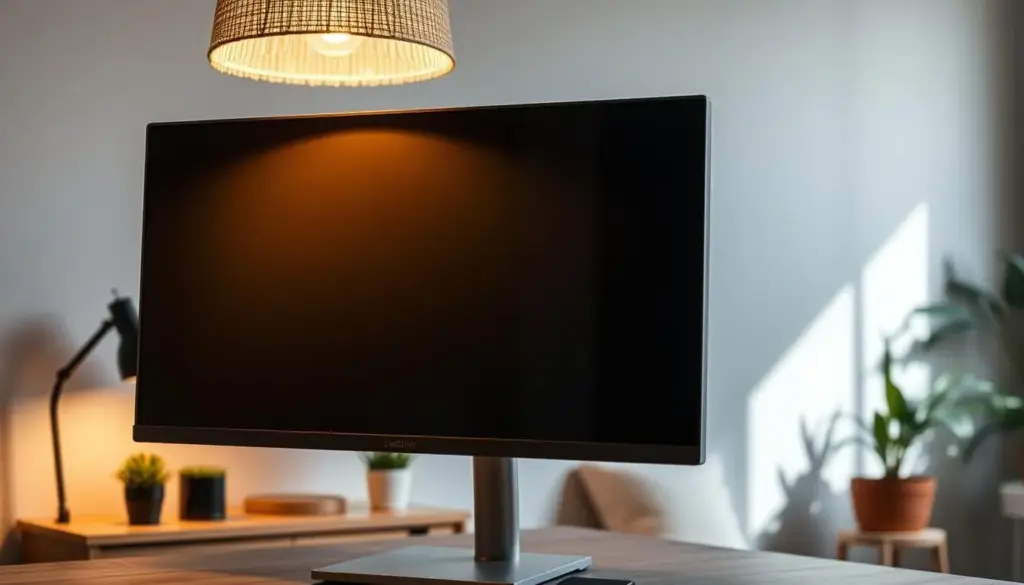
Treat shade design as a control tool. The right material, inner finish, and size reduce hotspots and cut harsh angles. You can keep light where you need it—on the work surface—instead of on the monitor.
- Beam steering: aim task light down, not at the display.
- Material and finish: a matte inner surface tames reflections.
- Fit to your environment: often a better shade, not a new lamp, is what you need.
Understand what causes screen glare before you change your lighting
Not all reflections behave the same; some look sharp while others wash everything out. Learn to spot the difference so you pick the right fix and protect your eye from extra strain.
Specular glare vs. diffuse glare and how they look on your screen
Specular glare is a bright, mirror-like reflection you can trace to a bulb or a window frame. You may even see a lamp shape or your face.
Diffuse glare is a milky wash. Contrast drops, blacks look gray, and colors lose punch even when no distinct reflection appears.
How direct light sources and ambient light reduce clarity differently
Windows and direct lamps create intense, directional reflections that produce specular artifacts. Overhead room lights and high ambient levels raise the overall brightness and cause diffuse loss of clarity.
Quick self-check to identify the main problem
- Turn off nearby lamps or close blinds for a few seconds.
- If distinct reflections vanish, a light source is the culprit.
- If the screen still looks washed out, ambient daylight or room lighting is the bigger problem.
Why this matters: correct diagnosis saves time and money. Fix specular issues by moving or angling screens and lights. Tackle diffuse loss with contrast tuning and better light control.
Fast adjustments that reduce glare today without buying new products
A few simple moves today will make your display easier to read in bright rooms. Start with small visual tests while seated, then change one thing at a time.
Tilt and angle changes
Tilt your monitor slightly downward so reflected light bounces below your line of sight. A small angle change often sends reflections away from your eyes instead of back at you.
Reposition using the 90-degree rule
Place your screen perpendicular to a window whenever possible. This 90-degree approach keeps direct sun off the display and reduces washed-out viewing.
Quick repositioning checklist
- Move the monitor a few inches left or right, then sit and check.
- Raise or lower the monitor in small steps to test tilt effects.
- If reflections shift, keep adjusting until they leave your sight line.
Brightness and dark mode tweaks
Increase brightness in very bright rooms to fight diffuse wash, but avoid extremes that strain your eyes later. Try dark mode for apps where it fits; reducing large bright areas cuts the mirror effect on glossy displays.
These adjustments are free, fast, and reversible. Use them today to judge whether you also need longer-term light or shade changes.
Preventing screen glare with the right lamp shade design
Your shade does more than look good: it steers beams so reflections stay away from your view.
Shape changes beam spread. Drum shades spill light broadly and raise ambient levels. Cone or empire shapes focus light downward and lower the chance that direct light will hit your monitor.
Opaque vs. translucent: opaque shades give tighter light control and fewer hotspots. Translucent shades brighten the room but can increase diffuse wash that weakens contrast.
Inner color and finish matter. Bright interiors boost the amount of usable light but can produce sharper highlights. Warm, softer interiors reduce harsh reflections and improve long‑term comfort.
Matte beats glossy for light control. Matte finishes absorb and scatter light gently, cutting secondary reflections. Glossy materials can throw back extra highlights that compete with your view.
- Size and bottom opening: a deeper shade hides the bulb from your line of sight and lowers direct light hitting the screen.
- Directionality and adjustability: swivel heads or adjustable arms let you aim light at the work surface and keep it off the monitor.
- Match the shade to your space: a small desk in a bright room needs tighter control than a larger space where the lamp sits farther from the screen.
Smart placement tip: position task lighting to the side of your monitor to light the desk without creating new reflections. This simple setup improves clarity without darkening the room.
Choose the best bulb and color temperature to lower glare and eye strain
Choosing the right bulb and color temperature shapes how comfortable your eyes feel during long work sessions.
Warm vs. cool tones and why blue-heavy light can feel harsh
Warm light (lower color temperatures) feels softer and easier on the eye in evening use. It reduces the perception of harsh blue tones that can make reflections and contrast feel more abrasive.
Very cool, blue‑forward bulbs boost perceived brightness but can increase squinting and eye strain, especially when reflections are present.
Match lamp brightness to the room
You want the right amount of ambient light: enough to read and write comfortably, but not so much that it washes out the display.
- Keep lamp output similar to your monitor’s perceived brightness.
- Use dimmable bulbs or lower‑wattage options when the room already feels bright.
- Choose warmer tones for evening work and neutral tones for daytime clarity.
How to test and tweak your setup
Turn the lamp on and open a dark webpage or app. If the display looks reflective like a mirror, reduce ambient brightness or redirect the lamp.
Also try OS tools like Night Light or Night Shift to warm the display. These settings lower perceived harshness when you can’t fully control room light.
Goal: keep clarity without making the workspace a cave or a studio. Small bulb and brightness changes cut eye strain and improve long-term comfort.
Window light control strategies that pair well with better lamp shades
Natural light moves with the sun, so your window strategy sets the baseline for any lamp-based fix.
Blinds, shades, and curtains that balance brightness
Blinds give precise angle control; tilt the slats to block direct beams while still admitting indirect light. This preserves a usable room light level without heavy darkening.
Curtains vary: heavy drapes block, while sheer curtains diffuse harsh daylight and keep the room bright. Sheers are a simple, low-cost solution to reduce a washed-out screen.
When adjustable blinds and window films help
Adjustable blinds let you fine-tune the sun’s path through the day. Small tweaks of slat angle often beat full closure for comfort and efficiency.
- Window films offer longer-term reduction of harsh sun and added UV protection.
- Frosted films diffuse light and add privacy.
- Reflective films bounce strong sunlight and heat but can look mirror-like from outside.
- Solar films cut glare while keeping interior brightness efficient.
Quick tip: set the room baseline with window solutions, then use your lamp shade for focused task lighting to maximize comfort and productivity.
Set up task lighting correctly so your lamp helps instead of hurts
Correct placement makes a lamp an asset, not a distraction. Focus on lighting your paper, keyboard, and tools while keeping bright bulbs out of reflective angles.
Where to place a desk lamp to light your work surface, not your monitor
Place a focused desk lamp off to one side so it illuminates your work area. For right-handed users, set the lamp to the left; left-handed users should place it on the right.
Use an adjustable arm or swivel head to aim light at documents and avoid pointing at the display. That minimizes visible reflections and keeps your light where it matters.
How to avoid bright overhead lights that create specular glare
Ceiling fixtures can produce specular glare on glossy displays. If overhead lights cause reflections, lower intensity, switch to diffused bulbs, or reposition the desk to reduce direct hits.
- Quick placement test: turn the lamp on and show a dark screen. If you see a bright reflection, move the lamp or redirect the shade.
- Limit uncontrolled sources. Fewer, targeted light sources give better control and a consistent work environment.
Optimize monitor settings for clarity in different lighting conditions
Tuning your display keeps text crisp and reduces visual competition from bright surroundings. Use simple adjustments so your screen adapts to changing light and stays comfortable to use.
Dial in brightness and contrast to match ambient light
Start by matching your screen brightness to the room. Open a white document and lower brightness until the page looks neutral, not like a light source in your face.
Adjust contrast so blacks stay deep without crushing detail. These settings cut eye fatigue and improve on‑screen clarity when daylight shifts.
Use dark mode to reduce the “mirror effect” on glossy screens
Dark mode helps when large bright areas create mirror-like reflections. On glossy displays, darker backgrounds reduce visible highlights and lower visual competition from nearby lights.
Night Light, Night Shift, and warming tools for comfort
Enable Night Light (Windows), Night Shift (Apple), or f.lux to warm the screen later in the day. Warmer color reduces eye strain and can make long sessions more pleasant.
- Re-check settings at different times of day. Your eyes adapt, and so should your setup.
- Remember: settings can’t remove a direct reflection, but they restore legibility when glare is unavoidable.
Anti-glare accessories when lighting changes aren’t enough
Accessories can offer consistent light control when architectural or office lighting won’t change. Add a layer when you travel, share a desk, or can’t move fixed overhead lights.
Matte films: benefits and trade-offs
Matte screen protector films diffuse bright highlights and give steady reduction of reflections. You gain visible softening of hotspots.
Trade-off: some loss of sharpness or vibrancy can occur depending on product quality.
Privacy filters for focused work
Privacy filters cut side-angle viewing and also lower reflective bounce. They suit open-plan offices or public travel when you need both privacy and fewer reflections.
Tempered glass with anti-reflective coatings
Tempered glass protector products prioritize durability and touch feel. AR coatings can preserve clarity better than some matte films, though reduction varies by brand.
Installation tips to preserve quality
- Clean the display thoroughly before applying.
- Align carefully and apply slowly to push out bubbles.
- Choose kits with dust-removal tools for a cleaner install.
Market snapshot: demand for anti-glare screen protector products is rising, with the laptop protector market moving from about $1.78B in 2023 toward $2.57B by 2029.
Reduce eye strain, headaches, and posture issues tied to glare
Reflected light doesn’t just annoy you — it changes how you sit, look, and work. When readability drops, you squint and lean in. That leads to eye strain, headaches, and neck or upper-back tension.
How glare contributes to fatigue and body pain
Bright reflections force repeated refocusing. You may crane your neck, twist your shoulders, or hunch forward to avoid a bright spot on the display.
These quick posture changes add up. Over hours of work they become persistent strain and cause frequent headaches.
Habits that support comfort during long screen time
- Take micro-breaks every 20–30 minutes and look at a distant point for 20 seconds.
- Reset your sitting position after you adjust lighting or monitor angle.
- Vary focus distance and change tasks to reduce continuous eye work.
Do a daily comfort audit: check when glare spikes during the day and adjust blinds or task lighting before symptoms start. Treating reflection as both a visual and ergonomic problem improves comfort and keeps your work quality high.
Plan a layered glare-reduction solution for home and office setups
A layered approach brings predictable light control across different rooms and times of day. Start with quick, free adjustments and add window and lamp solutions until the view stays readable without constant changes.
How to combine lamp shade selection, window control, and settings for consistent results
Follow a repeatable framework: first adjust placement and angle, then stabilize window treatments, refine your lamp shade directionality, and finally tune display settings or add products if needed.
What to prioritize if you work near windows or switch rooms throughout the day
If your desk sits by a window, put window control first: blinds, curtains, or films to cut direct beams. Next, position your monitor and task lamp so bulbs aren’t reflected.
When you move between rooms, use this quick checklist to adapt fast:
- Reset screen angle
- Shift shade position
- Apply a brightness preset and enable dark mode if needed
Operational efficiency and market context
Reduction in interruptions matters: a stable lighting plan saves time and helps a team maintain consistent comfort for calls and focused work.
Demand for light-control is growing—anti-glare films were valued around $9.06B in 2022—so adding modest products for long-term control is a common, cost-effective solution.
Conclusion
Wrap up by aiming for a readable view from your normal seat: fix the biggest light sources first, then refine angle and display settings. Identify if reflections are sharp or diffuse, and target the main sources before changing products.
Start free: small adjustments to placement, tilt, and brightness often restore clarity without cost. Only after those steps consider a different lamp shade or an anti-reflective accessory.
Use curtains and blinds to stabilize daylight so your lamp and monitor don’t fight shifting sun. That steady baseline makes lamp shade choices and settings far more effective.
If you still have questions—like “Should I go matte?” or “Do I need a privacy filter?”—check the earlier sections where options and trade-offs are compared. A layered approach gives lasting control across rooms and conditions.


