

The Role of Ambient Lighting in Your Home Office
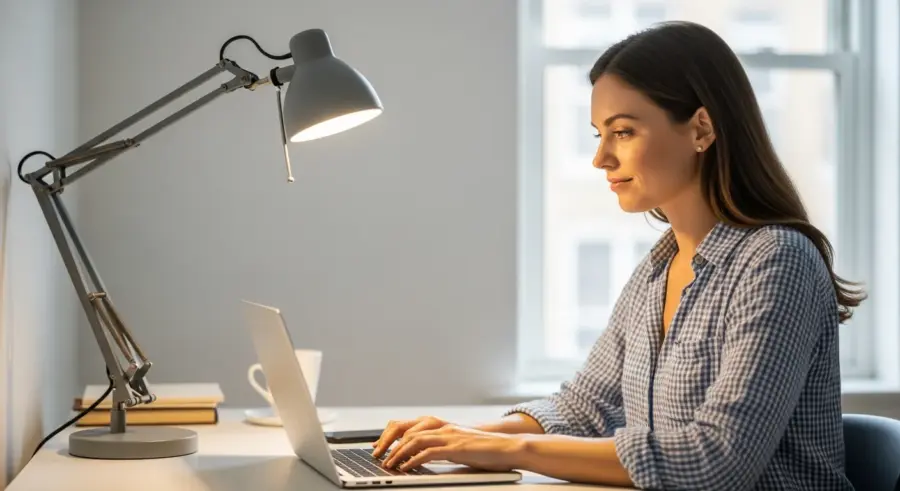
While desk lamps are essential for task lighting, ambient lighting plays a crucial role in creating a comfortable and balanced workspace. Ambient lighting provides overall illumination to the room, reducing contrast and minimizing eye strain.
Combining a desk lamp with adequate ambient lighting ensures that your eyes aren’t constantly adjusting between bright and dark areas. This can significantly reduce eye fatigue and improve your overall comfort and productivity.
Consider using overhead lights, floor lamps, or wall sconces to provide ambient lighting in your home office. Dimmable lights are particularly useful as they allow you to adjust the brightness to suit your needs and preferences, increasing comfort.
Natural light is also an excellent source of ambient illumination, so try to position your desk near a window if possible. However, be mindful of glare and reflections on your monitor, and use blinds or curtains to control the amount of natural light entering the room.
Avoid relying solely on your desk lamp for lighting. This can create a high contrast between your work surface and the surrounding environment, leading to eye strain.
Ensure that your ambient lighting is evenly distributed throughout the room. Avoid having areas that are too bright or too dark.
Consider using a combination of different types of ambient lighting to create a more balanced and comfortable environment. For example, you could use overhead lights for general illumination and floor lamps for accent lighting.
Pay attention to the color temperature of your ambient lighting. Choose a color temperature that complements your desk lamp and creates a cohesive lighting scheme.
Remember that the goal is to create a comfortable and inviting workspace that supports your productivity. Experiment with different ambient lighting options to find what works best for you.
Testing and Refining Your Desk Lamp Setup
Once you’ve set up your desk lamp based on the guidelines above, it’s important to test and refine your setup to ensure optimal comfort and performance. This involves evaluating your visual experience and making adjustments as needed.
Start by spending some time working at your desk under the new lighting conditions, paying attention to any signs of eye strain, discomfort, or glare. Note any areas that seem too bright or too dark, and make adjustments to the lamp’s position, angle, or brightness accordingly.
Try performing a variety of tasks, such as reading, writing, and working on your computer, to see how the lighting performs under different conditions. You may find that you need to make further adjustments to optimize the lighting for specific tasks.
Don’t be afraid to experiment with different lamp positions, angles, and brightness levels until you find the perfect setup for your needs. Small adjustments can make a big difference in your comfort and productivity, improving focus.
Use a task list to track your progress during the testing phase. Note down the adjustments you make and the impact they have on your visual comfort.
Ask a friend or colleague to evaluate your desk lamp setup. A fresh perspective can help you identify areas for improvement that you may have overlooked.
Consider using a light meter to measure the light intensity in different areas of your workspace. This can help you identify areas that are too bright or too dark.
Be patient and persistent during the testing and refinement process. It may take some time to find the perfect desk lamp setup for your needs.
Remember that your lighting needs may change over time, so it’s important to periodically re-evaluate your desk lamp setup and make adjustments as needed.
Conclusion
Optimizing your desk lamp placement is a simple yet powerful way to enhance your home office setup. By understanding the principles of ergonomic lighting, identifying your dominant hand, and fine-tuning your lamp’s position, you can create a workspace that supports your vision and reduces eye strain.
Remember to consider factors like glare, color temperature, and ambient lighting to create a comfortable and balanced visual environment. Testing and refining your setup will ensure that it meets your specific needs and preferences, helping you work more efficiently and comfortably.
The Importance of Color Temperature in Desk Lighting
Color temperature, measured in Kelvin (K), describes the warmth or coolness of a light source. Choosing the right color temperature for your desk lamp can significantly impact your comfort, productivity, and overall well-being.
Warmer color temperatures (2700-3000K) produce a soft, yellowish light that’s relaxing and suitable for evening use. Cooler color temperatures (5000-6500K) emit a bright, bluish light that’s energizing and ideal for daytime work.
For general office work, a neutral white light (3500-4500K) is often recommended as it provides a balance between warmth and coolness. This color temperature is less likely to cause eye strain and is suitable for a variety of tasks.
Experiment with different color temperatures to find what works best for you, considering the time of day and the type of work you’re doing. Some desk lamps even allow you to adjust the color temperature, providing greater flexibility and customization.
Using a cooler color temperature during the day can help you stay alert and focused. This type of light mimics natural daylight and can help regulate your body’s natural sleep-wake cycle.
Switching to a warmer color temperature in the evening can help you relax and prepare for sleep. This type of light is less stimulating and can help your body produce melatonin, a hormone that promotes sleep.
Consider the color temperature of your monitor when choosing a desk lamp. Matching the color temperature of your lamp to your monitor can help reduce eye strain and improve visual comfort.
If you experience eye strain or headaches, try experimenting with different color temperatures to see if it makes a difference. You may find that a particular color temperature is more comfortable for you than others.
The Role of Ambient Lighting in Your Home Office
While desk lamps are essential for task lighting, ambient lighting plays a crucial role in creating a comfortable and balanced workspace. Ambient lighting provides overall illumination to the room, reducing contrast and minimizing eye strain.
Combining a desk lamp with adequate ambient lighting ensures that your eyes aren’t constantly adjusting between bright and dark areas. This can significantly reduce eye fatigue and improve your overall comfort and productivity.
Consider using overhead lights, floor lamps, or wall sconces to provide ambient lighting in your home office. Dimmable lights are particularly useful as they allow you to adjust the brightness to suit your needs and preferences, increasing comfort.
Natural light is also an excellent source of ambient illumination, so try to position your desk near a window if possible. However, be mindful of glare and reflections on your monitor, and use blinds or curtains to control the amount of natural light entering the room.
Avoid relying solely on your desk lamp for lighting. This can create a high contrast between your work surface and the surrounding environment, leading to eye strain.
Ensure that your ambient lighting is evenly distributed throughout the room. Avoid having areas that are too bright or too dark.
Consider using a combination of different types of ambient lighting to create a more balanced and comfortable environment. For example, you could use overhead lights for general illumination and floor lamps for accent lighting.
Pay attention to the color temperature of your ambient lighting. Choose a color temperature that complements your desk lamp and creates a cohesive lighting scheme.
Remember that the goal is to create a comfortable and inviting workspace that supports your productivity. Experiment with different ambient lighting options to find what works best for you.
Testing and Refining Your Desk Lamp Setup
Once you’ve set up your desk lamp based on the guidelines above, it’s important to test and refine your setup to ensure optimal comfort and performance. This involves evaluating your visual experience and making adjustments as needed.
Start by spending some time working at your desk under the new lighting conditions, paying attention to any signs of eye strain, discomfort, or glare. Note any areas that seem too bright or too dark, and make adjustments to the lamp’s position, angle, or brightness accordingly.
Try performing a variety of tasks, such as reading, writing, and working on your computer, to see how the lighting performs under different conditions. You may find that you need to make further adjustments to optimize the lighting for specific tasks.
Don’t be afraid to experiment with different lamp positions, angles, and brightness levels until you find the perfect setup for your needs. Small adjustments can make a big difference in your comfort and productivity, improving focus.
Use a task list to track your progress during the testing phase. Note down the adjustments you make and the impact they have on your visual comfort.
Ask a friend or colleague to evaluate your desk lamp setup. A fresh perspective can help you identify areas for improvement that you may have overlooked.
Consider using a light meter to measure the light intensity in different areas of your workspace. This can help you identify areas that are too bright or too dark.
Be patient and persistent during the testing and refinement process. It may take some time to find the perfect desk lamp setup for your needs.
Remember that your lighting needs may change over time, so it’s important to periodically re-evaluate your desk lamp setup and make adjustments as needed.
Conclusion
Optimizing your desk lamp placement is a simple yet powerful way to enhance your home office setup. By understanding the principles of ergonomic lighting, identifying your dominant hand, and fine-tuning your lamp’s position, you can create a workspace that supports your vision and reduces eye strain.
Remember to consider factors like glare, color temperature, and ambient lighting to create a comfortable and balanced visual environment. Testing and refining your setup will ensure that it meets your specific needs and preferences, helping you work more efficiently and comfortably.
The Importance of Color Temperature in Desk Lighting
Color temperature, measured in Kelvin (K), describes the warmth or coolness of a light source. Choosing the right color temperature for your desk lamp can significantly impact your comfort, productivity, and overall well-being.
Warmer color temperatures (2700-3000K) produce a soft, yellowish light that’s relaxing and suitable for evening use. Cooler color temperatures (5000-6500K) emit a bright, bluish light that’s energizing and ideal for daytime work.
For general office work, a neutral white light (3500-4500K) is often recommended as it provides a balance between warmth and coolness. This color temperature is less likely to cause eye strain and is suitable for a variety of tasks.
Experiment with different color temperatures to find what works best for you, considering the time of day and the type of work you’re doing. Some desk lamps even allow you to adjust the color temperature, providing greater flexibility and customization.
Using a cooler color temperature during the day can help you stay alert and focused. This type of light mimics natural daylight and can help regulate your body’s natural sleep-wake cycle.
Switching to a warmer color temperature in the evening can help you relax and prepare for sleep. This type of light is less stimulating and can help your body produce melatonin, a hormone that promotes sleep.
Consider the color temperature of your monitor when choosing a desk lamp. Matching the color temperature of your lamp to your monitor can help reduce eye strain and improve visual comfort.
If you experience eye strain or headaches, try experimenting with different color temperatures to see if it makes a difference. You may find that a particular color temperature is more comfortable for you than others.
The Role of Ambient Lighting in Your Home Office
While desk lamps are essential for task lighting, ambient lighting plays a crucial role in creating a comfortable and balanced workspace. Ambient lighting provides overall illumination to the room, reducing contrast and minimizing eye strain.
Combining a desk lamp with adequate ambient lighting ensures that your eyes aren’t constantly adjusting between bright and dark areas. This can significantly reduce eye fatigue and improve your overall comfort and productivity.
Consider using overhead lights, floor lamps, or wall sconces to provide ambient lighting in your home office. Dimmable lights are particularly useful as they allow you to adjust the brightness to suit your needs and preferences, increasing comfort.
Natural light is also an excellent source of ambient illumination, so try to position your desk near a window if possible. However, be mindful of glare and reflections on your monitor, and use blinds or curtains to control the amount of natural light entering the room.
Avoid relying solely on your desk lamp for lighting. This can create a high contrast between your work surface and the surrounding environment, leading to eye strain.
Ensure that your ambient lighting is evenly distributed throughout the room. Avoid having areas that are too bright or too dark.
Consider using a combination of different types of ambient lighting to create a more balanced and comfortable environment. For example, you could use overhead lights for general illumination and floor lamps for accent lighting.
Pay attention to the color temperature of your ambient lighting. Choose a color temperature that complements your desk lamp and creates a cohesive lighting scheme.
Remember that the goal is to create a comfortable and inviting workspace that supports your productivity. Experiment with different ambient lighting options to find what works best for you.
Testing and Refining Your Desk Lamp Setup
Once you’ve set up your desk lamp based on the guidelines above, it’s important to test and refine your setup to ensure optimal comfort and performance. This involves evaluating your visual experience and making adjustments as needed.
Start by spending some time working at your desk under the new lighting conditions, paying attention to any signs of eye strain, discomfort, or glare. Note any areas that seem too bright or too dark, and make adjustments to the lamp’s position, angle, or brightness accordingly.
Try performing a variety of tasks, such as reading, writing, and working on your computer, to see how the lighting performs under different conditions. You may find that you need to make further adjustments to optimize the lighting for specific tasks.
Don’t be afraid to experiment with different lamp positions, angles, and brightness levels until you find the perfect setup for your needs. Small adjustments can make a big difference in your comfort and productivity, improving focus.
Use a task list to track your progress during the testing phase. Note down the adjustments you make and the impact they have on your visual comfort.
Ask a friend or colleague to evaluate your desk lamp setup. A fresh perspective can help you identify areas for improvement that you may have overlooked.
Consider using a light meter to measure the light intensity in different areas of your workspace. This can help you identify areas that are too bright or too dark.
Be patient and persistent during the testing and refinement process. It may take some time to find the perfect desk lamp setup for your needs.
Remember that your lighting needs may change over time, so it’s important to periodically re-evaluate your desk lamp setup and make adjustments as needed.
Conclusion
Optimizing your desk lamp placement is a simple yet powerful way to enhance your home office setup. By understanding the principles of ergonomic lighting, identifying your dominant hand, and fine-tuning your lamp’s position, you can create a workspace that supports your vision and reduces eye strain.
Remember to consider factors like glare, color temperature, and ambient lighting to create a comfortable and balanced visual environment. Testing and refining your setup will ensure that it meets your specific needs and preferences, helping you work more efficiently and comfortably.
Finding the perfect desk lamp placement can feel like a minor detail, but it significantly impacts your comfort and productivity. Poor lighting can lead to eye strain, headaches, and reduced focus, hindering your ability to work effectively. Optimizing your desk lamp placement, combined with proper ergonomics, is an investment in your well-being and efficiency.
This article will guide you through understanding ergonomic lighting principles, identifying your dominant hand, and fine-tuning your setup to minimize glare and maximize focus. We’ll explore the optimal angles, distances, and adjustments needed to create a workspace that supports your vision and enhances your overall work experience. By the end, you’ll have the knowledge to transform your desk into an ergonomically sound and visually comfortable haven.
Let’s get started on creating an environment where you can work comfortably and efficiently, reducing eye strain and increasing your focus. This guide offers practical tips and considerations for achieving optimal desk lamp placement, tailored to your specific needs and workspace.
Understanding the Principles of Ergonomic Lighting
Ergonomic lighting is about more than just having a light source; it’s about creating a visual environment that supports your body’s natural posture and reduces strain. The goal is to minimize discomfort and maximize efficiency by optimizing the way light interacts with your workspace.
Proper ergonomic lighting considers factors like light intensity, color temperature, and light direction to ensure a comfortable and productive workspace. By understanding these principles, you can make informed decisions about your desk lamp placement and overall lighting strategy.
One key principle is minimizing glare, which occurs when excessive light reflects off surfaces and enters your eyes. Glare can cause discomfort, reduce visibility, and lead to eye strain, so it’s crucial to position your desk lamp to avoid direct reflections on your monitor or other work surfaces.
Another important aspect is providing adequate and consistent illumination to reduce eye fatigue. Insufficient lighting forces your eyes to work harder, leading to strain and potential headaches, while consistent lighting helps maintain a comfortable visual environment.
Think about the contrast between your screen and the surrounding environment. High contrast can lead to eye strain as your eyes constantly adjust. Aim for a balanced lighting scheme to reduce this contrast.
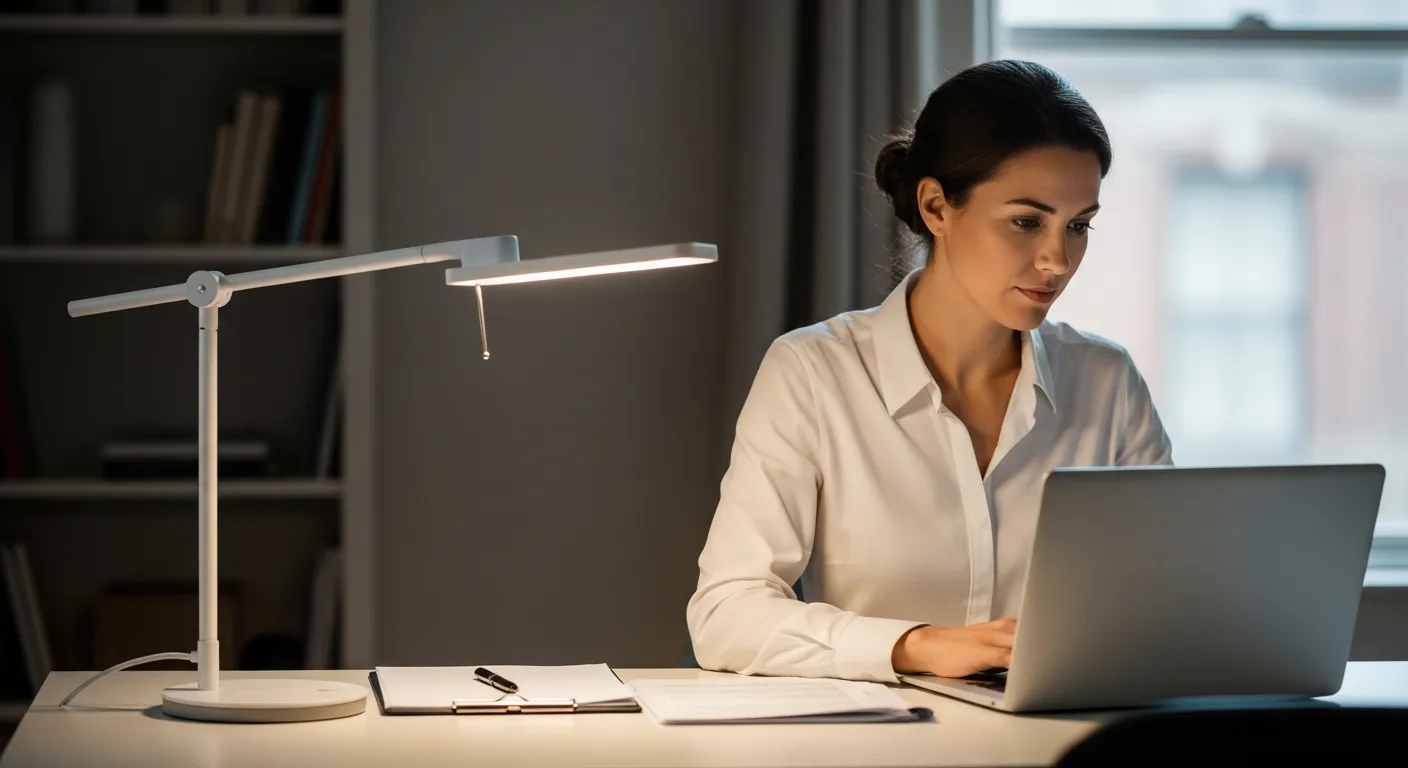
Consider the placement of windows in your workspace. Natural light is beneficial, but direct sunlight can cause glare. Use blinds or curtains to control the amount of natural light.
Ergonomic lighting also takes into account individual needs and preferences. What works for one person might not work for another. Experiment with different lighting setups to find what feels most comfortable and productive for you.
Remember that good lighting is an investment in your long-term health and well-being. Taking the time to optimize your workspace lighting can prevent eye strain, headaches, and other discomforts associated with poor lighting.
Identifying Your Dominant Hand and Lighting Placement
Your dominant hand plays a crucial role in determining the ideal desk lamp placement. The principle is simple: position the light source on the opposite side of your dominant hand to prevent shadows from interfering with your work.
If you’re right-handed, place the lamp on the left side of your desk, and if you’re left-handed, position it on the right. This ensures that your hand doesn’t cast a shadow over your workspace as you write, type, or perform other tasks.
This placement strategy also helps reduce eye strain by providing consistent illumination without disruptive shadows. Shadows can force your eyes to constantly adjust, leading to fatigue and discomfort over time.
Consider the specific tasks you perform most frequently and how your hand movements interact with the light. Adjust the lamp’s position slightly to fine-tune the lighting and minimize shadows during those tasks, improving both comfort and efficiency.
Think about the size of your workspace when determining the optimal placement. A larger desk may require a lamp with a longer reach or a more powerful bulb to provide adequate illumination.
If you frequently switch between tasks that require different hand positions, consider a lamp with a flexible arm that can be easily adjusted. This allows you to quickly adapt the lighting to your current needs.
Pay attention to the direction of your hand movements when performing tasks like drawing or crafting. Position the lamp to minimize shadows and provide consistent light across your work surface.
Remember that the goal is to create a comfortable and efficient workspace that supports your productivity. Experiment with different lamp placements to find what works best for your individual needs and preferences.
Angle and Distance: Finding the Sweet Spot
The angle and distance of your desk lamp are critical for achieving optimal illumination without causing glare or shadows. Finding the right balance can significantly improve your visual comfort and productivity.
Experimenting with different angles and distances is key to discovering what works best for your specific workspace and tasks. Consider the size of your desk, the height of your monitor, and the type of work you’ll be doing when making adjustments.
| Task | Recommended Angle | Recommended Distance |
|---|---|---|
| Reading | 45 degrees | 18-24 inches |
| Writing | 60 degrees | 16-22 inches |
| Computer Work | 30 degrees | 20-26 inches |
| Detailed Tasks (e.g., drawing) | Adjustable, depending on the task | 12-18 inches |
The angle of the lamp affects the distribution of light across your work surface. A steeper angle will concentrate the light in a smaller area, while a shallower angle will spread the light more evenly.
The distance of the lamp affects the intensity of the light. A lamp that is too close can be too bright and cause glare, while a lamp that is too far away may not provide enough illumination.
Consider the type of bulb you are using when determining the optimal angle and distance. Different bulbs have different light output and distribution patterns.
Pay attention to the shadows that are cast by the lamp. Adjust the angle and distance to minimize shadows and provide consistent illumination across your work surface.
A flexible arm lamp is extremely useful for adjusting both angle and distance on the fly. These lamps allow for precise control over the light and are ideal for tasks that require frequent adjustments.
Avoiding Glare and Reflections on Your Monitor
Glare and reflections on your monitor are major contributors to eye strain and discomfort. Minimizing these distractions is essential for creating a visually comfortable workspace that supports focus and productivity.
Start by positioning your desk lamp so that the light doesn’t shine directly onto your monitor screen. Instead, aim the light towards your work surface, allowing it to indirectly illuminate your workspace without creating harsh reflections.
Adjusting the angle of your monitor can also help reduce glare from overhead lights or windows. Tilting the screen slightly downward can minimize reflections and improve visibility, especially in brightly lit environments.
Consider using a monitor with an anti-glare coating to further reduce reflections and improve visual comfort. These coatings diffuse light, making it easier to see the screen even in challenging lighting conditions, reducing eye strain.
Experiment with different lamp positions to find the angle that minimizes glare on your screen. Even small adjustments can make a big difference.
Consider the color of your walls and other surfaces in your workspace. Light-colored surfaces can reflect more light and contribute to glare, while darker surfaces absorb light and reduce reflections.
Use blinds or curtains to control the amount of natural light entering your workspace. Direct sunlight can cause significant glare on your monitor.
If you wear glasses, make sure they have an anti-reflective coating. This can help reduce glare from your monitor and other light sources.
Regularly clean your monitor screen to remove dust and fingerprints, which can contribute to glare and reflections. A clean screen is easier to see and reduces eye strain.
Choosing the Right Type of Desk Lamp
Selecting the appropriate type of desk lamp is crucial for achieving optimal lighting in your workspace. Different lamp types offer varying levels of adjustability, light quality, and energy efficiency, impacting your comfort and productivity.
Consider factors such as the lamp’s adjustability, bulb type, and design to ensure it meets your specific needs and preferences. A well-chosen desk lamp can significantly enhance your work experience and reduce eye strain.
LED lamps are a popular choice due to their energy efficiency, long lifespan, and ability to produce a consistent, flicker-free light. They also come in a variety of color temperatures, allowing you to customize the lighting to your preference.
Halogen lamps provide a bright, white light that closely mimics natural daylight, making them suitable for tasks requiring high color accuracy. However, they consume more energy and generate more heat compared to LED lamps, which could be a consideration.
Incandescent lamps are the least energy-efficient option and produce a warm, yellowish light. They are also more prone to flickering, which can cause eye strain. They are generally not recommended for desk lighting.
Consider a lamp with a dimmer switch to adjust the brightness to your preference. This allows you to customize the lighting to suit different tasks and times of day.
A lamp with a flexible arm or gooseneck allows you to easily adjust the position and angle of the light. This is particularly useful for tasks that require precise lighting.
Choose a lamp with a sturdy base to prevent it from tipping over. A stable lamp is safer and more convenient to use.
Consider the design of the lamp and how it will fit into your workspace. Choose a lamp that complements your decor and doesn’t take up too much space.
Adjusting Lamp Height and Angle for Different Tasks
The ideal lamp height and angle can vary depending on the specific tasks you’re performing at your desk. Adjusting these parameters ensures that you have the right amount of light in the right place, minimizing eye strain and maximizing efficiency.
When reading, position the lamp so that the light shines directly onto the page, providing consistent illumination without creating shadows. A slightly higher angle can help reduce glare and improve visibility.
- Reading: Higher angle, direct light
- Writing: Adjustable angle, focus on work area
- Computer work: Lower angle, indirect light
- Drawing: Flexible angle, bright and even light
- Detailed tasks: Close proximity, intense light
For computer work, a lower angle is often preferred to avoid glare on the screen. Position the lamp to the side of your monitor and angle it slightly downward to illuminate your keyboard and work surface without reflecting on the screen.
When writing, adjust the angle of the lamp to focus the light on your writing area. A slightly higher angle can help reduce shadows and improve visibility, but avoid shining the light directly into your eyes.
For tasks that require detailed work, such as drawing or crafting, a flexible angle is essential. Position the lamp close to your work surface and adjust the angle to provide bright, even illumination without creating shadows.
Consider using a lamp with adjustable height to accommodate different tasks and seating positions. This allows you to customize the lighting to your specific needs and preferences.
Experiment with different lamp heights and angles to find what works best for you. Pay attention to any signs of eye strain or discomfort, and make adjustments as needed.
The Importance of Color Temperature in Desk Lighting
Color temperature, measured in Kelvin (K), describes the warmth or coolness of a light source. Choosing the right color temperature for your desk lamp can significantly impact your comfort, productivity, and overall well-being.
Warmer color temperatures (2700-3000K) produce a soft, yellowish light that’s relaxing and suitable for evening use. Cooler color temperatures (5000-6500K) emit a bright, bluish light that’s energizing and ideal for daytime work.
For general office work, a neutral white light (3500-4500K) is often recommended as it provides a balance between warmth and coolness. This color temperature is less likely to cause eye strain and is suitable for a variety of tasks.
Experiment with different color temperatures to find what works best for you, considering the time of day and the type of work you’re doing. Some desk lamps even allow you to adjust the color temperature, providing greater flexibility and customization.
Using a cooler color temperature during the day can help you stay alert and focused. This type of light mimics natural daylight and can help regulate your body’s natural sleep-wake cycle.
Switching to a warmer color temperature in the evening can help you relax and prepare for sleep. This type of light is less stimulating and can help your body produce melatonin, a hormone that promotes sleep.
Consider the color temperature of your monitor when choosing a desk lamp. Matching the color temperature of your lamp to your monitor can help reduce eye strain and improve visual comfort.
If you experience eye strain or headaches, try experimenting with different color temperatures to see if it makes a difference. You may find that a particular color temperature is more comfortable for you than others.
The Role of Ambient Lighting in Your Home Office
While desk lamps are essential for task lighting, ambient lighting plays a crucial role in creating a comfortable and balanced workspace. Ambient lighting provides overall illumination to the room, reducing contrast and minimizing eye strain.
Combining a desk lamp with adequate ambient lighting ensures that your eyes aren’t constantly adjusting between bright and dark areas. This can significantly reduce eye fatigue and improve your overall comfort and productivity.
Consider using overhead lights, floor lamps, or wall sconces to provide ambient lighting in your home office. Dimmable lights are particularly useful as they allow you to adjust the brightness to suit your needs and preferences, increasing comfort.
Natural light is also an excellent source of ambient illumination, so try to position your desk near a window if possible. However, be mindful of glare and reflections on your monitor, and use blinds or curtains to control the amount of natural light entering the room.
Avoid relying solely on your desk lamp for lighting. This can create a high contrast between your work surface and the surrounding environment, leading to eye strain.
Ensure that your ambient lighting is evenly distributed throughout the room. Avoid having areas that are too bright or too dark.
Consider using a combination of different types of ambient lighting to create a more balanced and comfortable environment. For example, you could use overhead lights for general illumination and floor lamps for accent lighting.
Pay attention to the color temperature of your ambient lighting. Choose a color temperature that complements your desk lamp and creates a cohesive lighting scheme.
Remember that the goal is to create a comfortable and inviting workspace that supports your productivity. Experiment with different ambient lighting options to find what works best for you.
Testing and Refining Your Desk Lamp Setup
Once you’ve set up your desk lamp based on the guidelines above, it’s important to test and refine your setup to ensure optimal comfort and performance. This involves evaluating your visual experience and making adjustments as needed.
Start by spending some time working at your desk under the new lighting conditions, paying attention to any signs of eye strain, discomfort, or glare. Note any areas that seem too bright or too dark, and make adjustments to the lamp’s position, angle, or brightness accordingly.
Try performing a variety of tasks, such as reading, writing, and working on your computer, to see how the lighting performs under different conditions. You may find that you need to make further adjustments to optimize the lighting for specific tasks.
Don’t be afraid to experiment with different lamp positions, angles, and brightness levels until you find the perfect setup for your needs. Small adjustments can make a big difference in your comfort and productivity, improving focus.
Use a task list to track your progress during the testing phase. Note down the adjustments you make and the impact they have on your visual comfort.
Ask a friend or colleague to evaluate your desk lamp setup. A fresh perspective can help you identify areas for improvement that you may have overlooked.
Consider using a light meter to measure the light intensity in different areas of your workspace. This can help you identify areas that are too bright or too dark.
Be patient and persistent during the testing and refinement process. It may take some time to find the perfect desk lamp setup for your needs.
Remember that your lighting needs may change over time, so it’s important to periodically re-evaluate your desk lamp setup and make adjustments as needed.
Conclusion
Optimizing your desk lamp placement is a simple yet powerful way to enhance your home office setup. By understanding the principles of ergonomic lighting, identifying your dominant hand, and fine-tuning your lamp’s position, you can create a workspace that supports your vision and reduces eye strain.
Remember to consider factors like glare, color temperature, and ambient lighting to create a comfortable and balanced visual environment. Testing and refining your setup will ensure that it meets your specific needs and preferences, helping you work more efficiently and comfortably.


