

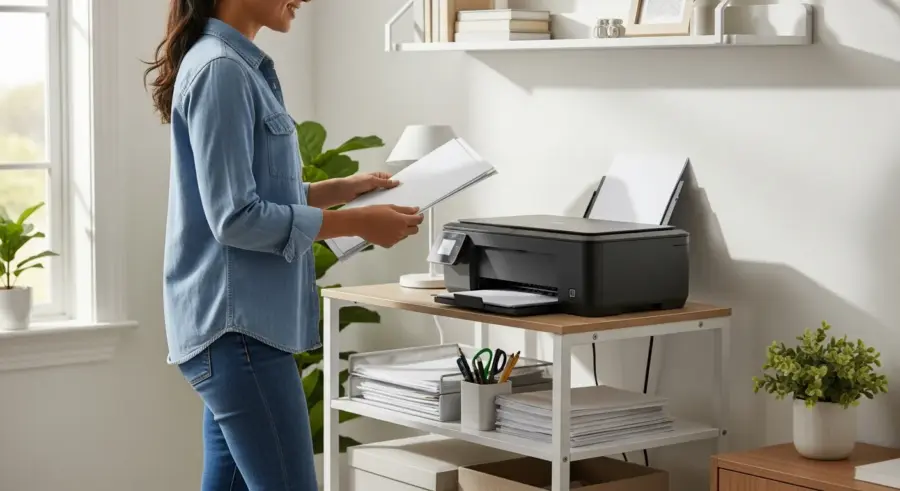
In today’s compact living spaces, maximizing every square inch is essential. A dedicated home office area can be a challenge, but with the right furniture, even the smallest corner can become a productive workspace.
One often overlooked piece of furniture that can significantly improve your small office setup is a small printer stand with storage. These stands not only provide a stable surface for your printer but also offer valuable storage space for paper, ink cartridges, and other office supplies.
This article will guide you through selecting the perfect small printer stand with storage to optimize your workspace. We’ll discuss the benefits, key features, material considerations, and placement tips to help you create an organized and efficient home office, even in a limited area.
The Benefits of a Printer Stand with Storage
A printer stand with storage offers numerous advantages, especially in a small home office setting. It helps to declutter your desk by providing a designated space for your printer and related supplies, freeing up valuable workspace for other tasks.
By keeping your printer and supplies organized, you can improve efficiency and reduce the time spent searching for what you need. This can lead to increased productivity and a more focused work environment, making it easier to concentrate on your tasks.
Investing in a printer cabinet can also protect your printer from dust, spills, and other potential damage. A dedicated stand ensures that your printer is stable and secure, preventing accidental falls or bumps that could harm the machine.
A printer stand with storage can also enhance the overall aesthetic of your home office. With various styles and materials available, you can choose a stand that complements your existing decor and adds a touch of professionalism to your workspace.
Furthermore, a well-chosen printer stand can contribute to better ergonomics. By raising the printer to a more accessible height, it can reduce strain on your back and neck when you need to use it.

It also helps in creating a more visually appealing and organized office. A dedicated space for your printer and supplies makes the room look less cluttered and more professional.
The storage component is particularly beneficial, allowing you to keep extra paper, ink, and other necessities close at hand. This eliminates the need to get up and search for supplies, saving you time and effort.
Think of the convenience of having everything you need for printing right next to the printer. No more running around the house looking for that one ream of paper you stashed away months ago.
Key Features to Look for: Size, Shelves, and Cable Management
When selecting a small printer stand with storage, size is a critical factor to consider. Measure the dimensions of your printer and the available space in your office to ensure a proper fit, remembering to account for any extra space needed for ventilation and access.
Consider the number of shelves and drawers you need to store your printing supplies. Look for adjustable shelves to accommodate items of different sizes and configurations that suit your storage needs.
Cable management is another essential feature to look for in a printer stand. Stands with built-in cable management systems can help keep your cords organized and prevent them from becoming tangled or creating a tripping hazard.
This will not only improve the appearance of your office but also protect your cables from damage and ensure a safe working environment. A desk organizer is also a good option.
Beyond the basic measurements, consider the overall footprint of the stand. A taller, narrower stand might be ideal for tight spaces, while a wider, shorter stand could provide more stability.
Pay attention to the weight capacity of the shelves. You want to be sure they can handle the weight of the paper reams and other supplies you plan to store.
The type of shelving is also important. Open shelves offer easy access, while drawers can conceal clutter and provide a more organized look.
Effective cable management can make a huge difference in the overall tidiness of your workspace. Look for stands with grommets, channels, or clips to keep cords neatly tucked away.
Some stands even have built-in power strips, which can be incredibly convenient. This means you only need one outlet for both the printer and the stand.
Material and Style Considerations
The material of your printer stand will affect its durability, appearance, and price. Common materials include wood, metal, and plastic, each with its own advantages and disadvantages.
Wood stands offer a classic and elegant look, providing sturdiness and warmth to your office. Metal stands are known for their durability and modern aesthetic, making them a great choice for contemporary workspaces.
| Material | Pros | Cons |
|---|---|---|
| Wood | Classic look, sturdy, warm | Can be expensive, susceptible to moisture |
| Metal | Durable, modern, easy to clean | Can be cold, may scratch |
| Plastic | Affordable, lightweight, water-resistant | Less durable, can look cheap |
| Laminate | Affordable, variety of finishes | Can be susceptible to moisture damage |
Plastic stands are a budget-friendly option that are lightweight and easy to clean, but they may not be as durable or stylish as wood or metal. Laminate printer stands offer a balance of affordability and style, with a variety of finishes to match your decor.
Consider the overall style of your home office when choosing a printer stand. Do you prefer a traditional, modern, or minimalist look?
The material and finish of the stand should complement your existing furniture and decor. A cohesive style will create a more harmonious and inviting workspace.
Wood stands come in a variety of finishes, from light oak to dark mahogany. Choose a finish that matches your desk and other wooden furniture.
Metal stands are often available in black, white, or silver. These neutral colors can easily blend in with most office environments.
Plastic stands may come in a wider range of colors, but it’s best to stick with neutral tones to avoid a cheap or distracting look.
Weight Capacity and Stability
Before purchasing a printer stand, check its weight capacity to ensure it can safely support your printer. Overloading the stand could lead to damage or instability, so it’s crucial to choose a stand that can handle the weight of your equipment.
Look for stands with a sturdy base and construction to prevent wobbling or tipping. Adjustable feet can also help stabilize the stand on uneven surfaces, providing a secure platform for your printer.
Consider the overall design of the stand and how it distributes weight. A well-designed stand will have a low center of gravity, making it less likely to tip over, even when fully loaded with supplies.
Reading customer reviews can provide valuable insights into the stability and weight capacity of different printer stands. Pay attention to any comments about wobbling, tipping, or difficulty supporting heavy printers.
Always err on the side of caution when it comes to weight capacity. It’s better to choose a stand that can handle more weight than you currently need, just in case you upgrade your printer in the future.
Pay attention to the materials used in the construction of the stand. Solid wood and heavy-gauge metal are generally more durable and stable than lightweight plastic or particleboard.
Check the construction of the joints and connections. Are they securely fastened with screws or bolts, or are they simply glued together?
A stand with adjustable feet is a must-have if your floor is uneven. This will allow you to level the stand and prevent it from wobbling.
Consider the placement of the printer on the stand. A printer placed too high can make it unstable.
Organizing Your Printing Supplies
Once you have your printer stand with storage, it’s time to organize your printing supplies. Start by sorting your items into categories, such as paper, ink cartridges, and other accessories.
Use drawer dividers or small containers to keep your supplies neatly organized within the stand. Label each container to make it easy to find what you need quickly, and consider using clear containers so you can see what’s inside without having to open them.
Keep frequently used items, such as paper and ink, within easy reach. Store less frequently used items, such as specialty paper or extra ink cartridges, on higher shelves or in the back of drawers.
Regularly declutter your printer stand to remove any expired or unused items. This will help prevent clutter from accumulating and ensure that you have enough space for the supplies you actually need.
Consider using a label maker to create clear and professional labels for your containers. This will make it even easier to find what you need at a glance.
Roll up and secure any extra cables or cords to prevent them from becoming tangled. Cable ties or Velcro straps can be helpful for this.
Store extra paper in a sealed container to protect it from dust and moisture. This will help prevent the paper from becoming damaged or unusable.
Keep a small trash can or recycling bin near the printer stand for disposing of used paper and ink cartridges. This will help keep your workspace clean and organized.
Consider using a small whiteboard or corkboard on the side of the printer stand to jot down notes or reminders. This can be a helpful way to stay organized and on track.
Placement Tips for Small Office Printer Stands
Choosing the right location for your printer stand is essential for maximizing space and efficiency. Place the stand near an outlet to avoid unsightly extension cords, and ensure it’s easily accessible from your desk.
Consider the ergonomics of your workspace when positioning the stand. You should be able to easily reach your printer and supplies without straining or twisting your body.
- Near a power outlet
- Within easy reach of your desk
- Away from direct sunlight or heat sources
- On a level surface
- Consider airflow for printer ventilation
Avoid placing the stand in direct sunlight or near heat sources, as this can damage your printer and supplies. Ensure the surface is level to prevent the stand from wobbling and causing potential accidents.
Think about the flow of traffic in your office. You don’t want to place the printer stand in a location where it will obstruct walkways or create a tripping hazard.
Consider the noise level of your printer. If it’s particularly loud, you may want to place the stand in a location where it won’t be as disruptive.
Make sure there’s enough space around the printer stand for ventilation. Overheating can damage your printer and shorten its lifespan.
If you have a wireless printer, you’ll still need to consider the location of the power outlet. However, you’ll have more flexibility in terms of placement since you won’t need to worry about connecting it to your computer with a cable.
Consider the height of the printer stand in relation to your desk. You want to be able to easily reach the printer without having to bend over or strain your back.
Additional Storage Solutions
If your printer stand doesn’t offer enough storage, consider adding additional solutions to maximize your space. Wall-mounted shelves can provide extra storage without taking up valuable floor space.
Over-the-door organizers can also be useful for storing smaller items, such as pens, paper clips, and other office supplies. Rolling carts can be easily moved around your office, providing flexible storage options for various needs.
Utilize vertical space by stacking storage containers or using multi-tiered organizers. This will help you make the most of your limited space and keep your office clutter-free.
Consider investing in a desk organizer to keep your desktop clear and free from clutter. A well-organized desk can improve your focus and productivity, making it easier to get your work done.
Hanging file folders can be a great way to store important documents and keep them within easy reach. Consider installing a hanging file folder system on a wall or in a closet.
Use baskets or bins to store larger items, such as books, magazines, or office supplies. These can be placed on shelves, under desks, or in corners.
Consider using a pegboard to organize small items, such as pens, scissors, and tape. A pegboard can be mounted on a wall or on the side of a cabinet.
Use drawer organizers to keep your drawers neat and tidy. This will make it easier to find what you need and prevent clutter from accumulating.
Don’t forget about under-desk storage! There are many storage solutions available that can be placed under your desk to maximize your space.
Maintaining and Cleaning Your Printer Stand
Regular maintenance and cleaning will help keep your printer stand in good condition and extend its lifespan. Dust the stand regularly with a soft cloth to prevent dust from accumulating on the surface.
Clean spills immediately with a damp cloth to prevent stains or damage to the material. Use a mild cleaner if necessary, but avoid harsh chemicals that could damage the finish.
Check the stand regularly for any loose screws or hardware and tighten them as needed. This will help maintain the stability of the stand and prevent it from wobbling or tipping.
Periodically reorganize your supplies to ensure that everything is neatly stored and easily accessible. This will help you stay organized and prevent clutter from accumulating over time.
For wood stands, consider using a furniture polish to protect the finish and keep it looking its best. Follow the manufacturer’s instructions for applying the polish.
For metal stands, use a metal cleaner to remove any rust or corrosion. Be sure to test the cleaner on a small, inconspicuous area first to ensure that it doesn’t damage the finish.
For plastic stands, use a mild soap and water solution to clean the surface. Avoid using abrasive cleaners, as these can scratch the plastic.
Vacuum the area around the printer stand regularly to remove any dust or debris that may have accumulated. This will help keep your office clean and healthy.
Consider using a dust cover to protect your printer stand when it’s not in use. This will help prevent dust from accumulating on the surface and keep it looking its best.
DIY Printer Stand Options
If you’re on a budget or enjoy DIY projects, consider building your own printer stand with storage. This allows you to customize the size, design, and features to perfectly suit your needs and preferences.
Use reclaimed wood or other inexpensive materials to create a unique and eco-friendly stand. There are many online tutorials and plans available to guide you through the process, making it easy to create a professional-looking printer stand.
Customize your DIY stand with paint, stain, or other decorative finishes to match your office decor. Add shelves, drawers, or other storage features to maximize the functionality of your stand.
Building your own printer stand can be a rewarding experience, allowing you to create a functional and stylish piece of furniture that perfectly fits your space and budget. Just make sure you have the right tools.
Consider using old crates or pallets to create a rustic-style printer stand. These materials are often free or very inexpensive.
You can also repurpose an old bookshelf or cabinet into a printer stand. Simply remove any unnecessary shelves or doors and add any additional storage features that you need.
If you’re not comfortable working with wood, you can also build a printer stand out of metal pipes and fittings. This can create a unique and industrial-style look.
Be sure to measure your printer and the available space in your office before you start building your DIY printer stand. This will help you ensure that the stand is the right size and shape.
Don’t be afraid to get creative and experiment with different designs and materials. The possibilities are endless!
Conclusion
A small printer stand with storage is a valuable addition to any home office, especially in limited spaces. By choosing the right stand and keeping it well-organized, you can create a more efficient and productive workspace.
Consider your space, storage needs, and style preferences when selecting a stand, and don’t be afraid to get creative with DIY options or additional storage solutions. With the right printer cabinet, you can transform your small office into a functional and organized area.
Ultimately, the goal is to create a workspace that is both functional and aesthetically pleasing. A well-chosen printer stand can contribute significantly to achieving this goal.
So, take the time to research your options, consider your needs, and choose a printer stand that will help you create a more organized and productive home office.
By investing in a small printer stand with storage, you’re investing in your own productivity and well-being. A clutter-free and organized workspace can help you focus, reduce stress, and get more done.