

Good lighting can make your workday easier. Poor lighting leads to eye strain, headaches, and lower productivity, while balanced light helps your eyes and boosts focus.
The common problem is simple: when your task light sits in the wrong spot, your hand blocks the beam and casts shadows on your paper or keyboard. The left-hand rule is a quick fix you can use right away to cut shadows and keep your work clear.
You’ll learn where the light should sit compared to your dominant hand, how to angle it to avoid glare, and how high or close it should be for typical desk tasks. We’ll cover both paper work and screen setups, since a position that helps handwriting can cause monitor glare.
Expect practical tips on features to look for—adjustability, dimming, and diffusion—so your office or workspace stays comfortable as tasks change. Small changes in proper lighting can reduce squinting and help you maintain focus through long sessions.
Why lamp placement matters for your workspace lighting, focus, and eye health</h2>
Bad lighting doesn’t just look wrong — it changes how your body and brain respond to work. Insufficient or harsh lighting makes your eyes work harder. Over time that extra effort can lead to blurred vision, eye strain, and headaches. The overall impact reaches beyond discomfort and can lower your productivity and mood.
How poor lighting contributes to eye strain, headaches, and fatigue
Your eyes tighten to find detail when light is weak or uneven. You blink less, which dries the eyes and speeds fatigue. That strain often ends the day with headaches or sore neck muscles.
Why balanced, adaptable task lighting supports productivity
Good lighting is not only bright enough; it is well placed and diffused. Layering ambient and task light reduces harsh contrast so your eyes don’t “fight” the scene.
- You avoid leaning forward or craning your neck to see, which reduces musculoskeletal discomfort.
- When shadows and glare are controlled, you stay focused and produce better work faster.
- Preventing strain relies on brightness, diffusion, and correct distribution in your environment.
Next: a simple rule fixes the most common shadow problem—your dominant hand blocking the task area.
The left-hand rule explained: place your lamp to prevent hand shadows while you work</h2>
A small change in where you point your task light can remove the shadow that ruins your work. Follow a simple golden rule: put the lamp on the side opposite your dominant hand (right-handed → light on the left; left-handed → light on the right).
Keep the beam coming from in front of you or slightly to the side, not from behind. When light comes from behind, your head and shoulders cast broad shadows across the task area. Aim the beam so it falls across your work surface, not into your eyes.
For close work like studying or handwriting, set the lamp about 15 inches from the task. This distance keeps focused illumination without forcing higher brightness.
- Identify your dominant hand and move the lamp to the opposite side.
- Direction: front or slightly side-on to avoid shadows.
- Distance: roughly 15 inches for concentrated illumination.
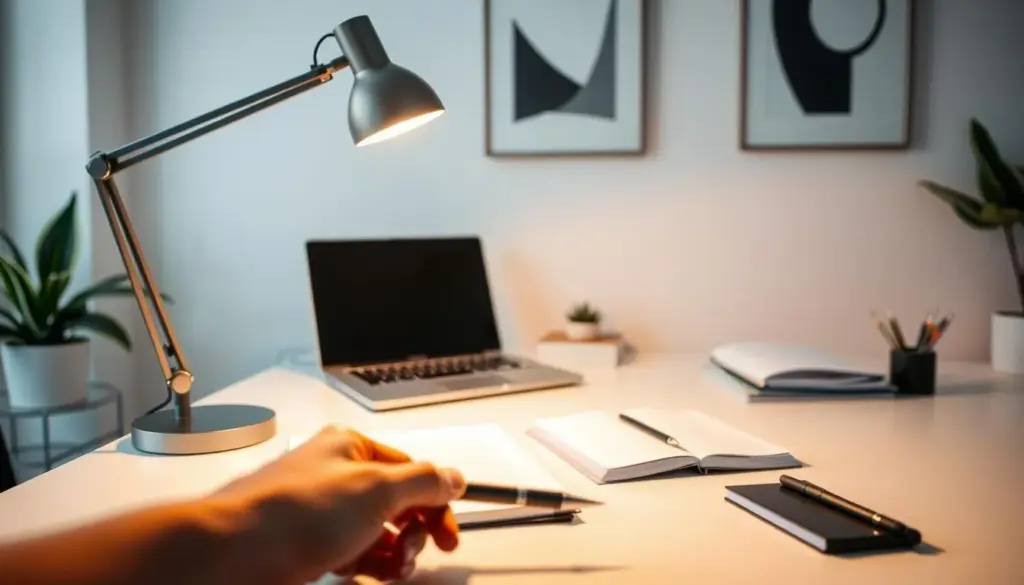
Small tweaks—sliding the lamp a few inches or angling the beam—often clear shadows and help reduce eye strain. This rule works with most adjustable desk lamps and swing-arm lamps as long as you can aim the light steadily for each task.
Ergonomic lamp placement for desk work with paper, keyboards, and screens</h2>
A few simple adjustments will keep your desk well lit and your screen free of distracting reflections. Start by dialing in height and angle so paper and keyboard areas get even task lighting without washing out the display.
Dial in desk height for even illumination
Set the head about 15–20 inches above the desk surface. This height spreads light across paper and keys without harsh hotspots.
Angle to reduce screen glare
Aim the beam at roughly a 45-degree approach to the screen. That angle lowers the chance the light reflects straight back into your eyes.
Side and behind monitor target
Position task lighting about 20 inches to the side or slightly behind the monitor. This lights the work area while keeping screen glare under control.
- How glare happens: direct vs. reflected—move or re-aim the head to reduce reflections and reduce eye discomfort.
- Coordinate with monitor height: if you use a riser or arm, shift the beam so it hits the desk, not the display.
- Mixed-task tip: keep the lamp on your non-dominant side for writing, then pivot the head slightly when you switch to the screen.
Aligning light direction with your monitor keeps your posture neutral and protects your neck and shoulders. Small changes in task lighting improve comfort across your work environment.
Choose the right task lamp features for a comfortable office environment</h2>
Choose features that let you adapt light quickly as tasks change throughout your day. The right options make your workspace more functional and keep your eyes comfortable.
Prioritize adjustability in height, angle, and direction
Adjustable arms and heads let you move light where you need it. Change height, angle, and direction to match writing, typing, or reading without shifting your desk setup.
Use dimmable brightness for long sessions
Dimmable controls let you raise light for detail work and lower it for screen tasks. This reduces eye strain across long work periods and saves energy.
Look for diffusers or frosted bulbs to soften glare
Diffusers or frosted bulbs cut harsh hotspots and lower direct glare while keeping the task area bright.
Consider LED task lighting for efficiency and color control
LED options offer better efficiency, run cooler, and often include color temperature settings. That helps you match light to time of day and stay productive.
- Adjustable arm/head
- Dimmer and easy controls
- Diffuser or frosted bulb
- Stable base or clamp
- Color temperature control
Set brightness and color temperature for the task you’re doing right now</h2>
Tune both how bright and what color your light is so it supports the work you’re doing.
Aim for concrete targets: studying works well with about 450 lumens when the lamp sits roughly 15 inches from your paper. Reading is comfortable near 400 lumens. These brightness numbers help you stop guessing and get consistent results.
Pick color by time of day
Use cool white (5000K–6500K) in the morning to boost alertness. Choose daylight-balanced 4000K–5000K for steady concentration and lower eye strain during long sessions. Switch to warm white (2700K–3500K) in the evening to wind down.
Quality and practical tips
Favor CRI 80+ for accurate color and choose 90+ when detail matters. If glare bothers you, lower output and add diffusion rather than just increasing brightness.
- When the light is closer and well-aimed, you often need less output.
- Check your experience: if you squint, lean forward, or get headaches, adjust brightness, color temperature, and angle to fit your needs.
These small changes in lighting, color, and quality boost focus and productivity while cutting eye strain so your work feels easier.
Layer task lighting with ambient light and natural light for a glare-free setup</h2>
Layering your room’s light sources makes your workspace calm and easy on the eyes. Start with a soft ambient base, then add focused task light so your eyes don’t jump between extremes. This layered approach lowers contrast and reduces eye strain, a point backed by Beyond the Bulb and LBX Lighting.
Build a layered lighting plan
Begin with a ceiling fixture or a floor light to set even illumination across the room. Add a desk task light for detail work so the overall level stays balanced.
Desk and window positioning to cut reflections
Place your screen perpendicular to windows and bright sources to reduce glare and mirror-like reflections. If you must face the window, use a sheer curtain or blinds to diffuse direct beams.
Control daylight and shift levels through the day
Natural light improves mood and circadian rhythm, but direct sun can create hot spots. Use blinds or sheer curtains to keep daylight soft. As evening comes, raise background illumination slightly before boosting task light to keep contrast smooth and reduce eye fatigue.
- Ceiling fixture for ambient
- Desk task light for focused work
- Floor lights to lift background without hitting the screen
Conclusion</h2>
A short checklist helps you lock in steady, glare-free light for every task.
Place the lamp opposite your dominant hand so your task area stays clear while you work. Keep the beam from in front or slightly to the side and set head height about 15–20 inches above the desk.
For computer work, aim the light at roughly a 45° angle and keep it about 20 inches offset from the monitor to cut reflections and screen glare. Use diffusers or frosted bulbs and manage daylight with blinds or sheer curtains.
Choose adjustable LED options with dimming and color temperature control so you can match the time of day and preserve focus and productivity. If you still feel eye strain, follow this order: check glare sources, adjust lamp position and height, balance ambient light, then fine-tune brightness and color.
Keep this routine consistent and your workspace will stay comfortable through long work sessions while helping reduce eye strain and distractions.


