
You need clear guidance to pick the right internet approach for your life. This short intro frames the choice between a permanent address service and portable access so you can decide with confidence.
In practice, a permanent option looks like a fixed wireless connection tied to one address, while temporary choices are portable broadband you can carry with you. Each path affects how you use the internet at home, work, or on the road.
Fixed solutions often give you lower monthly cost, higher speeds, and steadier performance. By contrast, wireless portability maximizes flexibility but can cost more per gigabyte and may be less consistent.
This article walks you through the key decision points—coverage, speed and latency, reliability during peak times, data caps, equipment and installation costs—so you match your devices and budget to the right options for your needs in the United States.
What “fixed” and “mobile” really mean for your internet connection
Knowing how each type of wireless internet works helps you pick the right gear and plan. Below are clear, plain explanations so you can match equipment and expectations to your routine.
Fixed wireless access made simple
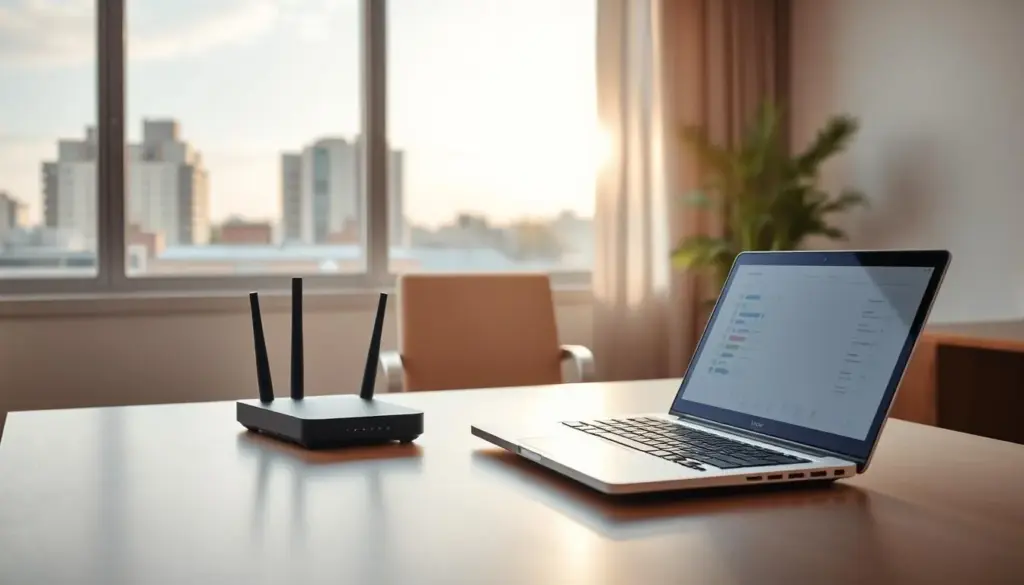
Fixed wireless internet uses a roof or window receiver and a home router that talks to a nearby tower. It creates a stable Wi‑Fi network at one address without cable or fiber lines.
This setup often includes antennas or an external dish. Because the gear stays put, providers can tune the connection for consistent performance.
Everyday forms of portable internet
Practical portable options include phone tethering, USB tether, dedicated mobile hotspots, and small SIM‑based routers. These let you get internet on the go and move your connection from place to place.
How cellular networks deliver the signal
All wireless internet uses radio waves sent between your device and a tower. Cellular networks split coverage into cells, each using different slices of spectrum.
- Cells and towers mean performance can change block to block.
- Fixed wireless access uses similar networks but stays in one cell long term.
- Mobile broadband is built for movement and may switch cells as you travel.
In short, choosing between a fixed placement or a portable option affects equipment, provider tuning, and everyday connectivity. Match the type to how you use the internet for the best results.
Fixed vs mobile setups: the core trade-offs you’ll notice day to day
Everyday use reveals the clearest differences between a permanent home line and a portable internet option. Your choice affects how apps behave, how many devices you can run, and how often you troubleshoot.
Mobility vs. consistency: choosing access anywhere or stable service at one spot
Fixed wireless tends to act like a household utility: steady connections, predictable speeds, and broader data allowances on many plans.
By contrast, mobile broadband gives you freedom to connect on the go. That freedom can mean variable speeds when networks get busy or your signal drops.
Speed and latency that shape streaming, gaming, and calls
Think in terms of what you do. Higher speeds and lower latency keep HD streaming smooth and cloud apps snappy.
When ping or throughput falls, gaming lag and choppy video calls show the difference between a steady home link and a roaming connection.
Reliability: congestion, interference, and time-of-day slowdowns
Reliability isn’t just a coverage map. Tower congestion, nearby interference, and evening slowdowns can alter real-world performance on shared wireless networks.
Fixed access usually avoids frequent handoffs, so it stays more consistent under load.
Data caps and throttling: how “unlimited” plans still impose limits
- Hard caps that stop service after a threshold.
- Hotspot or tethering caps inside unlimited phone plans.
- Throttling or deprioritization when a network is busy.
Plan design matters: home-focused internet plans often include more generous data than hotspot-style plans. Decide whether mobility or steadier in-home performance matters most for your devices and usage.
Coverage and availability in the United States: what you can actually get in your area
Signal maps are helpful, but availability tools tell you what you can buy at your address. You may see bars on your phone yet still be ineligible for a specific home internet plan.
Why 4G LTE reaches wider areas while 5G trades range for speed
Over 98% of the U.S. population had 4G LTE coverage in the FCC 2020 report. That widespread reach gives broad access across rural and urban locations.
5G can carry more data but often needs denser networks and shorter ranges. In cities, 5G home internet can shine. In distant areas, LTE often remains the more reliable way to get internet access.
Provider availability and rural vs city realities
Providers may sell phone service over a tower yet limit home internet offers to locations they can serve to promised speeds.
- Use address lookup tools to check actual eligibility.
- Compare multiple providers to find the best access at your location.
- Fixed wireless can beat older DSL in many rural areas when cable or fiber is absent.
Decide if broad coverage or the best-performing service at one spot matters more for your lifestyle. That choice shapes which provider and product you should prioritize.
Performance and speeds: what to expect from 4G LTE, 5G, and fixed wireless
Real-world speed matters more than headline numbers when you rely on wireless internet at home. Advertised ranges set expectations, but your actual experience depends on distance to the tower, congestion, and obstacles between your antenna and the network.
Typical home internet and 5G ranges
Providers often list broad ranges. For example, T‑Mobile Home Internet typically shows 35–115 Mbps. Some 5G plans advertise from ~100 Mbps up to 1 Gbps in select areas.
How mobile broadband speeds swing by location
Mobile broadband can vary widely. AT&T examples span roughly 3–120 Mbps, Verizon reports common ranges near 90–170 Mbps with gigabit peaks possible, and lower‑tier carriers like Cricket may top out near 6 Mbps in some markets.
Bandwidth sharing and peak-time effects
Crowded towers mean you share the same slices of spectrum with nearby users. That can cut speed at 7–10 p.m., even if your plan and equipment stay the same.
Line-of-sight and range for fixed wireless access
Line-of-sight matters. Fixed wireless access can reach up to about 10 miles in ideal deployments. Trees, hills, and buildings reduce signal and drop effective range.
- You’ll set realistic expectations by comparing advertised ranges to typical results.
- Match speeds to tasks: 25–50 Mbps works for HD streaming and calls; 100+ Mbps helps multi‑user 4K and low-latency games.
- Check your address and consider an external antenna or better placement to improve service.
Costs, plans, and data: comparing monthly price, equipment, and long-term value
Look beyond the headline price to know what you’ll actually pay for internet each month.
Pricing snapshot: Verizon 5G Home lists $50/mo with AutoPay, ~300 Mbps and no data cap in select areas. A T‑Mobile hotspot example shows a 2 GB plan at $50/mo with taxes and fees and a strict 2 GB/month cap.
That side‑by‑side shows how plans with the same sticker price can serve very different needs. A home internet plan with no cap often gives more predictable value if multiple devices stream or work concurrently.
- You’ll compare total cost, not just monthly price: watch for equipment fees like the $11/mo example some providers add.
- Data caps drive behavior and cost—small caps can trigger overages or force you to buy more data.
- Equipment scenarios vary: provider‑supplied routers, SIM gateways, and dedicated hotspots each change upfront and recurring charges.
Decide if steady, capped‑free service at home saves you money over time, or if paying more per gig makes sense for your on‑the‑go life.
Setup and installation: permanent convenience vs. grab-and-go simplicity
Getting your gear online should be quick — whether you keep the router at home or carry a pocket hotspot.
Home router and antenna basics
Fixed wireless home internet usually arrives with provider-supplied equipment. You unbox the gateway, place it near a window or high shelf, and plug it in.
Try a few spots and check signal bars. Optionally attach an external antenna or receiver if your plan supports it.
Finally, connect your devices to the Wi‑Fi network the gateway creates.
Quick mobile device activation
Mobile broadband gear often uses a SIM-based modem or a battery-powered hotspot. Insert the SIM, charge the device, and follow the provider’s activation steps.
Name the network, set a password, and connect laptops, tablets, or TV sticks when you travel.
- Why installation is easy: many providers design kits for self-install to avoid appointment waits.
- Day-to-day trade-offs: home gear is always on; portable hotspots need charging and carry time.
- Practical tip: test signal strength before a critical call and confirm whether your service or router must stay registered to a single address.
Which option fits your lifestyle: common scenarios and the best match
Match your internet choice to how you live each day, not just to headline specs. Below are practical scenarios and the best solution for each so you pick the right option for your needs.
If you work from home
Choose a reliable home internet plan that gives steady speeds and low latency. A dedicated home connection reduces call dropouts and keeps collaboration apps responsive.
Best solution: a fixed wireless or cable/fiber home internet option when available, plus a small mobile backup for outages.
If you travel often
Carry a pocket gateway or a provider SIM for mobile broadband. Mobile hotspots keep you online across broader coverage and suit remote work stops.
If you’re in transition
For moving or short-term housing, pick no-contract plans or a phone hotspot. Quick activation beats maximum speed when you need flexibility.
If you’re in rural areas
When cable or fiber are unavailable, consider fixed wireless as a practical alternative. Check eligibility and local coverage to confirm performance.
If you’re trying to cut bills
Using your phone as your main internet can work for light browsing and single-device use. It fails when multiple devices stream or heavy data is routine.
- You’ll get the right option by matching devices, coverage, and expected data use.
Devices and household demands: how many connections you need to support
When many devices compete for bandwidth, the right access choice keeps everyone happy. Start by listing phones, laptops, tablets, TVs, game consoles, cameras, doorbells, and smart speakers to estimate what your network must handle.
Phones as hotspots vs. dedicated hotspots
Using a phone as a hotspot is handy for short bursts. It can drain battery and may be limited by plan caps or tethering rules.
Dedicated mobile hotspots usually support roughly 10–30 connected devices and stay powered so the network stays up when you move around. They also often give steadier connection for families or roommates.
Streaming, smart home gear, and multiple users
Streaming and cloud backups burn through data fast. Home internet plans often include larger allowances and lower per‑GB cost than hotspot data.
On mobile broadband, tower bandwidth is shared. Multiple simultaneous users can slow everyone down, so capacity matters as much as raw speed.
- Rule of thumb: 1–3 devices = single hotspot may suffice.
- 4–10 devices or regular streaming = prioritize a home internet link or a dedicated gateway.
- Large households = fixed home access with a mobile backup gives the best balance of reliability and flexible access.
Conclusion
Deciding comes down to how you use the connection each day. If you want the best day-to-day home experience, start by checking fixed wireless and home internet availability at your exact location.
Weigh the core trade-offs: fixed wireless usually gives steadier speeds and better value for many households. Portable options maximize flexibility and quick activation when you travel.
Use this short checklist before you buy: confirm provider eligibility by address, compare plan data rules, count devices, and match expected speeds to real tasks.
Pick the type that fits your life. If reliability matters for work and family, pair a primary home internet plan with a small wireless backup to guard against outages and slowdowns.