

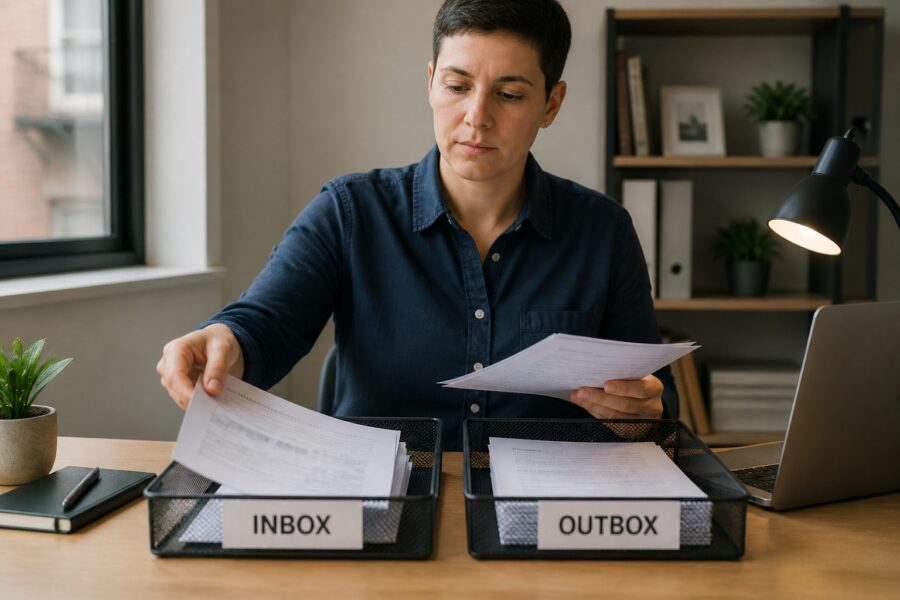
In an increasingly digital world, the importance of having a physical inbox system remains significant, especially in a home office environment where distractions abound. While digital tools undoubtedly enhance productivity by offering quick access to information and automated processes, tangible systems for paper management in a small office are crucial for maintaining organization and preventing chaos.
A well-structured inbox-outbox system for your home office can streamline your workflow and ensure that nothing important gets overlooked in the daily hustle. This article will explore various aspects of setting up an effective paper management strategy in compact spaces, providing practical tips and insights to help you create a more organized work environment.
Understanding the nuances of a project tray system is essential for anyone juggling multiple tasks and responsibilities. Let’s dive into why and how these elements contribute to a more efficient workspace, making your home office a hub of productivity and creativity.
Why Physical Inbox Systems Still Matter in a Digital World
Despite the proliferation of digital tools and software that promise to simplify our lives, physical inbox systems continue to play a vital role in home office productivity. They provide a structured way to manage important documents and tasks, helping to prevent critical paperwork from being lost in the overwhelming digital clutter that can often accompany our daily routines.
A physical inbox allows for immediate access to pressing paperwork while also serving as a constant reminder of what needs to be completed or addressed. This tangible system can significantly reduce stress and cognitive load, making it easier to concentrate on work without the nagging feeling that something important has been overlooked.
Moreover, a well-organized physical inbox fosters a sense of control over your tasks and responsibilities. It ensures that all critical documents are readily available and visually accessible, which is especially beneficial in a small office setting where space may be limited and organization is key to maintaining productivity.
In a digital age where distractions abound, having a designated space for incoming paperwork can be a game-changer for your productivity levels. A physical inbox serves as a powerful tool for enhancing your desk inbox organization, allowing you to keep track of what needs to be done without having to sift through endless digital files.
Ultimately, the combination of physical and digital systems provides a balanced approach to productivity that can cater to various work styles and preferences. This hybrid method allows for a streamlined workflow that benefits from the strengths of both worlds, ensuring that you can manage both tangible and digital tasks effectively.
Understanding the Inbox-Processing-Outbox Workflow
The inbox-processing-outbox workflow is a straightforward yet effective method for managing tasks in any workspace, particularly a home office. It involves sorting incoming documents into an inbox, processing them in a timely manner, and then moving them to an outbox for completion, creating a clear pathway for your work.
By implementing this workflow, you can ensure that tasks are organized and prioritized efficiently, preventing overwhelm and confusion. This structure is especially beneficial in a small office, allowing you to maintain clarity amidst the chaos of daily responsibilities and projects.
Processing your inbox regularly helps to prevent backlog and keeps your mind clear, enabling you to focus on what truly matters. Setting specific times for processing can make this task less daunting and more manageable, transforming what might feel like an overwhelming chore into a simple routine.
In the context of a home office, this workflow can be customized to fit your specific needs and work habits. You might find it helpful to establish a routine that integrates your digital task manager with your physical inbox system, creating a cohesive approach to managing your workload.
Ultimately, understanding and regularly utilizing this workflow will lead to improved productivity and less stress in your daily activities. It’s a fundamental strategy for anyone looking to optimize their desk inbox organization and create a more efficient working environment.
Choosing the Right Tray Size for a Compact Desk
Selecting the right tray size is crucial for effective paper management in a small office where space is at a premium. A compact desk requires trays that maximize space without sacrificing functionality, ensuring that you can keep your workspace organized and efficient.
Consider the volume of paperwork you typically handle when choosing your tray size, as this will greatly influence your decision. Smaller trays can help prevent overflow and clutter, while larger ones might be beneficial for those with higher workloads who need to manage multiple documents at once.
| Tray Size | Best For | Recommended Use |
|---|---|---|
| Small (8.5″x11″) | Minimal paperwork | Single projects |
| Medium (11″x14″) | Frequent tasks | Daily processing |
| Large (14″x18″) | High volume | Multiple projects |
| Expandable | Variable needs | Growing workloads |
When evaluating tray options, think about your workflow and how documents move through your system from the moment they arrive until they are completed. The right size can enhance your desk inbox organization and help keep your workspace clutter-free, allowing you to focus on your work without distractions.
Vertical vs. Horizontal Tray Systems: Which Saves More Space
When it comes to tray systems, both vertical and horizontal options have their unique advantages and disadvantages. Vertical trays are generally more space-efficient, allowing you to stack documents without taking up much desk surface area, making them an ideal choice for compact office setups.
On the other hand, horizontal trays can be easier to access, especially if you frequently need to shuffle through various documents. The choice between these systems often depends on personal preference, workflow habits, and the specific demands of your daily tasks.
Vertical trays can help maximize storage in tight spaces, making them perfect for small office setups where every inch counts. However, they may require more frequent organization to prevent paper from becoming jumbled, which can add additional tasks to your already busy schedule.
Horizontal trays allow for quick visibility of documents, making it easier to find what you need at a glance without having to dig through piles of paper. This can be particularly beneficial in a busy home office where time is of the essence, and efficiency is a top priority.
Ultimately, the decision comes down to your working style and the specific needs of your home office, as both vertical and horizontal tray systems can be effective in maintaining a functional inbox-outbox system. Take some time to evaluate your daily tasks and consider which option aligns best with your workflow to enhance your productivity.
How Often Should You Process Your Inbox Tray
Establishing a routine for processing your inbox tray is crucial for maintaining organization and ensuring that tasks do not pile up. Depending on your workload and the nature of your work, you may find that daily or weekly processing works best for your home office setup.
Daily processing allows for a more streamlined workflow and prevents overwhelming backlogs from building up over time. On the other hand, weekly sessions might suit those who prefer to batch similar tasks together, allowing for focused work periods without frequent interruptions.
- Daily processing
- Weekly reviews
- Prioritize urgent tasks
- Clear out old documents
- Integrate with digital tools
Regardless of your chosen frequency for processing your inbox tray, consistency is key to an effective inbox-outbox system that works for you. By regularly processing your inbox tray, you can ensure that tasks are managed efficiently and effectively, leading to a more productive work environment.
Integrating Physical Trays With Digital Task Managers
The integration of physical trays with digital task managers can create a comprehensive workflow that enhances your productivity. By aligning your paper management small office setup with your digital tools, you can streamline your tasks further and ensure that nothing slips through the cracks.
Consider using a digital task manager to track projects while utilizing physical trays for paperwork, creating a seamless connection between your digital and physical tasks. This hybrid approach allows for better visibility of both digital and tangible tasks, optimizing your overall productivity by ensuring that you can easily manage everything in one cohesive system.
For example, you might use your inbox tray for incoming documents that need immediate attention and your task manager for tracking deadlines and project milestones. This ensures that nothing slips through the cracks in your busy schedule and that you are always aware of what needs to be accomplished.
Additionally, integrating both systems can enhance your desk inbox organization and make it easier to stay on top of your various responsibilities. You can create a seamless flow between your physical and digital tasks, making it easier to manage your workload without feeling overwhelmed.
Ultimately, combining physical trays with digital tools offers a versatile solution for managing your home office tasks effectively. This approach not only saves time but also reduces mental clutter, allowing you to focus on what truly matters in your work.
Color-Coded Tray Systems for Multi-Project Freelancers
Color-coded tray systems can be a game-changer for multi-project freelancers who need to juggle various tasks and responsibilities at once. They allow for quick visual identification of different projects, enhancing the overall organization of your workspace and making it easier to prioritize your workload.
Using distinct colors for each project can help you prioritize tasks at a glance, reducing the time spent searching for important documents amidst the chaos of daily work. This method not only saves time but also significantly reduces the likelihood of mixing up crucial papers that could derail your workflow.
For instance, you could assign blue for one client, green for another, and red for urgent tasks that require immediate attention. This visual cue can significantly speed up your workflow and improve desk inbox organization, allowing you to work more efficiently and effectively.
Color coding also makes it easier to maintain your inbox-outbox system by helping you quickly sort documents into their respective categories. This strategy is particularly beneficial in a small office where space and time are often limited, ensuring that you can keep everything organized without feeling overwhelmed.
Incorporating color-coded trays can inject a bit of fun into your organizational efforts while also enhancing productivity. Ultimately, this approach not only improves your overall workflow but also makes your workspace visually appealing and enjoyable to work in.
Preventing Tray Overflow: Daily Habits That Keep Paper Moving
Preventing tray overflow requires establishing daily habits that promote efficient paper management in your small office. Simple rituals can make a significant difference in maintaining an organized inbox-outbox system, ensuring that your workspace remains clutter-free and conducive to productivity.
For instance, try to spend a few minutes each day sorting through your inbox tray to process new documents as they arrive. This small commitment can help ensure that papers are processed and moved to their appropriate locations regularly, preventing the build-up of tasks that can lead to overwhelm.
Additionally, consider implementing a “one in, one out” policy for your physical trays. This practice encourages you to keep your inbox tray manageable by ensuring that new documents replace old ones, creating a natural flow and preventing overflow from becoming a problem.
Regularly reviewing and updating your trays can also prevent overflow and help you maintain a clear workspace. By keeping only what is necessary and relevant, you can maintain clarity in your environment and focus on the tasks that truly matter.
Ultimately, consistency in these habits can greatly enhance your desk inbox organization and productivity levels. You’ll find that a little effort each day goes a long way in ensuring your small office remains clutter-free and your tasks are managed effectively.
Beyond Trays: Wall-Mounted Pocket Systems for Tiny Desks
If your desk space is extremely limited, consider wall-mounted pocket systems as an alternative to traditional trays for paper management. These systems can maximize vertical space and keep documents organized without taking up valuable desk real estate, making them an ideal solution for small offices.
Wall-mounted systems allow for easy access to frequently used documents, enhancing your workflow by keeping essential papers within reach. This can be especially advantageous in a small office where every inch counts, allowing you to utilize your space effectively.
These systems can be designed to hold various sizes of documents, making them versatile for different projects and types of paperwork. You can also customize them with labels for quick identification of contents, ensuring that you can find what you need without wasting time searching.
Integrating wall-mounted pockets into your paper management strategy can free up desk space for other essential tools that you need to have on hand. This allows you to maintain an organized and efficient workspace, enhancing your overall productivity without sacrificing functionality.
Ultimately, wall-mounted pocket systems can complement your existing inbox-outbox system, enhancing your overall organization and efficiency in your home office. With these innovative solutions, you can create a functional and stylish home office environment that caters to your specific needs and preferences.


