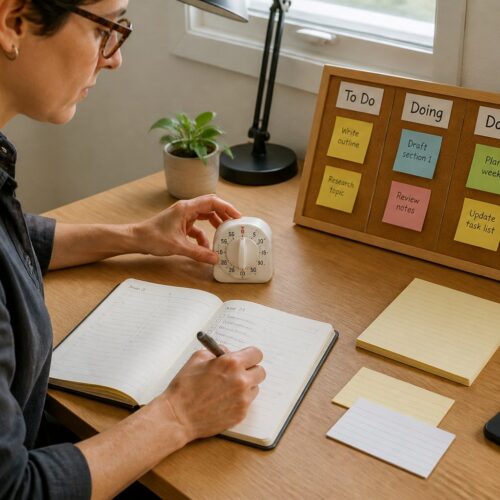


In today’s fast-paced world, maintaining an organized workspace is more crucial than ever for efficiency and focus. The concept of “Inbox Zero” extends beyond digital tasks and emails; it also applies to the physical paper clutter that often accumulates on your desk, which can distract you and hinder your productivity.
A clutter-free desk method can significantly enhance your productivity and reduce stress, allowing you to concentrate better on your tasks. Understanding how to manage paper effectively is essential for anyone setting up a small home office, as it directly impacts your ability to work efficiently and maintain focus.
By implementing a paper processing system, you can transform your workspace into an efficient and organized hub that fosters creativity and productivity. Let’s explore how to achieve this in your small space home office setup, ensuring that every piece of paper has a purpose and a place.
What Inbox Zero Means for Physical Paper on Your Desk
Inbox Zero is a popular productivity approach that encourages clearing out your physical and digital inbox to promote better organization. For your desk, this means ensuring that every piece of paper has a designated place or action associated with it, thus preventing chaos from taking over.
When your desk is cluttered with papers, it becomes increasingly challenging to focus on tasks that truly matter, leading to wasted time and increased frustration. Achieving Inbox Zero involves regularly processing paper to keep your workspace organized and conducive to productivity, allowing you to tackle your responsibilities with ease.
This method encourages you to make quick decisions about each paper item, fostering a proactive mindset regarding your workload. By doing so, you can prevent overwhelming piles from accumulating on your desk, which can lead to feelings of anxiety and disorganization.
Moreover, the Inbox Zero desk method promotes a culture of mindfulness regarding what you choose to keep and what you let go of. It empowers you to evaluate the necessity of each document, ensuring only relevant papers remain in your workspace and eliminating distractions that could hinder your workflow.
Ultimately, embracing Inbox Zero can lead to a more serene and effective work environment, where you can focus on your tasks without the constant reminder of clutter. It’s a fundamental step toward reducing paper clutter and enhancing your productivity, creating a space that inspires creativity and efficiency.
The Four Decisions Every Piece of Paper Needs
Every piece of paper on your desk requires a decisive action to prevent clutter from taking over your workspace. The four key decisions are: keep, act, delegate, or discard, and making these decisions can streamline your workflow significantly.
Firstly, determine if the document is necessary to keep for future reference, which can include important contracts, tax documents, or personal records. If it requires action, decide when and how you’ll handle it, whether that’s scheduling a task in your calendar or placing it in your action file for later processing.
Delegating involves passing the responsibility to someone else, which helps lighten your load and ensures that tasks are completed efficiently. Lastly, if it’s no longer relevant or necessary, don’t hesitate to discard it, as keeping unnecessary papers only contributes to clutter.
By categorizing papers into these four decisions, you streamline your processing system and make it easier to manage your tasks. This method not only reduces clutter but also enhances your overall efficiency, allowing you to focus on what truly matters.
It’s essential to make these decisions quickly to maintain momentum and avoid procrastination. The longer papers sit without action, the more they contribute to a chaotic workspace that can hinder your ability to think clearly and work efficiently.
Setting Up a Daily Paper-Processing Station in Limited Space
Creating a dedicated paper-processing station is vital for maintaining organization in a small home office, as it provides a specific area for handling incoming documents. This area should be easily accessible and equipped with necessary tools for efficient processing, ensuring that you can manage your paper quickly and effectively.
Your paper processing system should include items like a shredder, scanner, and filing trays to assist with organizing and managing your documents. By designating a specific location for these tools, you can streamline your daily tasks and keep your workspace clear of unnecessary clutter.
| Tool | Purpose | Storage Solution |
|---|---|---|
| Shredder | Securely dispose of sensitive documents | Under-desk drawer |
| Scanner | Digitize important documents | Desk surface |
| Filing trays | Organize incoming and outgoing papers | Wall-mounted rack |
| Pens/Markers | Annotate or mark important items | Desktop holder |
Every item in your processing station should serve a specific function, ensuring that you have the necessary tools at your fingertips to manage your paper efficiently. This targeted approach reduces the likelihood of paper clutter taking over your desk, providing a cleaner and more organized workspace.
Make it a habit to process your papers daily to maintain a clutter-free workspace, as consistency is key to effective paper management. Regularly engaging with your processing station keeps your desk organized and productive, allowing you to focus on your work without distractions.
How Long Should Paper Sit in Your Inbox Before Acting
Establishing a timeframe for processing papers is crucial for maintaining productivity and ensuring that tasks are completed in a timely manner. Ideally, papers should not sit in your inbox for more than 24 hours, as this prevents backlogs and keeps your workspace organized.
Setting a daily goal for processing incoming papers ensures that you stay on top of tasks and don’t allow them to pile up. This practice helps prevent backlog and keeps your desk clutter-free, allowing you to maintain a clear focus on your work.
In some cases, urgent items may require immediate action, while others can wait a few days for processing. However, it’s important to avoid letting papers accumulate beyond the designated timeframe, as this will lead to disorganization and increased stress.
Regularly reviewing your inbox allows you to identify which items need immediate attention and which can be addressed later. This proactive approach helps you maintain an organized workspace, where you can easily access important documents when needed.
A strict adherence to this timeframe reinforces the effectiveness of your paper processing system, creating a habit of prompt action. Consequently, you’ll find it easier to achieve Inbox Zero consistently, leading to a more productive and less stressful work environment.
Scanning and Shredding: Reducing Physical Paper Volume Permanently
Scanning and shredding are two effective methods for permanently reducing paper volume in your home office. By digitizing important documents, you can significantly cut down on the physical clutter that often takes over your workspace, freeing up valuable real estate on your desk.
Shredding sensitive information is vital for maintaining your privacy and security, as it ensures that confidential documents are disposed of safely and securely. This step is crucial for protecting your personal information and preventing identity theft, making it an essential part of any paper management system.
- Utilize a high-quality scanner that can handle various document types and sizes efficiently.
- Regularly back up scanned files to ensure that you don’t lose important information in case of a technical failure.
- Set up a shredding schedule to regularly dispose of sensitive documents that are no longer needed.
- Organize digital files efficiently to make retrieval easy and intuitive.
- Dispose of unneeded physical documents immediately to prevent them from cluttering your workspace.
Establishing a routine for scanning and shredding can lead to a more streamlined paper management system, allowing you to maintain control over your documents. This proactive approach keeps your workspace organized and free from unnecessary clutter, making it easier to focus on your tasks without distraction.
Incorporating these practices into your daily workflow can greatly enhance your productivity and efficiency. The less paper you have, the easier it becomes to maintain a clutter-free desk method, ultimately leading to a more enjoyable working environment.
Managing Incoming Mail in a Compact Home Office Entry Zone
Managing incoming mail effectively is crucial for maintaining organization in your home office, as it can quickly become a source of clutter if not handled properly. Set up an entry zone that allows for easy sorting and processing of mail as soon as it arrives at your home office.
Consider designating a small table or shelf near your office entrance for this purpose, creating a specific area where you can handle incoming mail without it spreading across your workspace. By creating a dedicated area for mail management, you can prevent it from cluttering your workspace and maintain a clear focus on your tasks.
Use trays or bins to categorize mail as it arrives, such as bills, newsletters, and personal correspondence, making it easier to deal with each type of mail efficiently. This method streamlines the process of dealing with incoming mail, allowing you to manage your correspondence without feeling overwhelmed.
Having a compact entry zone can make a significant difference in your overall paper management, as it sets the tone for how you handle documents in your home office. It reduces the likelihood of papers piling up on your desk and keeps your workspace organized, allowing for a more productive work environment.
Regularly processing incoming mail will help maintain a clutter-free environment in your home office. This habit is essential for anyone utilizing the clutter-free desk method in their small space home office, ensuring that your workspace remains organized and efficient.
Creating a Simple Action File for Items Needing Follow-Up
Having a simple action file system is crucial for items requiring follow-up, as it allows you to manage tasks without letting them clutter your desk and mind. This system can keep you organized and ensure that nothing important slips through the cracks in your busy schedule.
Designate a specific folder or tray labeled “Action Required” to keep track of these items, ensuring that important papers are easily accessible whenever you need to address them. This dedicated space provides a clear visual cue for tasks that need your attention, helping you stay organized and focused.
Regularly review your action file to ensure timely follow-up on tasks, which will help you stay on top of your responsibilities and deadlines. This practice is essential for preventing items from slipping through the cracks and maintaining your overall productivity.
Incorporating this system into your paper processing routine streamlines your workflow and minimizes distractions that can derail your focus. A well-maintained action file keeps your workspace organized and allows you to concentrate on your most important tasks.
Consider using color-coded folders to differentiate between types of actions required, adding a visual element to your organization system. This visual cue can enhance your efficiency when navigating your action file, making it easier to quickly locate the items you need to address.
Dealing With Paper That Does Not Fit Neat Categories
Some papers may not fit neatly into established categories, leading to frustration and confusion when trying to find a place for them. It’s essential to develop a system for managing these miscellaneous items to prevent clutter from taking over your workspace.
Consider creating a “Miscellaneous” folder or box for items that don’t have a specific category, providing you with a designated space to store these papers. This solution allows you to keep these papers organized without overwhelming your workspace, ensuring that everything has a place.
Regularly review this folder to determine if any items can be discarded or categorized, which will help you maintain a clear and organized workspace. This practice is essential for ensuring that your workspace stays organized and clutter-free, allowing you to focus on your work without distractions.
You can also create subcategories within your miscellaneous folder to further organize these items, making it easier to locate specific papers when needed. This approach allows for easier access and reduces the chances of clutter accumulating in your workspace.
Ultimately, developing a system for handling miscellaneous papers will enhance your overall paper processing system and contribute to your productivity. A well-organized workspace fosters increased focus and creativity, allowing you to achieve your goals more effectively.
Teaching Household Members to Respect Your Paper System
In a shared home office, it’s essential to teach household members to respect your paper management system, as this can greatly impact your ability to maintain organization. Open communication about your organizational methods can foster understanding and cooperation among everyone using the space.
Encourage family members to follow the established paper processing system to minimize disruptions and maintain a sense of order. This unity can help maintain a clutter-free desk method for everyone involved, creating a more pleasant environment for productivity.
Consider involving them in the setup process to gain their buy-in and investment in the system. This collaborative approach can lead to better adherence to the paper management system, making it easier for everyone to contribute to maintaining an organized workspace.
Regularly review the system together and adjust it based on feedback and changing needs, ensuring that everyone feels included and responsible for maintaining organization. This ongoing communication helps create a supportive atmosphere where everyone is on board with the paper management process.
Ultimately, fostering a culture of respect for the paper system will contribute to a more organized and productive home office environment. Together, you can create a serene workspace that benefits everyone, allowing for increased focus and collaboration in your shared space.