

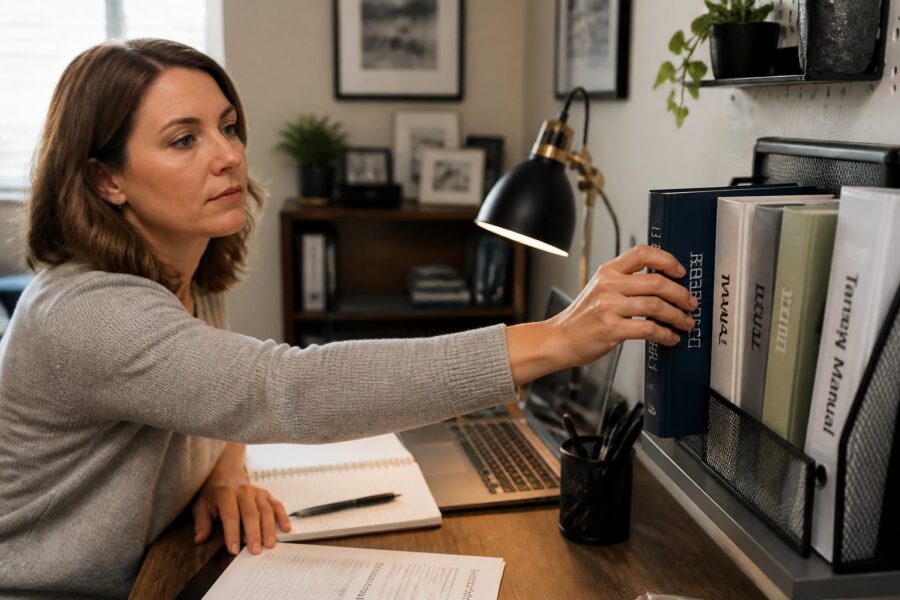
By using clear, legible labels, you can create a visually organized system that allows you to identify materials at a glance without wasting time searching through clutter. This will save you time and effort in locating the necessary references during your workday, allowing you to focus on more important tasks.
Using a consistent labeling format ensures that all your materials follow the same organizational structure, making it easier for you to navigate your reference library. This familiarity will make it easier to find what you need, whether physical or digital, thereby improving your overall efficiency.
Incorporating color-coding into your labeling system can further enhance visual identification, providing an additional layer of organization that can simplify the retrieval process. This strategy allows you to quickly distinguish between categories or frequency of use, making it even faster to locate the materials you need when time is of the essence.
Overall, labeling spines and binders is an essential practice that contributes to a well-organized reference library, making it easier to maintain order in your workspace. By investing time in this aspect of your office setup, you will reap the benefits of improved efficiency and reduced clutter, creating a more pleasant and productive work environment.
Archiving Out-of-Date Manuals Without Losing Important Data
As your reference materials evolve, it’s essential to archive out-of-date manuals without losing important data, ensuring that you can access vital information when needed. Creating a structured archiving system ensures that you can easily retrieve necessary information when required, allowing you to maintain efficiency in your work.
Consider converting outdated manuals into digital formats for easy storage, which will help you preserve valuable information while freeing up physical space in your small office. This way, you can keep your workspace organized and clutter-free, which is especially important in a compact environment where every inch counts.
Implementing a consistent naming convention for archived files will help you locate them quickly, reducing the time spent searching for important documents. This is crucial for maintaining an efficient reference material organization in your home office, allowing you to stay productive.
By regularly reviewing and archiving materials, you can keep your reference library current and manageable, ensuring that you have access to the most relevant information at all times. This proactive approach will ensure that you have the information you need at your fingertips without unnecessary clutter that can hinder your focus.
Ultimately, effective archiving is vital for a well-organized home office, as it allows you to manage your resources efficiently. By preserving important data while managing outdated materials, you can maintain a functional and efficient workspace that supports your productivity and enhances your work experience.
Investing in an adjustable book stand allows you to set the angle for optimal visibility and comfort, which can help you maintain good posture while working. This ergonomic approach minimizes strain during long work sessions while keeping your reference materials accessible, allowing you to stay focused on your tasks without discomfort.
Many book stands are designed to accommodate various sizes, making them versatile for different types of reference materials you may use. Whether you’re using a manual, a book, or even a tablet, these stands can adapt to your needs, ensuring that you have the right support for your materials.
Incorporating a desktop book stand into your small office can lead to a more organized and efficient work environment that is conducive to productivity. This small investment can yield significant returns in terms of productivity and comfort, enhancing your overall work experience.
With a dedicated space for reference materials, you can maintain focus on your tasks while easily accessing important information when you need it. This will significantly enhance your overall workflow and contribute to a more productive workday.
Labeling Spines and Binders for Quick Visual Identification
Labeling is a crucial aspect of reference material organization in your home office, as it can make a world of difference in how quickly you find what you need. Proper labeling of spine and binder contents can significantly enhance your ability to locate documents quickly and efficiently, which is essential for maintaining a smooth workflow.
By using clear, legible labels, you can create a visually organized system that allows you to identify materials at a glance without wasting time searching through clutter. This will save you time and effort in locating the necessary references during your workday, allowing you to focus on more important tasks.
Using a consistent labeling format ensures that all your materials follow the same organizational structure, making it easier for you to navigate your reference library. This familiarity will make it easier to find what you need, whether physical or digital, thereby improving your overall efficiency.
Incorporating color-coding into your labeling system can further enhance visual identification, providing an additional layer of organization that can simplify the retrieval process. This strategy allows you to quickly distinguish between categories or frequency of use, making it even faster to locate the materials you need when time is of the essence.
Overall, labeling spines and binders is an essential practice that contributes to a well-organized reference library, making it easier to maintain order in your workspace. By investing time in this aspect of your office setup, you will reap the benefits of improved efficiency and reduced clutter, creating a more pleasant and productive work environment.
Archiving Out-of-Date Manuals Without Losing Important Data
As your reference materials evolve, it’s essential to archive out-of-date manuals without losing important data, ensuring that you can access vital information when needed. Creating a structured archiving system ensures that you can easily retrieve necessary information when required, allowing you to maintain efficiency in your work.
Consider converting outdated manuals into digital formats for easy storage, which will help you preserve valuable information while freeing up physical space in your small office. This way, you can keep your workspace organized and clutter-free, which is especially important in a compact environment where every inch counts.
Implementing a consistent naming convention for archived files will help you locate them quickly, reducing the time spent searching for important documents. This is crucial for maintaining an efficient reference material organization in your home office, allowing you to stay productive.
By regularly reviewing and archiving materials, you can keep your reference library current and manageable, ensuring that you have access to the most relevant information at all times. This proactive approach will ensure that you have the information you need at your fingertips without unnecessary clutter that can hinder your focus.
Ultimately, effective archiving is vital for a well-organized home office, as it allows you to manage your resources efficiently. By preserving important data while managing outdated materials, you can maintain a functional and efficient workspace that supports your productivity and enhances your work experience.
Conversely, older or less-used materials can be stored in a cabinet or shelf away from your immediate workspace, freeing up valuable real estate on your desk for items that require your immediate attention. This separation creates a more focused environment, which can help you concentrate on your tasks without unnecessary distractions.
- Current projects
- Frequently referenced manuals
- Daily task lists
- Important documents
- Occasional reference guides
By keeping essential items within reach, you can reduce the time spent searching for materials, which can be a significant drain on your mental energy and focus. This organization will contribute to a more focused and efficient work environment, allowing you to maximize your productivity throughout the day.
Ultimately, the decision regarding nearby versus remote storage should be based on your work habits and the nature of your reference materials. Tailoring your storage solutions to your specific needs will lead to a more organized and effective small office, creating a workspace that supports your goals.
Desktop Book Stands for Open-Reference Work Sessions
Utilizing desktop book stands can enhance your open-reference work sessions by providing a dedicated space for your materials, which can significantly improve your workflow. These stands keep your reference books or manuals upright and easily readable, freeing up precious desk space for other tasks that require your attention.
Investing in an adjustable book stand allows you to set the angle for optimal visibility and comfort, which can help you maintain good posture while working. This ergonomic approach minimizes strain during long work sessions while keeping your reference materials accessible, allowing you to stay focused on your tasks without discomfort.
Many book stands are designed to accommodate various sizes, making them versatile for different types of reference materials you may use. Whether you’re using a manual, a book, or even a tablet, these stands can adapt to your needs, ensuring that you have the right support for your materials.
Incorporating a desktop book stand into your small office can lead to a more organized and efficient work environment that is conducive to productivity. This small investment can yield significant returns in terms of productivity and comfort, enhancing your overall work experience.
With a dedicated space for reference materials, you can maintain focus on your tasks while easily accessing important information when you need it. This will significantly enhance your overall workflow and contribute to a more productive workday.
Labeling Spines and Binders for Quick Visual Identification
Labeling is a crucial aspect of reference material organization in your home office, as it can make a world of difference in how quickly you find what you need. Proper labeling of spine and binder contents can significantly enhance your ability to locate documents quickly and efficiently, which is essential for maintaining a smooth workflow.
By using clear, legible labels, you can create a visually organized system that allows you to identify materials at a glance without wasting time searching through clutter. This will save you time and effort in locating the necessary references during your workday, allowing you to focus on more important tasks.
Using a consistent labeling format ensures that all your materials follow the same organizational structure, making it easier for you to navigate your reference library. This familiarity will make it easier to find what you need, whether physical or digital, thereby improving your overall efficiency.
Incorporating color-coding into your labeling system can further enhance visual identification, providing an additional layer of organization that can simplify the retrieval process. This strategy allows you to quickly distinguish between categories or frequency of use, making it even faster to locate the materials you need when time is of the essence.
Overall, labeling spines and binders is an essential practice that contributes to a well-organized reference library, making it easier to maintain order in your workspace. By investing time in this aspect of your office setup, you will reap the benefits of improved efficiency and reduced clutter, creating a more pleasant and productive work environment.
Archiving Out-of-Date Manuals Without Losing Important Data
As your reference materials evolve, it’s essential to archive out-of-date manuals without losing important data, ensuring that you can access vital information when needed. Creating a structured archiving system ensures that you can easily retrieve necessary information when required, allowing you to maintain efficiency in your work.
Consider converting outdated manuals into digital formats for easy storage, which will help you preserve valuable information while freeing up physical space in your small office. This way, you can keep your workspace organized and clutter-free, which is especially important in a compact environment where every inch counts.
Implementing a consistent naming convention for archived files will help you locate them quickly, reducing the time spent searching for important documents. This is crucial for maintaining an efficient reference material organization in your home office, allowing you to stay productive.
By regularly reviewing and archiving materials, you can keep your reference library current and manageable, ensuring that you have access to the most relevant information at all times. This proactive approach will ensure that you have the information you need at your fingertips without unnecessary clutter that can hinder your focus.
Ultimately, effective archiving is vital for a well-organized home office, as it allows you to manage your resources efficiently. By preserving important data while managing outdated materials, you can maintain a functional and efficient workspace that supports your productivity and enhances your work experience.
Not only does digitizing save space, but it also enhances your ability to search for specific information quickly, allowing you to find what you need in seconds rather than minutes. Many digital tools allow you to annotate and highlight documents, providing an interactive reference experience that can improve your comprehension and retention of information.
- Cloud storage solutions
- Scanning apps for mobile devices
- Document management software
- PDF editors
- Digital note-taking applications
However, it’s essential to back up your digital files to prevent data loss, which can be devastating if you rely heavily on digital resources. A combination of physical and digital reference materials can create a balanced system that suits your unique work style, allowing you to enjoy the benefits of both worlds.
Ultimately, digitizing reference materials can lead to a more organized and efficient home office environment, transforming your workspace into a hub of productivity. This approach can significantly increase your productivity and reduce stress in your workspace, allowing you to focus on what truly matters—your work.
Nearby vs. Remote Storage: Deciding What Stays at Your Desk
When organizing your reference materials, it’s crucial to determine which items should remain at your desk and which can be stored remotely, as this decision impacts your workflow and overall productivity in your small office environment. Items that you use frequently should be kept nearby for easy access, ensuring that you can grab what you need without interrupting your work rhythm.
Conversely, older or less-used materials can be stored in a cabinet or shelf away from your immediate workspace, freeing up valuable real estate on your desk for items that require your immediate attention. This separation creates a more focused environment, which can help you concentrate on your tasks without unnecessary distractions.
- Current projects
- Frequently referenced manuals
- Daily task lists
- Important documents
- Occasional reference guides
By keeping essential items within reach, you can reduce the time spent searching for materials, which can be a significant drain on your mental energy and focus. This organization will contribute to a more focused and efficient work environment, allowing you to maximize your productivity throughout the day.
Ultimately, the decision regarding nearby versus remote storage should be based on your work habits and the nature of your reference materials. Tailoring your storage solutions to your specific needs will lead to a more organized and effective small office, creating a workspace that supports your goals.
Desktop Book Stands for Open-Reference Work Sessions
Utilizing desktop book stands can enhance your open-reference work sessions by providing a dedicated space for your materials, which can significantly improve your workflow. These stands keep your reference books or manuals upright and easily readable, freeing up precious desk space for other tasks that require your attention.
Investing in an adjustable book stand allows you to set the angle for optimal visibility and comfort, which can help you maintain good posture while working. This ergonomic approach minimizes strain during long work sessions while keeping your reference materials accessible, allowing you to stay focused on your tasks without discomfort.
Many book stands are designed to accommodate various sizes, making them versatile for different types of reference materials you may use. Whether you’re using a manual, a book, or even a tablet, these stands can adapt to your needs, ensuring that you have the right support for your materials.
Incorporating a desktop book stand into your small office can lead to a more organized and efficient work environment that is conducive to productivity. This small investment can yield significant returns in terms of productivity and comfort, enhancing your overall work experience.
With a dedicated space for reference materials, you can maintain focus on your tasks while easily accessing important information when you need it. This will significantly enhance your overall workflow and contribute to a more productive workday.
Labeling Spines and Binders for Quick Visual Identification
Labeling is a crucial aspect of reference material organization in your home office, as it can make a world of difference in how quickly you find what you need. Proper labeling of spine and binder contents can significantly enhance your ability to locate documents quickly and efficiently, which is essential for maintaining a smooth workflow.
By using clear, legible labels, you can create a visually organized system that allows you to identify materials at a glance without wasting time searching through clutter. This will save you time and effort in locating the necessary references during your workday, allowing you to focus on more important tasks.
Using a consistent labeling format ensures that all your materials follow the same organizational structure, making it easier for you to navigate your reference library. This familiarity will make it easier to find what you need, whether physical or digital, thereby improving your overall efficiency.
Incorporating color-coding into your labeling system can further enhance visual identification, providing an additional layer of organization that can simplify the retrieval process. This strategy allows you to quickly distinguish between categories or frequency of use, making it even faster to locate the materials you need when time is of the essence.
Overall, labeling spines and binders is an essential practice that contributes to a well-organized reference library, making it easier to maintain order in your workspace. By investing time in this aspect of your office setup, you will reap the benefits of improved efficiency and reduced clutter, creating a more pleasant and productive work environment.
Archiving Out-of-Date Manuals Without Losing Important Data
As your reference materials evolve, it’s essential to archive out-of-date manuals without losing important data, ensuring that you can access vital information when needed. Creating a structured archiving system ensures that you can easily retrieve necessary information when required, allowing you to maintain efficiency in your work.
Consider converting outdated manuals into digital formats for easy storage, which will help you preserve valuable information while freeing up physical space in your small office. This way, you can keep your workspace organized and clutter-free, which is especially important in a compact environment where every inch counts.
Implementing a consistent naming convention for archived files will help you locate them quickly, reducing the time spent searching for important documents. This is crucial for maintaining an efficient reference material organization in your home office, allowing you to stay productive.
By regularly reviewing and archiving materials, you can keep your reference library current and manageable, ensuring that you have access to the most relevant information at all times. This proactive approach will ensure that you have the information you need at your fingertips without unnecessary clutter that can hinder your focus.
Ultimately, effective archiving is vital for a well-organized home office, as it allows you to manage your resources efficiently. By preserving important data while managing outdated materials, you can maintain a functional and efficient workspace that supports your productivity and enhances your work experience.
By organizing manuals and guides into binders, you can create a streamlined reference library that is easy to navigate and access when needed. You can categorize binders by topic or frequency of use, which further enhances your organizational system and ensures you can quickly find the information you need.
Using dividers within each binder can also simplify access to specific sections, which is particularly useful when you are in need of quick information during a busy work session. This ensures you can quickly find the information you need without sifting through multiple pages, thereby saving you precious time.
Additionally, consider labeling the spines of your binders for quick visual identification, which can significantly speed up your retrieval process. This will facilitate easy access during open-reference work sessions and maintain a tidy workspace, which is essential in a small office setup.
Utilizing binder systems not only declutters your desk but also allows for easier updates and changes, making it a dynamic organizational solution. This flexibility is particularly beneficial in a fast-paced work environment where information frequently changes, allowing you to adapt your resources as required.
Digitizing Reference Materials: When Going Paperless Helps
Digitizing your reference materials is an excellent strategy for reducing physical clutter in your home office, creating a more open and inviting workspace. By going paperless, you can store important documents on your computer or in cloud storage, making them easily accessible anytime and anywhere, which is an essential feature for modern professionals.
Not only does digitizing save space, but it also enhances your ability to search for specific information quickly, allowing you to find what you need in seconds rather than minutes. Many digital tools allow you to annotate and highlight documents, providing an interactive reference experience that can improve your comprehension and retention of information.
- Cloud storage solutions
- Scanning apps for mobile devices
- Document management software
- PDF editors
- Digital note-taking applications
However, it’s essential to back up your digital files to prevent data loss, which can be devastating if you rely heavily on digital resources. A combination of physical and digital reference materials can create a balanced system that suits your unique work style, allowing you to enjoy the benefits of both worlds.
Ultimately, digitizing reference materials can lead to a more organized and efficient home office environment, transforming your workspace into a hub of productivity. This approach can significantly increase your productivity and reduce stress in your workspace, allowing you to focus on what truly matters—your work.
Nearby vs. Remote Storage: Deciding What Stays at Your Desk
When organizing your reference materials, it’s crucial to determine which items should remain at your desk and which can be stored remotely, as this decision impacts your workflow and overall productivity in your small office environment. Items that you use frequently should be kept nearby for easy access, ensuring that you can grab what you need without interrupting your work rhythm.
Conversely, older or less-used materials can be stored in a cabinet or shelf away from your immediate workspace, freeing up valuable real estate on your desk for items that require your immediate attention. This separation creates a more focused environment, which can help you concentrate on your tasks without unnecessary distractions.
- Current projects
- Frequently referenced manuals
- Daily task lists
- Important documents
- Occasional reference guides
By keeping essential items within reach, you can reduce the time spent searching for materials, which can be a significant drain on your mental energy and focus. This organization will contribute to a more focused and efficient work environment, allowing you to maximize your productivity throughout the day.
Ultimately, the decision regarding nearby versus remote storage should be based on your work habits and the nature of your reference materials. Tailoring your storage solutions to your specific needs will lead to a more organized and effective small office, creating a workspace that supports your goals.
Desktop Book Stands for Open-Reference Work Sessions
Utilizing desktop book stands can enhance your open-reference work sessions by providing a dedicated space for your materials, which can significantly improve your workflow. These stands keep your reference books or manuals upright and easily readable, freeing up precious desk space for other tasks that require your attention.
Investing in an adjustable book stand allows you to set the angle for optimal visibility and comfort, which can help you maintain good posture while working. This ergonomic approach minimizes strain during long work sessions while keeping your reference materials accessible, allowing you to stay focused on your tasks without discomfort.
Many book stands are designed to accommodate various sizes, making them versatile for different types of reference materials you may use. Whether you’re using a manual, a book, or even a tablet, these stands can adapt to your needs, ensuring that you have the right support for your materials.
Incorporating a desktop book stand into your small office can lead to a more organized and efficient work environment that is conducive to productivity. This small investment can yield significant returns in terms of productivity and comfort, enhancing your overall work experience.
With a dedicated space for reference materials, you can maintain focus on your tasks while easily accessing important information when you need it. This will significantly enhance your overall workflow and contribute to a more productive workday.
Labeling Spines and Binders for Quick Visual Identification
Labeling is a crucial aspect of reference material organization in your home office, as it can make a world of difference in how quickly you find what you need. Proper labeling of spine and binder contents can significantly enhance your ability to locate documents quickly and efficiently, which is essential for maintaining a smooth workflow.
By using clear, legible labels, you can create a visually organized system that allows you to identify materials at a glance without wasting time searching through clutter. This will save you time and effort in locating the necessary references during your workday, allowing you to focus on more important tasks.
Using a consistent labeling format ensures that all your materials follow the same organizational structure, making it easier for you to navigate your reference library. This familiarity will make it easier to find what you need, whether physical or digital, thereby improving your overall efficiency.
Incorporating color-coding into your labeling system can further enhance visual identification, providing an additional layer of organization that can simplify the retrieval process. This strategy allows you to quickly distinguish between categories or frequency of use, making it even faster to locate the materials you need when time is of the essence.
Overall, labeling spines and binders is an essential practice that contributes to a well-organized reference library, making it easier to maintain order in your workspace. By investing time in this aspect of your office setup, you will reap the benefits of improved efficiency and reduced clutter, creating a more pleasant and productive work environment.
Archiving Out-of-Date Manuals Without Losing Important Data
As your reference materials evolve, it’s essential to archive out-of-date manuals without losing important data, ensuring that you can access vital information when needed. Creating a structured archiving system ensures that you can easily retrieve necessary information when required, allowing you to maintain efficiency in your work.
Consider converting outdated manuals into digital formats for easy storage, which will help you preserve valuable information while freeing up physical space in your small office. This way, you can keep your workspace organized and clutter-free, which is especially important in a compact environment where every inch counts.
Implementing a consistent naming convention for archived files will help you locate them quickly, reducing the time spent searching for important documents. This is crucial for maintaining an efficient reference material organization in your home office, allowing you to stay productive.
By regularly reviewing and archiving materials, you can keep your reference library current and manageable, ensuring that you have access to the most relevant information at all times. This proactive approach will ensure that you have the information you need at your fingertips without unnecessary clutter that can hinder your focus.
Ultimately, effective archiving is vital for a well-organized home office, as it allows you to manage your resources efficiently. By preserving important data while managing outdated materials, you can maintain a functional and efficient workspace that supports your productivity and enhances your work experience.
Creating an efficient small space home office requires more than just a desk and a chair; it necessitates an effective organizational system for your reference materials that can adapt to your specific needs and workflow. Understanding the distinction between everyday supplies and reference materials is crucial to maintaining a productive workspace, as it allows you to tailor your environment to promote focus and efficiency.
Reference materials are resources that you consult frequently but do not use every day, such as manuals, guides, and specialized books that are integral to your work processes. By categorizing these items appropriately, you can streamline your workflow and keep your small office organized, which ultimately minimizes distractions and maximizes your productivity.
In a compact home office setup, knowing how to manage your reference material organization is essential for maximizing both space and efficiency, as well as ensuring that everything has its place. This article will explore various strategies to optimize your reference library and ensure that your workspace remains clutter-free, providing you with actionable tips to enhance your work environment.
Why Reference Materials Are Different From Everyday Supplies
Everyday supplies are items you use regularly, such as pens, paper, and sticky notes, which are essential for daily tasks and immediate needs. In contrast, reference materials serve a specific purpose and are typically consulted less frequently, making their organization all the more important in a small office where space is at a premium.
Reference materials often include technical manuals, style guides, and industry-specific literature that may not fit into your daily workflow but are still crucial for certain tasks. Understanding this difference allows you to allocate appropriate storage solutions that can help minimize clutter on your desk while ensuring that you can access the information when you need it.
By keeping reference materials separate from everyday supplies, you can create a more efficient workspace that is conducive to focused work sessions. This separation ensures that essential items are readily accessible while still maintaining an organized environment that promotes productivity and reduces stress.
In a compact home office, dedicating specific areas for reference materials can prevent them from overtaking your workspace and becoming a source of distraction. With the right categorization and storage strategies, you can enhance productivity while keeping your small office looking tidy and professional, which can greatly impact your overall work experience.
Ultimately, recognizing the unique role of reference materials allows you to implement strategies tailored to your specific needs, which can vary significantly from one individual to another. This targeted approach will lead to a more organized reference library that complements your work style, making it easier for you to find what you need when you need it.
Categorizing Your Reference Library by Frequency of Use
One effective strategy for organizing your reference materials is to categorize them based on how frequently you use them, creating a system that reflects your actual needs. Items you consult daily should be easily accessible, while those you reference less often can be stored further away, allowing for a more efficient use of your limited space.
For instance, if you frequently reference a specific manual or guide, it should be placed on your desk or in a nearby shelf where you can reach it without any hassle. Conversely, older guides or less relevant materials can be stored in a compact manual shelf or a dedicated cabinet that is out of your immediate working area, reducing visual clutter.
Consider creating three categories: high-frequency, medium-frequency, and low-frequency use, which will help you prioritize your space allocation. This system allows you to quickly locate the materials you need based on how often you use them, thereby enhancing your home office efficiency significantly.
Additionally, color-coding or labeling these categories can further streamline your organizational system, making it easy to identify which materials are essential for your daily tasks. This visual cue not only aids in organization but also speeds up the process of retrieval when you are in the middle of a project or task.
By effectively categorizing your reference library, you can improve your workflow and reduce the time spent searching for important documents, which can often interrupt your concentration. This simple yet impactful strategy will contribute to a more organized small office environment, allowing you to focus on what truly matters: your work.
Compact Bookend and Shelf Solutions for Active References
In a small office, utilizing compact bookend and shelf solutions can make a significant difference in your reference material organization, offering both functionality and style. Bookends can help keep frequently used materials upright and accessible without taking up much desk space, allowing for a cleaner and more organized work area.
Consider using adjustable shelves that can be customized to fit your specific needs, which will enable you to store a variety of reference materials, from manuals to books, in a way that makes sense for your workflow. This flexibility ensures that you can easily rearrange your setup as your needs change, thereby maintaining an effective organization system.
| Bookend Type | Best For | Space Requirements |
|---|---|---|
| Metal | Heavy books | Medium |
| Wood | Aesthetic appeal | Medium |
| Plastic | Light materials | Low |
| Magnetic | Flexible arrangements | Very low |
Incorporating multifunctional furniture, such as a desk with built-in shelves, can also optimize your small office layout by providing storage solutions that double as work areas. This dual-purpose approach ensures that your reference materials are stored efficiently while maintaining a clean and organized workspace for your daily tasks.
With the right compact bookend and shelf solutions, you can create a reference library that is both functional and visually appealing, which can greatly enhance your workspace aesthetic. This will not only improve your workspace but also enhance your productivity, making it easier for you to focus on your work and achieve your goals.
Using Binder Systems to Replace Full-Size Manuals on Your Desk
Switching to a binder system can dramatically reduce the clutter caused by full-size manuals that can overwhelm a small desk space. This approach allows you to condense information into more manageable formats, making it easier to reference essential materials without taking up valuable desk space that is better reserved for active work.
By organizing manuals and guides into binders, you can create a streamlined reference library that is easy to navigate and access when needed. You can categorize binders by topic or frequency of use, which further enhances your organizational system and ensures you can quickly find the information you need.
Using dividers within each binder can also simplify access to specific sections, which is particularly useful when you are in need of quick information during a busy work session. This ensures you can quickly find the information you need without sifting through multiple pages, thereby saving you precious time.
Additionally, consider labeling the spines of your binders for quick visual identification, which can significantly speed up your retrieval process. This will facilitate easy access during open-reference work sessions and maintain a tidy workspace, which is essential in a small office setup.
Utilizing binder systems not only declutters your desk but also allows for easier updates and changes, making it a dynamic organizational solution. This flexibility is particularly beneficial in a fast-paced work environment where information frequently changes, allowing you to adapt your resources as required.
Digitizing Reference Materials: When Going Paperless Helps
Digitizing your reference materials is an excellent strategy for reducing physical clutter in your home office, creating a more open and inviting workspace. By going paperless, you can store important documents on your computer or in cloud storage, making them easily accessible anytime and anywhere, which is an essential feature for modern professionals.
Not only does digitizing save space, but it also enhances your ability to search for specific information quickly, allowing you to find what you need in seconds rather than minutes. Many digital tools allow you to annotate and highlight documents, providing an interactive reference experience that can improve your comprehension and retention of information.
- Cloud storage solutions
- Scanning apps for mobile devices
- Document management software
- PDF editors
- Digital note-taking applications
However, it’s essential to back up your digital files to prevent data loss, which can be devastating if you rely heavily on digital resources. A combination of physical and digital reference materials can create a balanced system that suits your unique work style, allowing you to enjoy the benefits of both worlds.
Ultimately, digitizing reference materials can lead to a more organized and efficient home office environment, transforming your workspace into a hub of productivity. This approach can significantly increase your productivity and reduce stress in your workspace, allowing you to focus on what truly matters—your work.
Nearby vs. Remote Storage: Deciding What Stays at Your Desk
When organizing your reference materials, it’s crucial to determine which items should remain at your desk and which can be stored remotely, as this decision impacts your workflow and overall productivity in your small office environment. Items that you use frequently should be kept nearby for easy access, ensuring that you can grab what you need without interrupting your work rhythm.
Conversely, older or less-used materials can be stored in a cabinet or shelf away from your immediate workspace, freeing up valuable real estate on your desk for items that require your immediate attention. This separation creates a more focused environment, which can help you concentrate on your tasks without unnecessary distractions.
- Current projects
- Frequently referenced manuals
- Daily task lists
- Important documents
- Occasional reference guides
By keeping essential items within reach, you can reduce the time spent searching for materials, which can be a significant drain on your mental energy and focus. This organization will contribute to a more focused and efficient work environment, allowing you to maximize your productivity throughout the day.
Ultimately, the decision regarding nearby versus remote storage should be based on your work habits and the nature of your reference materials. Tailoring your storage solutions to your specific needs will lead to a more organized and effective small office, creating a workspace that supports your goals.
Desktop Book Stands for Open-Reference Work Sessions
Utilizing desktop book stands can enhance your open-reference work sessions by providing a dedicated space for your materials, which can significantly improve your workflow. These stands keep your reference books or manuals upright and easily readable, freeing up precious desk space for other tasks that require your attention.
Investing in an adjustable book stand allows you to set the angle for optimal visibility and comfort, which can help you maintain good posture while working. This ergonomic approach minimizes strain during long work sessions while keeping your reference materials accessible, allowing you to stay focused on your tasks without discomfort.
Many book stands are designed to accommodate various sizes, making them versatile for different types of reference materials you may use. Whether you’re using a manual, a book, or even a tablet, these stands can adapt to your needs, ensuring that you have the right support for your materials.
Incorporating a desktop book stand into your small office can lead to a more organized and efficient work environment that is conducive to productivity. This small investment can yield significant returns in terms of productivity and comfort, enhancing your overall work experience.
With a dedicated space for reference materials, you can maintain focus on your tasks while easily accessing important information when you need it. This will significantly enhance your overall workflow and contribute to a more productive workday.
Labeling Spines and Binders for Quick Visual Identification
Labeling is a crucial aspect of reference material organization in your home office, as it can make a world of difference in how quickly you find what you need. Proper labeling of spine and binder contents can significantly enhance your ability to locate documents quickly and efficiently, which is essential for maintaining a smooth workflow.
By using clear, legible labels, you can create a visually organized system that allows you to identify materials at a glance without wasting time searching through clutter. This will save you time and effort in locating the necessary references during your workday, allowing you to focus on more important tasks.
Using a consistent labeling format ensures that all your materials follow the same organizational structure, making it easier for you to navigate your reference library. This familiarity will make it easier to find what you need, whether physical or digital, thereby improving your overall efficiency.
Incorporating color-coding into your labeling system can further enhance visual identification, providing an additional layer of organization that can simplify the retrieval process. This strategy allows you to quickly distinguish between categories or frequency of use, making it even faster to locate the materials you need when time is of the essence.
Overall, labeling spines and binders is an essential practice that contributes to a well-organized reference library, making it easier to maintain order in your workspace. By investing time in this aspect of your office setup, you will reap the benefits of improved efficiency and reduced clutter, creating a more pleasant and productive work environment.
Archiving Out-of-Date Manuals Without Losing Important Data
As your reference materials evolve, it’s essential to archive out-of-date manuals without losing important data, ensuring that you can access vital information when needed. Creating a structured archiving system ensures that you can easily retrieve necessary information when required, allowing you to maintain efficiency in your work.
Consider converting outdated manuals into digital formats for easy storage, which will help you preserve valuable information while freeing up physical space in your small office. This way, you can keep your workspace organized and clutter-free, which is especially important in a compact environment where every inch counts.
Implementing a consistent naming convention for archived files will help you locate them quickly, reducing the time spent searching for important documents. This is crucial for maintaining an efficient reference material organization in your home office, allowing you to stay productive.
By regularly reviewing and archiving materials, you can keep your reference library current and manageable, ensuring that you have access to the most relevant information at all times. This proactive approach will ensure that you have the information you need at your fingertips without unnecessary clutter that can hinder your focus.
Ultimately, effective archiving is vital for a well-organized home office, as it allows you to manage your resources efficiently. By preserving important data while managing outdated materials, you can maintain a functional and efficient workspace that supports your productivity and enhances your work experience.


