Desk-job sedentary time can eat up to 81.8% of your work hours, so finding simple ways to move while you sit matters.
Active workstations let you keep your current desk and add discreet, low-impact under-desk movement that fits tight rooms.
This is not a replacement for workouts. It is a practical way to cut long sitting stretches and keep your legs active during emails and calls.
We’ll cover the main machines you’ll see: an under-desk bike, an under-desk elliptical, and compact under-desk treadmills. You’ll learn when each suits a small home office or a shared room.
Compact footprint and office-friendly traits are key: quiet resistance, minimal wobble, and stable contact with flooring help you keep typing and stay focused.
Measure your desk area first. Then pick gear based on tasks and follow simple setup fixes and a pacing plan to make this a sustainable way to add low-impact exercise to your workday.
Why under-desk movement matters when you sit most of the workday
If your calendar is full, chances are you’re sitting far more than you move. A BMC Public Health study found that sedentary time makes up about 81.8% of work hours for many office workers (Parry & Straker, 2013).
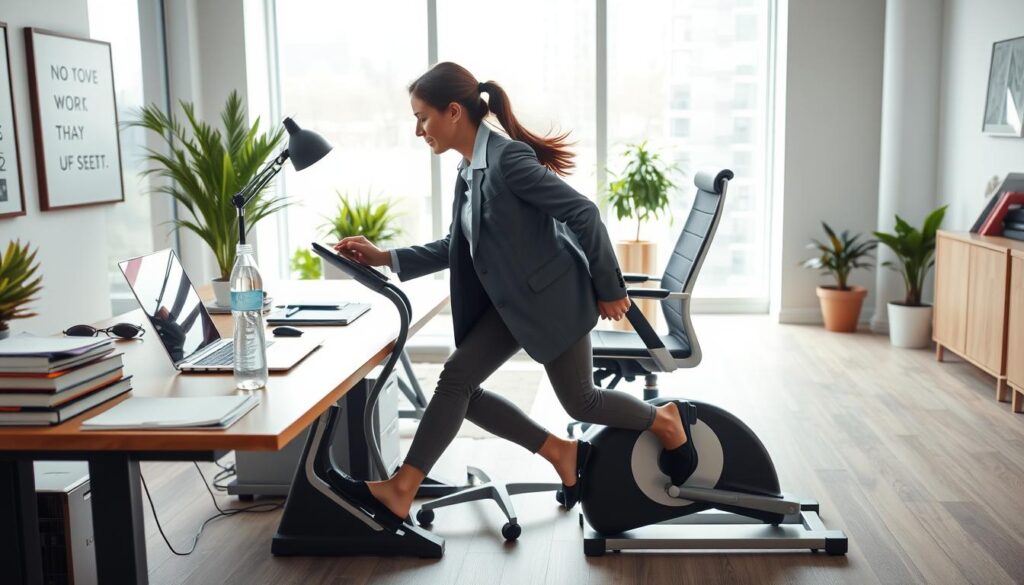
What research shows about long sitting stretches
The evidence supports breaking up sitting with light activity. Certified trainers and clinicians note that short bouts of low-intensity cardio can improve circulation and joint comfort.
Realistic benefits you can feel at your desk
PTs Theresa Marko and Kim Joy Lind highlight gains like better leg circulation, improved hip and knee mobility, and modest calorie burn.
- Less stiffness: you’ll notice reduced tightness after long calls.
- More alertness: gentle pedaling often helps you stay focused on emails or reading.
- Practical activity: this is a way to add daily minutes toward weekly health fitness goals, not a substitute for strength training.
How to choose the right machine for your desk, chair, and limited space
Choosing the right desk-friendly cardio tool starts with measuring your workspace and matching the device to how you work. A quick check prevents shoulder, neck, and wrist strain from poor setup.
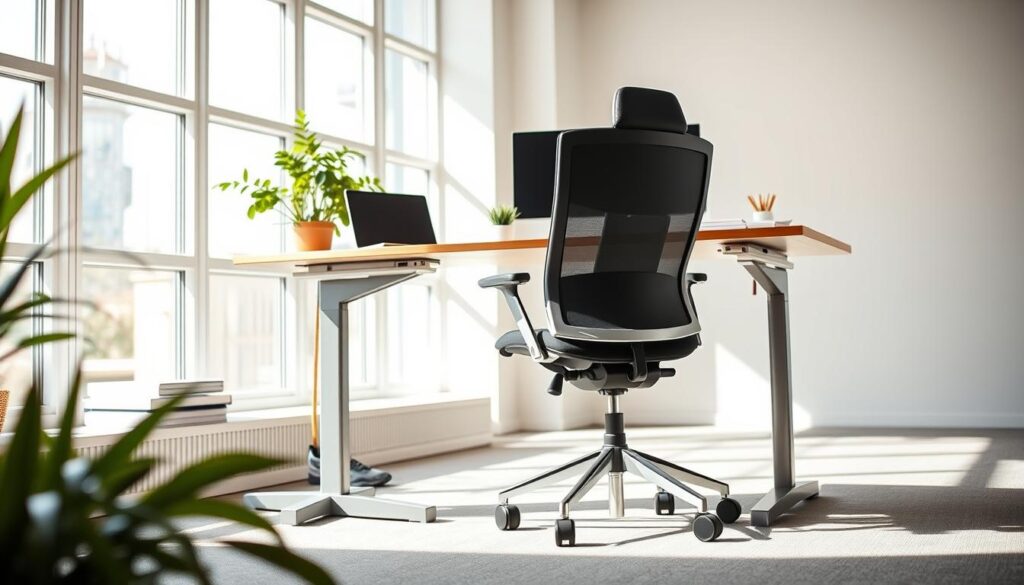
Measure first: desk height, leg clearance, and footprint
Measure desk height and the clearance under it. DeskCycle 2 fits desks 27″+ tall and has a footprint of about 22.5″ L x 11.5″ W x 11″ H.
Also check how far the unit will stick out so your knees don’t hit the underside. Your chair must still roll and your shins need room for a full stride.
Match the machine to your work style
If you do deep focus work like typing, pedals are a strong option. Striding suits steady, low-effort activity. If you take many calls or a meeting-heavy day, a walking treadmill at a standing desk may fit better.
Noise, wobble, resistance and storage
Shared rooms demand quiet gear and low wobble. Test for micro-vibrations on Zoom calls and in apartments below. Use a stable chair (back against a wall) and add a mat or rubber grips to reduce shifting.
- Resistance levels: low for mobility, higher for cardio—but heavy resistance can hurt typing accuracy.
- Portability: consider weight (DeskCycle 2 ~23 lb), wheels, and foldability if you store the unit daily.
What to look for in under-desk exercise equipment in 2026
Smart buyers now look for gear that blends into work life — quiet, sturdy, and easy to track. Focus on a few core features that affect daily comfort and long-term use.
Magnetic resistance vs manual tension
Magnetic resistance generally runs smoother and quieter than manual tension. Verywell Fit notes magnetic systems reduce the “whirring” feel and make devices more office-friendly when you share walls or take calls.
Pedal comfort and stability
Look for wide, slip-resistant platforms and secure straps. A good pedal design keeps your feet planted as cadence changes and limits fatigue during long sessions.
Display and useful stats
LCDs under a desk can be hard to see. Removable displays or app sync solve that issue.
- Must-have metrics: time, RPM/stride count, and calories to stay consistent.
- Nice-to-have: distance and fancy graphics — helpful but not essential.
- Tracking: a pedal exerciser with app support keeps data accessible.
App, Bluetooth, and wearable pairing
Compatibility with Apple Watch and Fitbit helps if you use challenges or ring goals for motivation. DeskCycle 2 includes Apple Watch and Fitbit support; that can matter more than a built-in display.
Value, price tiers, and warranties
Budget options often save on noise control and stability. Mid-range models typically deliver better magnetic resistance, higher-quality materials, and longer warranties. Note warranty ranges: some brands offer only months of coverage, while others provide multi-year support.
Best overall desk bike for quiet pedaling: DeskCycle 2 under-desk bike pedal exerciser
For a quiet, office-friendly option that fits most standard desks, the DeskCycle 2 stands out. It’s built to keep pedaling discreet during calls and focus sessions while still giving you useful activity at your desk.
The unit measures about 22.5″ L x 11.5″ W x 11″ H and fits desks that are 27″ tall or higher. Its low pedal height helps reduce knee-to-desk contact and the compact footprint works well in tight set-ups.
Resistance and real-world use
The DeskCycle 2 uses magnetic resistance with 8 levels. That feels smooth and quiet compared with basic tension systems. You’ll likely use low levels while typing, mid levels for admin work, and higher levels for off-camera breaks.
Display and features to expect
The detachable LCD provides time, RPM, and calories. It’s handy, but testers note it can be hard to read from a seated angle under a desk. If you rely on tracking, pairing with a wearable or app can be more practical.
Portability and trade-offs
At roughly 23 lb, the bike is manageable but not ultra-light. Without a built-in carry handle it can feel awkward to lift if you store it daily. The DeskCycle 2 is best when you plan to keep it under your desk most of the time.
- Quiet operation: ideal for meetings and shared rooms.
- Compact fit: low pedal height and small footprint suit many desks.
- Resistance levels: 8 levels give usable range for typing to cardio bursts.
- Display: detachable but may lack visibility under some desks.
Best under-desk elliptical for compact spaces: Cubii Move
For tight home offices or shared rooms, the Cubii Move offers a smooth, seated elliptical option that minimizes upper-body bounce. It’s built to feel more like a natural stride than a high-knee pedal, which helps you stay focused during long reading or call sessions.
Who it’s best for
The Cubii Move suits you if you do steady, low-effort work—reading, phone calls, or slow email blocks. You’ll get consistent leg motion without disrupting typing or posture.
Key features you’ll use
6 resistance levels are set with a front knob so you can shift intensity from light to moderate. A small LCD tracks calories, distance, time, RPM, and strides to keep you accountable.
- Dimensions: 21.7” L x 19.7” W x 9.7” H — fits under many desks and low tables.
- Portability: lightweight and easy to move if you need to tuck it away.
- Safety: designed for seated use only; 250-lb capacity, ~ $200, one-year warranty (plus extra year with registration).
Space and flooring notes
The unit can wobble slightly on carpet. Use a thin mat, brace your chair, or place it against a low barrier to reduce shifting. These fixes keep the elliptical stable and protect your floor.
Bottom line: Choose the Cubii Move if you want a quiet desk elliptical that delivers steady leg circulation, simple tracking, and easy portability in compact areas.
Best under-desk elliptical with quick adjustments: YOSUDA E5 under desk elliptical machine
The YOSUDA E5 brings remote-adjust convenience to your daily routine so you can change effort without breaking focus. It’s a compact, plug-in option that fits tight spaces and starts working right away.
Remote control convenience for mid-task resistance changes
You can use the remote to shift resistance, time, or mode while your hands stay on keyboard or mouse. That makes it easy to tweak effort during a call or while you scan documents.
Why whisper-quiet operation matters for Zoom calls and meetings
The unit runs whisper-quiet, so you’ll hear fewer audio cues and less background noise on video calls. Less noise also keeps coworkers and housemates from getting distracted.
- 10 resistance levels: keep it low for heavy cognitive work and raise it during passive listening.
- No assembly required: plug in, place it under your desk, and go — less setup friction for busy schedules.
- Minor usability note: button labels may feel non-intuitive at first, but the remote becomes a set-and-forget tool.
Bottom line: If you want a user-friendly elliptical option that stays quiet and lets you adjust resistance on the fly, the YOSUDA E5 is an excellent choice for workday use at your desk.
Best under-desk treadmill for standing desk setups: Sunny Health & Fitness Walkstation Slim Flat Treadmill
A compact walkstation turns your standing desk into a true walk-and-work setup without a big footprint. The Sunny Health & Fitness Walkstation Slim Flat is built for walking, not running, and ships fully assembled for easy use.
Speed range and what “walk-and-work” feels like in practice
The unit tops out at 3.75 mph, which feels like a brisk walk. At mid to top speeds you can comfortably take calls, read, and handle light admin tasks.
Typing long-form can be tricky at faster paces, so use lower speeds for focused writing and save brisker walking for meetings or review blocks during the day.
Small deck considerations and stride length adjustments
The Walkstation has a short deck (~39″ walking area). That will shorten your stride, so pay attention to foot placement if you’re tall.
Practice a slightly quicker cadence with smaller steps to stay centered and safe on the narrow deck.
Portability details: weight, transport wheels, and storage profile
At 55.1 lb the treadmill is sturdy and stays put even on carpet. Built-in transport wheels make repositioning possible, but most users keep it near their standing desk rather than store it daily.
- Key features: remote control, SunnyFit app compatibility, fully assembled out of the box.
- Dimensions: 50″ L x 21.5″ W x 6.5″ H; user capacity 220 lb.
- Value note: price under ~$330 with a 3-year manufacturer warranty and 90-day parts coverage.
Best foldable treadmill option for multipurpose use: GoPlus 2-in-1 folding treadmill
The GoPlus 2-in-1 folds to store nearly flat, so it’s ideal if you must reclaim floor space after work. Its foldable handle converts the deck from low-profile walking mode to a higher-speed treadmill for jogging.
Why a foldable handle matters when you’re short on floor space
The foldable handle is the key feature. It lowers storage height so you can slide the deck under a bed or closet. Built-in transport wheels make moving the unit easy when you change rooms.
Speed range for walking vs jogging and what that means for work tasks
The treadmill tops out at 7.5 mph, which supports jogging when you want it. For desk or standing work you’ll keep speeds conservative so typing and mouse control stay usable.
Durability and warranty limitations to weigh against the price
Dimensions are 52” L x 27” W x 5” H, so it fits small rooms but the motor can bog down under heavier loads. Warranties can be as short as three months, so weigh durability and warranty against the low price.
- When to choose it: you want versatility—walking during work and occasional jogging—without losing floor space.
- Trade-offs: affordable but less robust than premium walking pads; best for moderate use, not heavy daily pounding.
- Buying guide: pick this if storage limits are tight and budget matters; if you expect heavy daily use, prioritize longer warranty and stronger motor.
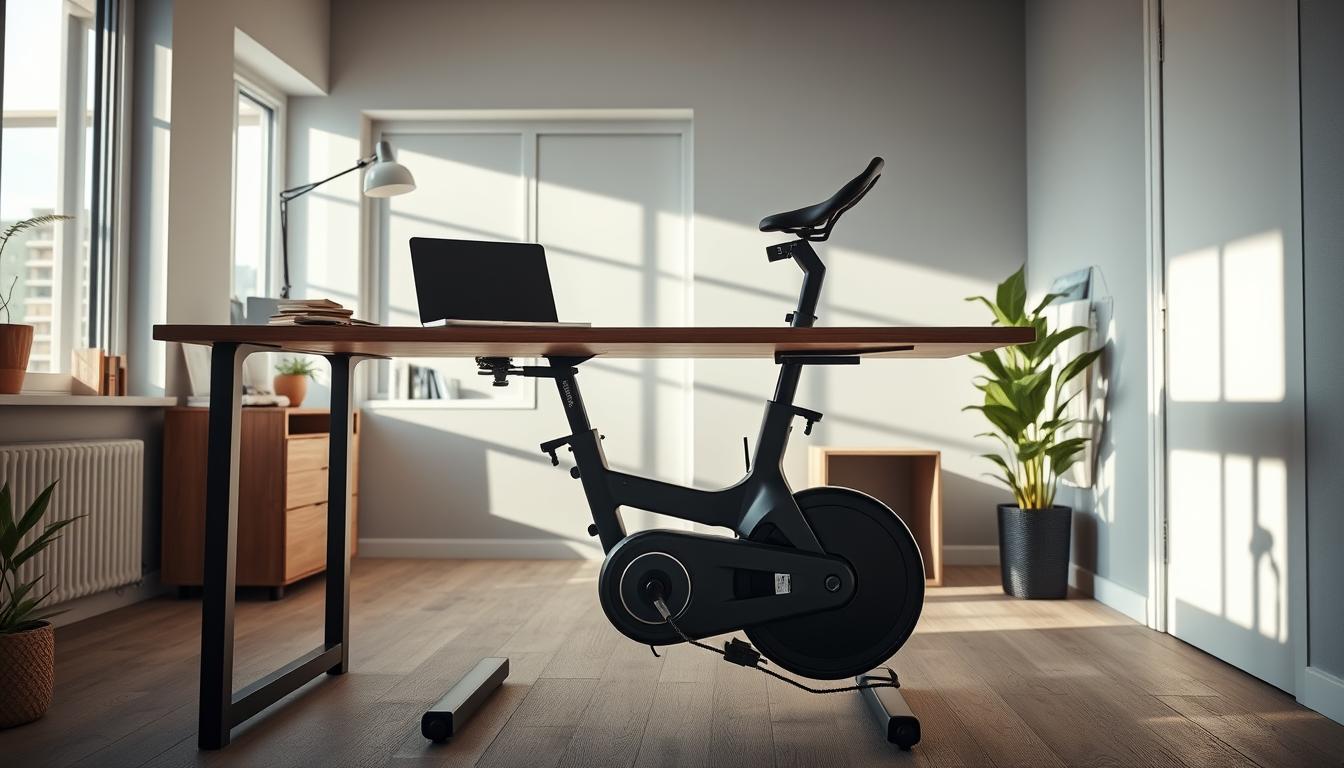
Best “workstation-in-one” desk bike: Flexispot home office cycle desk bike
If you need a ready-to-use setup that combines steady pedaling with a work surface, the Flexispot home office cycle desk bike is a practical solution.
When an all-in-one makes more sense than separate machines
This option wins when you want a dedicated, always-ready workstation and dislike swapping gear in and out of a room. The integrated design saves you time and keeps exercise visible and habitual.
Adjustability, stability, and footprint
The Flexispot pairs an adjustable desk and seat so you can fine-tune posture for long work sessions. Seat height and desktop position protect your back and neck during full-day use.
Stability is a benefit: at about 75 lb the heavier frame reduces wobble versus lightweight mini pedalers. Wheels let you tuck it into a corner as a second workspace without dominating the room.
- Resistance: 8 resistance levels let you stay easy during calls and ramp up intensity during off-camera breaks.
- Quick setup: assembly takes under eight minutes, so it’s nearly plug-and-play.
- Notes: the seat can feel firm at first and the price (~$600) is higher than small units, but the desk-plus-bike build is a long-term option.
Best budget-friendly under-desk bike for light daily activity: Himaly mini exercise bike
The Himaly mini exercise bike delivers a very affordable way to add short cardio breaks to your workday. It’s a compact, budget option that fits small corners and stores easily when you need floor space back.
Where it wins
The unit weighs about 7.6 lb and offers 8 resistance levels via a simple knob. A clear LCD shows time and calories so you can track short sessions.
Where it struggles
Be candid: it is noisier than premium bikes and can shift on smooth floors because it’s very light. That makes it less ideal for shared rooms or quiet calls.
Best setup fixes
- Use a grippy mat to dampen noise and stop sliding.
- Prop or brace the unit against a wall or heavy furniture for stability.
- Keep sessions short—10–30 minutes at low-to-moderate resistance—to stay productive while you pedal.
Bottom line: Choose the Himaly if your priority is low price and quick storage. It’s a practical way to add light activity at your desk, but expect trade-offs in noise and stability.
Best for higher resistance training under your desk: options with stronger pounds resistance
Some compact pedal systems advertise as much as 40 pounds resistance, which signals they offer more than gentle circulation work. That level of pounds resistance gives a real training stimulus for your quads and glutes during short breaks.
With higher resistance you’ll often pedal slower and apply more force. That can be easier to manage for focused tasks than sprinting at a light setting, since you control cadence while still getting strength work.
Who benefits most: you already do regular exercise, you want meaningful load during short sessions, or light mini bikes feel too easy.
Heavier effort raises the chance the unit will slide or shift. Choose machines with a heavier frame, wide base, and rubber feet to reduce movement. Magnetic resistance is a great option because it stays quiet while offering steady pounds of load.
- Buying tip: prioritize build quality and stability if you plan to push resistance often.
- Expectation setting: higher resistance helps strength but still needs good posture so you don’t tense shoulders or lean forward.
How to stop your under-desk bike or desk elliptical from sliding
A slipping pedal unit can interrupt focus and create an annoying, unsafe wobble under your desk. Fixes are quick and low-cost, and they keep you working without distraction.
Quick five-minute anti-slide checklist
- Brace the unit: push the front edge against a wall or heavy base so pedaling force doesn’t push it forward.
- Anchor your chair: use a stable chair and, when possible, sit with your back against a wall to limit push-pull forces.
- Add traction: place a dense exercise mat, rubber grips, or non-slip pads under the unit to protect floors and stop sliding.
- Check clearance: confirm the desk height lets your knees and legs move without you leaning or reaching.
- Shorten sessions if needed: if you raise the desk to fit gear, split sessions and reassess keyboard/mouse height to avoid wrist strain.
Why your chair choice matters
Your chair affects stability as much as the device. PT Kim Joy Lind recommends a steady chair to reduce the forward pull that makes units creep. A firm, non-rolling base or locking casters help.
Practical traction options and ergonomic positioning
Choose a thick mat or commercial non-slip pads for hardwood or low-pile carpet. PT Theresa Marko suggests propping the unit and adding rubber grips as a reliable option for most rooms.
Tip: test your setup for five minutes before a work block to confirm the desk, chair, and unit all stay put and you can type without shoulder or wrist tension.
How to get more movement without disrupting your workday
Small, regular bursts of activity can cut long sitting stretches without derailing focus. Use a practical plan that matches your schedule and the tools you already own.
Best use cases: email blocks, low-stakes meetings, and warm-ups
Start with one short block during low-effort tasks like email, reading, or a listening meeting. These are low-disruption times when you can pedal or walk without needing precise typing.
Good warm-up windows include the first 5–10 minutes after you sit and before a workout, or passive calls where you mostly listen.
How long to pedal or walk to reduce sedentary time realistically
Begin with 5–10 minute breaks to interrupt sitting. Once that feels automatic, add a second block later in the day.
When your schedule allows, aim for one 20-minute session a few times per week for slightly more sustained activity.
Ways to scale intensity safely: resistance, cadence, and optional add-ons
Increase intensity in stages: raise the resistance first, then pick up cadence, and only after that consider light add-ons like ankle weights or small hand weights if safe.
- Resistance levels: use low settings for focused tasks and mid settings for passive listening.
- Bike pedal / pedal exerciser tips: slow your legs for fine typing and speed up when you’re listening.
- Comfort cue: keep your upper body quiet and your posture steady so your legs do the work.
Bottom line: short, planned activity during the workday eases stiffness and helps your legs feel better by the end of the day. Start small and build a habit that fits your routine.
How we evaluated these under-desk movement options for limited floor space
To help you pick a practical option, we tested gear for size, sound, and daily use. Our goal was to find machines you’ll actually keep under your desk and use during work.
Criteria used
- Price: value for cost and warranty, since budget affects long-term use.
- Dimensions: desk clearance, footprint, and storage needs like wheels or foldability.
- Type of machine: pedals, elliptical, or walking pad and how each fits a small room.
- Foldability & portability: how easy it is to stash the unit when space is tight.
Performance standards
- Stability: no rocking so your chair and desk stay steady while you work.
- Noise: quiet operation for calls and shared spaces.
- Ease of setup: fully assembled or quick assembly with minimal tools.
- Ease of use: intuitive controls you can adjust mid-task without fuss.
Features that matter most for office-friendly cardio equipment
- Readable display or app pairing: tracking that fits your workflow and wearable syncing.
- Pedal comfort and resistance range: pedals that keep your feet secure and levels that suit typing or light exercise.
- Extras: grips, rubber feet, and transport wheels that affect daily convenience and fitness value.
Bottom line: We prioritized compact fit, office usability, and value over gym-level power. The best option is the one that fits your desk, matches your schedule, and stays quiet enough for real work.
Conclusion
Focus on three things: quiet operation, a footprint that fits, and stable contact with the floor. That simple checklist helps you pick a practical option fast.
For focused typing, a quiet bike like the DeskCycle 2 offers magnetic resistance and 8 levels. If you prefer a smooth stride, the Cubii Move gives compact striding with 6 levels. The YOSUDA E5 adds remote control and whisper-quiet use. For standing desks, the Sunny Health & Fitness Walkstation supplies a sturdy, app-friendly deck.
Match resistance levels to the task: light for precision work, moderate for passive listening, and higher for short fitness bursts. Secure your unit with a mat, wall brace, or a steady chair to stop slipping. Start small: set up one option in under five minutes and use it for one daily block for two weeks. Small, consistent sessions add up against long sedentary hours.