The right desk size changes how your home office feels and works. A well-chosen desk supports your posture, fits your layout, and keeps the room livable instead of wall-to-wall furniture.
This short guide helps you measure your room, plan clearance for a chair, and choose the correct width, depth, and height for your monitor and typing posture. You’ll learn simple tradeoffs: surface area vs. footprint vs. storage.
Expect practical rules of thumb for bedrooms, studio apartments, and multi-use living spaces. You will compare desk specs online to your real constraints before you click “Add to Cart.”
We cover options from compact standard desks to corner, wall-mounted, foldable, and storage-forward choices. By the end, you’ll know how to match a desk to your workflow and room so your space feels functional, not cramped.
Why Desk Dimensions Matter in a Very Small Home Office
A desk’s true role in a very tight room goes beyond looks — it shapes how you sit, move, and get work done.
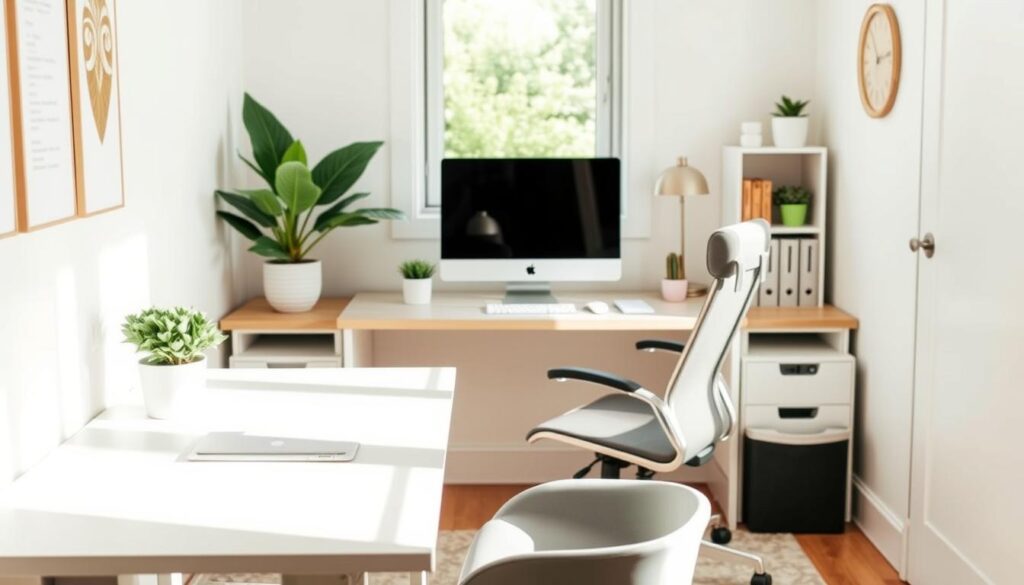
Your choice of desk size directly affects your comfort and productivity. If the surface is too narrow or too shallow, you hunch, crowd devices, and lose focus during long sessions.
In a very small room, the desk competes with daily traffic, door swings, and storage. That means a workspace is also part of your home’s flow, not just a piece of furniture you place against a wall.
- Comfort: Proper depth and height prevent slouching and wrist strain.
- Productivity: Enough clear surface lets you switch tasks, take notes, and keep essential gear within reach.
- Room livability: The right scale preserves walking paths and access to closets and doors.
Common mistakes make a room feel and act smaller: oversizing the desk, ignoring chair clearance, blocking door swings, or putting drawers where they collide with other furniture.
Also watch for too much visual bulk. Thick tops, chunky legs, and dark finishes can tighten the same footprint that a slim, open-frame design would free up.
Think of dimensions as a planning tool. Measure your needs first, then match an appearance you like so the layout works as well as it looks.
Measure Your Room Like a Buyer, Not a Guesser
Begin by treating the space like a purchase decision: measure the full zone you can claim, not just the wall you favor. Record length and width in inches so specs match product pages.
Map the available area and note obstacles
Walk the zone and mark outlets, windows, radiators, baseboards, and trim. Note where a door casing or narrow passage reduces usable width in the room.
Measure corner to corner across the floor to catch any odd angles. This gives a true sense of the floor space you can use in your home.
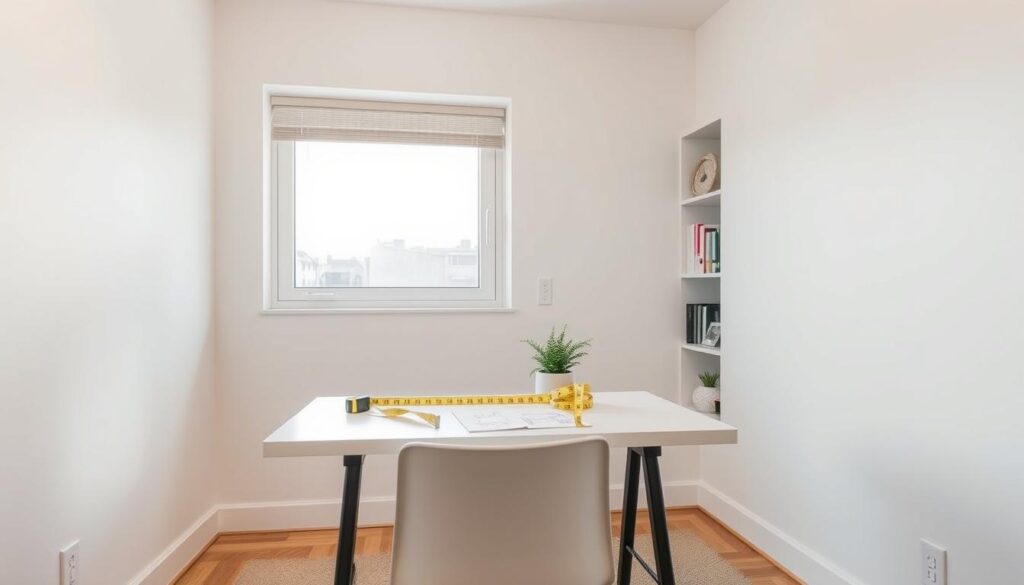
Preview the footprint with painter’s tape
Outline the proposed desk top with tape, then tape the chair zone behind it. You’ll see what the desk blocks and how much walking space remains.
- Buyer-grade routine: measure the full area you can dedicate, not just one wall.
- Mark real obstacles that affect placement and power for your setup and devices.
- Take a photo of the taped outline so you compare it to online listings before purchase.
Plan for Clearance So Your Desk Doesn’t Block Real Life
A desk should free you to work, not force you to work around it.
Start with a practical baseline: leave about 36 inches (roughly 90 cm) behind your desk. That space lets you stand, sit, and roll your chair without scraping walls or furniture.
Chair movement and walkways
When a desk sits along a path, give the same 36-inch clearance so the area doesn’t become a daily bottleneck. Measure the floor space with tape before you buy to confirm the route still works.
Doors and drawer access
Test door swings—bedroom, closet, and cabinet—against the taped footprint so you don’t find conflicts after delivery.
Drawers need open space in front of them, not just empty side area. A nearby dresser or filing cabinet can block pull-out storage if you don’t plan for the swing.
Tight-room solutions
If space is tight, try an armless chair, a backless stool, or a wall-mounted floating desk to reduce the blocked floor zone. These simple changes are an easy solution to preserve usable room in a busy home.
- Baseline clearance: ~36 inches behind the desk.
- Protect walkways to avoid daily bottlenecks.
- Test door swings and drawer openings before you finalize placement.
- Swap seating or use wall-mounted options to reclaim floor space.
Get Desk Width Right for Your Work Setup
Match desk width to your daily gear so the surface works for you, not against you.
Single-monitor and laptop targets
For a laptop or one external monitor, aim for about 40–50 inches wide. That gives you room for a mouse, a notebook, and a drink without crowding the main work surface.
Dual-monitor layouts
If you use two monitors up to 27 inches each, plan for at least 55 inches. A wider top keeps both screens centered and reduces neck twisting, improving ergonomics and comfort over long sessions.
Room for peripherals and tight-room options
Include daily peripherals—speakers, microphone, docking station, or a planner—when you calculate width so the center stays clear for focused tasks.
- Choose a monitor arm and off-desk storage if the room won’t accept a wider option.
- Compare real product sizes: a Branch Daily Desk at 36″ suits laptop-only setups better than dual-monitor work.
- Prioritize a clear center area for posture and reach.
Desk Depth Requirements for Healthy Screen Distance
Depth determines how far your monitor sits from your eyes and whether you have room to type without leaning forward.
OSHA guidance recommends keeping screens at least 20 inches away — about an arm’s length. A top that is at least 24 inches deep supports that distance while leaving space for a keyboard and mouse.
Why 24 inches is a practical minimum
Make 24 inches your baseline for most home office setups. This depth fits an external monitor, keyboard, and a small notebook without forcing you to move the screen closer during long hours of work.
Using the 20+ inch viewing-distance guidance
Keep your monitor 20+ inches away to reduce eye strain and improve posture. Too-shallow tops often pull the screen in, increasing neck and eye fatigue over extended hours.
When 30 inches makes sense
Choose ~30 inches when you use large monitors, dual-monitor stands, or a dedicated keyboard in front of a laptop. The extra space prevents a cramped setup and improves overall comfort.
- Baseline: 24″ for common setups.
- For large screens: consider 30″ depth.
- Small-space caution: use a monitor arm or wall mount to reclaim distance without expanding the footprint.
Desk Height and Ergonomics for Long Work Hours
A properly set desk height keeps your shoulders relaxed during long work sessions.
Typical sitting desk heights in the US and what they mean for you
Most sitting desks measure about 27–30 inches tall in the United States. That range is a reasonable starting point, but standard still may not match your body or chair.
Choose a height that keeps your elbows near a 90-degree angle while typing
When seated, set the surface so your elbows form roughly a 90-degree angle while your hands rest on the desk. This posture lowers shoulder tension and supports long-term comfort.
Set monitor height so the top of the screen is at or just below eye level
If the desk is fixed, raise or lower your monitor with a stand or arm. Cornell guidance calls for the top of the screen to sit at or just below eye level so you avoid craning or hunching.
- Ground rule: 27–30″ as a baseline, then adjust for your chair and stature.
- Shared setups: a sit-to-standing option helps when multiple people use one surface.
- Room reality: avoid dining chairs or stools without support; pair the desk with a proper office chair for better productivity.
Selecting small desks That Match Your Space and Needs
Match a desk to how you live and work, and the room will feel larger and more usable.
Quick-fit sizing rules for tiny rooms, bedrooms, and studio apartments
Start with clearance: tape a footprint on the floor and leave at least 36 inches behind the seat. Then pick the smallest desk that still fits your monitor, keyboard, and daily workflow.
How to balance work surface, storage, and visual “bulk”
Depth often matters more than width in tight rooms. A deeper top keeps the screen at a healthy distance without forcing you into the walkway.
If you need an open surface, move storage off the top. Choose built-in drawers, a nearby cabinet, or a slim filing unit so the surface stays clear.
- Priority list: monitor space, writing space, storage, portability.
- Visual bulk: favor slim legs, open frames, and light finishes to reduce perceived mass.
- Quick rule: clearance first, then surface, then storage placement.
Shape wins space: choosing a corner, rectangular, or floating option is often the fastest way to reclaim floor area without losing function.
Compact Desk Shapes That Save Space Without Sacrificing Function
Smart desk shapes turn awkward corners and narrow walls into useful work zones.
Small rectangular tops for tight walls
Rectangular desks fit flush against a wall and are easiest to move when you reconfigure a room. Use this shape when your gear is minimal or you want to keep walking space open.
Corner solutions that use wasted angles
Corner layouts capture underused square footage and shrink the “desk-in-the-way” feeling in studios and bedrooms.
A practical example is the Tangkula Corner Desk, which slots into a right angle and adds shelves underneath for neat storage.
L-shaped and rotating L designs for flexible plans
L-shaped and rotating L-shaped designs expand during work hours and contract for guests. The Pottery Barn Cayman L-Shape Rotating Desk (50″W x 20″D) shows how a swivel top adapts to changing needs.
- Rectangles: best for a simple footprint and easy relocation.
- Corner: turns unused space into a focused zone.
- Rotating L: lets you grow the surface when you need it, then tuck it away.
Wall-Mounted and Floating Desks for Maximum Floor Space
Mounting a work surface on the wall reclaims floor space and makes a room feel less crowded. Removing legs leaves open floor underneath so cleaning and traffic stay easy.
Fold-down and Murphy-style units
Fold-down or Murphy-style tops are true “use it, hide it” solutions. Pull them down for work, then close them to restore a living area. They suit multipurpose rooms where you don’t want an office visible all day.
Minimal floating shelves for laptop work
Floating shelves work best for laptop-focused tasks, light writing, or short sessions. Depth and load capacity are limited, so avoid heavy monitors unless you add a proper mount.
Wall desks with built-in shelving
Built-in shelving moves storage up, not out. Keep essentials above the surface to free the desktop. The West Elm Blaine Wall Desk (about 18″ deep) is a compact reference point if you manage monitor distance carefully.
- Pros: clears floor space, easier cleaning, visual lightness.
- Considerations: stud mounting and weight limits—verify before you buy.
- Tip: use monitor arms and wall-mounted storage for a balanced solution.
Foldable, Portable, and Rolling Desk Options for Flexible Rooms
For rooms that serve many roles, a packable workspace keeps your floor free most of the day. Foldable and rolling options let you create a work zone only when you need it.
Folding desks that tuck away: choose a shallow model if you need storage under a bed or inside a closet. The Wohomo Folding Desk (31.5″W x 15.75″D) fits tight gaps. The deeper GreenForest (32.2″W x 24.5″D) feels more ergonomic if you can spare the depth.
Rolling desk carts for move-anywhere setups
Rolling carts let you chase outlets, sun, or quiet corners and then roll the setup away. Check wheel quality, locking casters, and typing stability when you shop.
Lap desks and retractable shelves for occasional work
Lap desks are a true quick solution for couch or bed tasks. Slide-out or retractable shelves give a hidden surface that vanishes when not in use.
- Why pick portable: best when the room must switch roles.
- Shopping tip: compare real dimensions so the model fits your planned spot.
- Usability reminder: pair portable designs with cable management and a pack-down routine so your small space stays tidy.
Storage-Smart Small Desks That Keep the Surface Clear
In tight rooms, smart storage turns limited tabletop area into usable, uncluttered work space. You want a plan that keeps pens, chargers, and papers off the surface so your work surface stays functional and calm.
Why storage matters — when you cannot spread out, vertical and internal storage protect your primary zone. Built-in drawers and cubbies move daily clutter under the top so you can sit down to focus without clearing piles first.
Desks with drawers and hidden cubbies
Look for at least one full-width drawer for daily items and smaller hidden cubbies for chargers and adapters. Cable cutouts or grommets keep the back edge tidy and prevent cords from eating desktop space.
Secretary and cabinet options
Secretary or cabinet models let you literally close the door on work. A unit like the Article Fantol Cabinet Desk hides supplies and helps a bedroom or living area look like a room, not an office.
Reversible layouts and off-desk storage
Reversible storage desks, such as the Blu Dot Stash Reversible Desk, swap drawer locations to suit left- or right-handed setups without awkward access. Pair any desk with a low-profile file cabinet to add capacity without increasing visual bulk.
- Look for: one real drawer for daily use, hidden cubbies, and cable routing.
- Consider: reversible layouts for handedness and cabinet desks for visual calm.
- Tip: off-desk low-profile storage keeps the desktop clear while expanding capacity.
Accessories That Create Space on a Small Desk
When your room limits the footprint, smart hardware becomes the key to reclaiming usable area. Think of accessories as the second lever after desk size: they boost how well your work surface performs without changing its dimensions.
Why a monitor arm often makes the best first upgrade
A monitor arm frees desktop space by removing bulky stands and lets you set the top of the screen at or just below eye level. That improves posture and clears real estate for papers, a planner, or a lamp.
Keyboard trays, CPU holders, and cable routing to reduce clutter
Under-desk keyboard trays push the keyboard out of the main zone when you write or use paper. CPU holders get towers off the floor and out of your toe path.
Cable routing—grommets, trays, and clips—keeps cords from eating usable space and makes the workspace easier to clean.
Vertical shelving and off-desk storage to protect your main zone
Use wall shelves or a narrow vertical unit to move books and supplies off the top. A low-profile filing cabinet—such as the Ark EL 29″ Display File Storage Cabinet—keeps essentials reachable without crowding the desk.
Buyer note: confirm desk thickness and edge clearance before buying clamp-mounted arms or trays. Clamp fit and grommet location are common compatibility issues with many modern designs.
- Accessories increase usability when you can’t alter footprint.
- Pick a monitor arm first to maximize free surface and ergonomic positioning.
- Combine under-desk mounts, cable routing, and vertical storage to protect the main work zone.
Small-Space Desk Materials and Designs That Visually Open the Room
Materials and leg profiles change how a desk reads in a room, often more than its raw footprint. You can keep the same width and depth but make the piece feel much lighter with transparent tops or slim frames. That visual space matters when your room doubles as a living area.
Glass and acrylic tops that disappear in a tight sightline
Glass or acrylic surfaces reduce the blocky look of a solid slab. The transparency helps the desk blend into a bedroom or living area so the piece feels less like furniture that takes over.
Tip: glass shows smudges and cables more easily, so plan cable routing and keep accessories minimal for a clean effect.
Metal frames and slim-leg silhouettes for an open floor line
Thin steel legs or an open-frame design keeps the floor visible beneath the top. That visual continuity makes the space feel larger and less crowded, especially when the desk is in your main sightline all day.
- Design impact: materials often change perceived bulk more than inches do.
- Real examples: the Room & Board Slim Desk shows how steel lines reduce visual weight; West Elm’s glass-top mini desk proves transparency works in practice.
- Buy with intent: if your room doubles as another function, choose a lighter-looking desk to avoid a full room takeover.
Compact Standing and Sit-to-Stand Solutions for Small Rooms
If you want posture variety without giving up floor space, sit-to-stand setups bring movement to even the tightest work zones.
Adjustable-height options with minimal footprints
Choose a compact adjustable desk when you work long hours and need flexibility in a shared home office. Small-footprint electric models like the Herman Miller Mini Motia give smooth lifts with minimal base area. Manual-lift models such as the Article Torme trade motorized convenience for a lower price and simpler features.
Converters when a full standing desk won’t fit
When you can’t swap pieces, a standing desk converter sits on your existing surface to add height adjustability. Converters are a true space-saving solution. They let you stand without changing the room layout.
Bar-height setups as multipurpose surfaces
Bar-height tables double as workstations and dining or console surfaces in studio rooms. They free the floor below and work well with stools that tuck under the top.
- When to pick standing: you want posture changes without a second work surface.
- Check clearance: confirm stool or chair space and door swings before you buy.
- Final check: ensure monitor and keyboard height support neutral wrists and relaxed shoulders.
Placement Ideas for Very Small Rooms That Actually Work
Make the workspace belong to the room, not take it over. Position the desk where walkways stay clear, closet doors still open, and outlets keep cords tidy. Natural light is a bonus—window placements can lift mood and focus—but check glare at your actual work hours.
Bedroom and living room workspace setups that don’t take over the space
In a bedroom, pick a compact or wall-mounted option that closes visually when you’re done. Keep storage concealed so the area feels calm.
In a living room, a slim console table reads like décor after hours. Use light finishes and slim legs so the piece blends with furniture rather than competing with it.
Under-stair, window-sill, and closet-nook desk solutions
Under-stair nooks and closet alcoves make private work zones you can hide behind doors. Deep window sills can become mini worktops that benefit from daylight.
Confirm outlet placement and use a monitor arm if the surface is shallow so your screen sits at the right distance.
Multipurpose furniture options like console tables and vanity-to-desk setups
Convert a vanity or console table into a dual-use surface to avoid extra pieces in tight areas. Choose units with drawers or add a low-profile file to keep the top clear.
- Placement rules: favor walls that preserve walking paths, avoid blocking closets, and keep cables near outlets.
- Bedroom tip: closed storage and soft lighting prevent the room from feeling like an office.
- Living room tip: pick a desk that reads as furniture after hours.
- Practicality checkpoint: always test chair clearance, door swings, and screen glare at the time you work.
Buyer’s Checklist Before You Click “Add to Cart”
Before you buy, run a fast checklist to confirm the desk will work in your life and room. This short pass prevents returns and awkward installs.
Verify core dimensions and ergonomics
Confirm width, depth, and height match your equipment and posture needs. Aim for at least 24″ depth, 40–50″ width for a single monitor, and 55″+ for dual screens.
Recheck clearance and real-world movement
Use painter’s tape to map the footprint and leave about 36 inches (3 feet) behind the desk for chair rollback. Check walkway flow and door or closet swings so the setup does not block daily use.
Inspect product features and useful add-ons
Review listings for cable cutouts, leg placement (knee space), and drawer swing direction. Prioritize a monitor arm, built-in storage, and cable management when those features protect your workspace and floor area.
- Quick checks: compare delivered dimensions, assembly difficulty, and return policy.
- Practical tip: ensure drawers open where you need them and modesty panels don’t block feet.
- Final gate: confirm the package size works in your stair or apartment delivery route.
Conclusion
Begin by mapping usable floor space so the desk you buy fits real life, not just a listing. Measure clearance for a chair, mark door swings, and note outlets before you shortlist models.
Make depth your priority. Aim for a 24″ top when possible so your monitor sits at a comfortable distance and your posture stays neutral.
Use width as a quick memory tool: 40–50″ suits most single-monitor setups; 55″+ works best for dual screens. Let that guide your shopping and compare real dimensions to your taped footprint.
Keep the room livable without taking over it by choosing wall-mounted, foldable, or storage-smart options. A single high-impact upgrade — a monitor arm plus basic cable management — can free much of your surface.
Now take measurements, pick a few models that match your clearance plan, and buy the one that supports your posture and daily work at home.