Small office ideas can turn a tight corridor into a practical work area. You’ll learn what a corridor-style setup looks like and why long, narrow desks often feel like the only option in a small room.
Expect clear, useful tips to improve movement, reach, storage access, lighting comfort, and visual calm without expanding your space. The goal is to protect your walkway while keeping your desk functional and tools within reach.
This intro previews simple layout strategies: wall-hugging runs, galley configurations, corner or L returns, and flexible double-duty setups. You’ll use basic planning—measurements, zones, and vertical storage—to keep the space open even if your office is basically a hallway.
These ideas apply whether your office is carved from a bedroom, living room, dining room, basement, or attic. Throughout the article, success will be judged by a clear aisle, minimal glare, low clutter, and an easy daily flow.
Why tight-corridor desk layouts feel harder than they should
When your desk stretches along a long hall, every item is on display. Long sightlines make clutter stick out, so even a few papers or a random box can make the whole office look chaotic.
The real friction comes from pinch points. Think chair zones, drawer swings, and door clearance. These small collisions interrupt flow and break concentration during work sessions.

How long sightlines, pinch points, and clutter kill productivity
A crowded desk forces you to spend time searching, moving items, and resetting your area. That eats into your productivity and makes the space feel smaller than it is.
What “easy access” really means in a narrow office space
Easy access means you can sit, roll back, open drawers, and stand without bumping furniture. If you need to squeeze past an oversized chair or deep cabinet, the room punishes extra objects.
- Design for movement paths, not just where the desk fits.
- Prioritize clearance over extra storage that blocks access.
- Small adjustments to layout and measurements cut daily stress fast.
Start with measurements that protect your walkway and workflow
Start by measuring key clearances so your layout protects moving paths and daily flow. A few quick numbers stop daily friction and keep the room feeling larger.
Mapping your desk, chair pull-back, and daily movement path
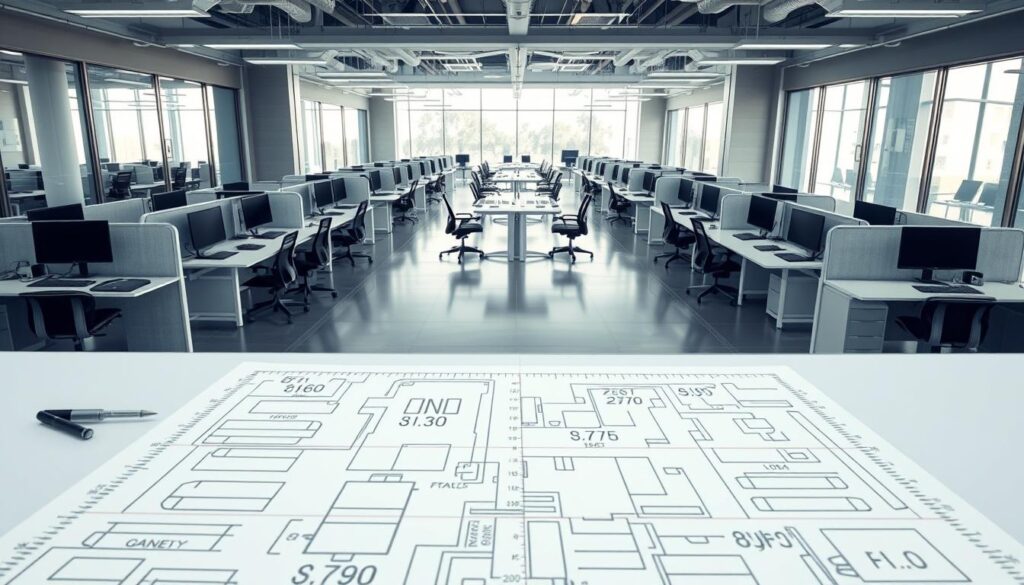
Measure desk depth and length, then add the chair footprint and a 24-inch pull-back behind the desk for movement. In a galley plan, aim for a 36-inch central aisle for easy passage (Tanger’s Furniture).
Planning clearance for drawers, cabinets, and rolling storage
Map drawer swings so they never block the aisle. Use rolling storage, but give it a defined parking place. That keeps storage usable and avoids pinch points.
Identifying door swings, closet access, and high-traffic zones
Note door swings and closet access as non-negotiable. Mark high-traffic zones—hall passes and shared doors—and keep them clear so the office stays safe. The right measurements boost task speed and reduce interruptions.
- Measure desk, chair, and pull-back distances first.
- Trace your daily path to place frequently used items within reach.
- Reserve fixed spots for rolling storage to prevent blockage.
Narrow workspace design principles for long and narrow desks
A clear center aisle and deliberate zones change how a long room feels and functions. Start by protecting the walkway and let storage and seating adapt around that lane.
Keep the center aisle clear with slim-profile office furniture
Choose shallow storage, narrow drawers, and wall-mounted shelves to preserve floor width. Slim-profile office furniture frees up passing space while still holding essentials.
Build zones by task, not by room size
Create a focus zone for monitor and keyboard, an analog zone for paperwork, and a support zone for printer and supplies. Zoning gives every item a home and cuts visual clutter.
Put frequently used tools within easy access
Keep daily items within arm’s reach while seated. Stow weekly or monthly tools vertically or farther away to avoid crowding the desk.
- Center aisle rule: keep the path clear first, everything else adapts.
- Slim furniture: choose shallower profiles and wall-mounted pieces.
- One-touch reset: defined zones let you clear the surface in under a minute.
These principles prepare you to pick the right layout next. Match the strategy to your room shape and how you work to make a long desk feel efficient, not cramped.
Wall-hugging layouts that maximize floor space
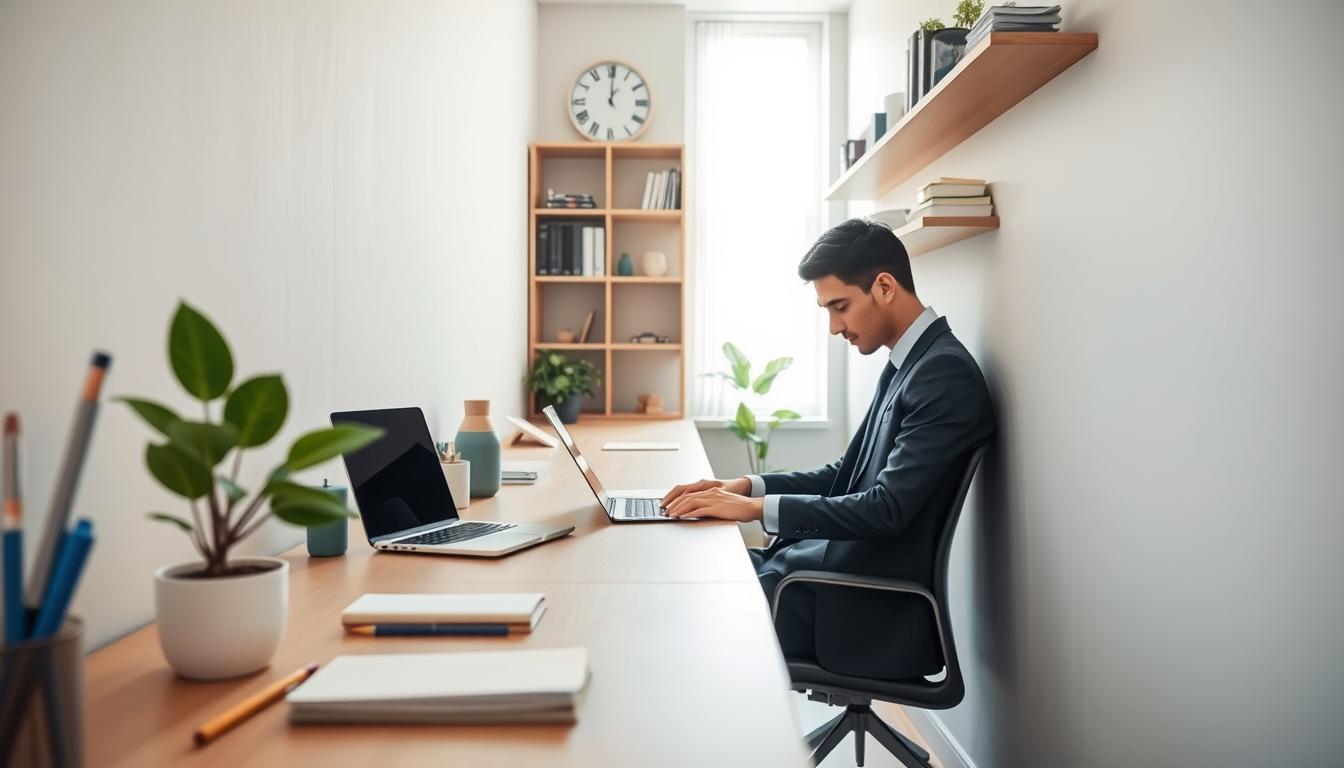
Tucking a long desk against a single wall clears the center of the room for movement and flow. This wall-hugging layout lets you keep a clear aisle while the desk runs the length of the room.
Single-wall run for a clean, minimalist workspace
Place the desk along one wall so most of the floor stays open. That limits landing zones where clutter piles up and supports a minimalist feel for your home office.
Perpendicular placement to reduce screen glare near a window
When you position the desk perpendicular to a window, you get natural light without direct glare on the screen (EFFYDESK). Use white walls or reflective surfaces to bounce light and make the room feel wider.
When to float the desk to improve chair clearance
Pull the desk a few inches off the wall when you need extra chair clearance or room for cable routing behind it. Check these placement points:
- You can roll your chair back without hitting a wall.
- Someone can pass behind the chair without squeezing.
- Cables and power strips sit neatly behind the desk, not in the aisle.
Quick wall-based add-ons: mount a rail, pegboard, or a slim shelf to keep tools off the desk without shrinking the walking space. This simple approach makes the most of a small room while keeping your home office calm and functional.
Galley-style linear desk configuration for long, narrow rooms
A galley layout runs desks along both walls so you can use the full length of a long room without wasting floor space. This approach gives you continuous surface area while keeping a clear center aisle for walking and chair movement.
Two-parallel-wall setup with a functional central aisle
Aim for a central aisle of at least 36 inches to allow comfortable passing and chair pull-back (Tanger’s Furniture). Place matching desks on opposite walls so circulation stays predictable.
Using low dividers, shelves, or plants for subtle separation
Use low screens, slim shelves, or plants to define individual areas without closing the room. These elements give visual separation and keep sightlines open so the space feels larger.
Where shared storage belongs in a corridor-like office
Put shared storage in the center or at one end: a low credenza or mobile filing cart works best. Keep storage off the aisle and assign a parking spot so carts don’t block movement.
Best use cases: process work, study nooks, and compact small offices
This layout fits process work, study nooks, and compact small office setups where efficiency matters more than total privacy. It scales easily from single-user to a two-person area if the room allows.
- Visual tip: align sightlines and keep the center aisle visually quiet to avoid the hallway feel.
- Place frequently used items within arm’s reach and shared tools near the credenza.
Corner and L-shaped strategies that reclaim dead space
Corners often hide unused potential; a smart L-shaped setup can turn that dead area into a focused command center. In a long room, an L-shaped desk gives you two distinct zones so you can separate screen work from paperwork without crowding the main aisle.
Turning an unused corner into a command center
Use the corner as your primary hub. Run the main desk along the longer wall and attach a return into the corner to create a compact command center.
This “found space” keeps your central path clear while adding usable surface length for tasks.
Using the return side for paperwork, printers, or a table surface
The return acts as a second zone: a table surface for sorting documents, a place for a printer, or a landing spot for incoming mail.
Separate zones reduce desktop clutter and make it easy to park paper tasks away from screen work.
Client chair placement that stays collaborative in tight spaces
Position a chair at a 90-degree angle to the return for quick client conversations. This feels collaborative without taking extra aisle room.
Plan at least 24 inches of clearance behind your desk so you can stand and move freely (Tanger’s Furniture).
- Keep styling light: one meaningful display or a couple of framed photos, not dozens of small objects.
- Use the return as dedicated paper or supply storage to keep the main desk clear.
- This layout works for both a professional office and a polished home office corner in a shared room.
Flex layouts for small home office spaces that do double duty
A small home office must flex between work hours and life moments, so pick solutions that roll and tuck away fast. In a small home your office often shares rooms like a bedroom, living room, or dining room. Plan to change the layout by time of day.
Furniture on wheels for day-to-night room switching
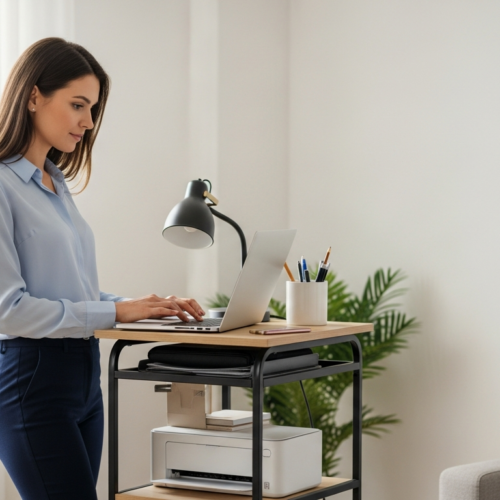
Choose rolling file cabinets and a mobile printer stand so you can reconfigure without lifting heavy pieces. Define a clear “work parking zone” where rolling items rest after the day ends.
Touchdown zones for hybrid work in a small home
Create a tiny touchdown area with power, a laptop stand, and one organizer. This quick kit helps you start and stop work fast and keeps shared spaces feeling like home.
- Reality check: your office shares space—plan for different uses through the day.
- Mobile furniture: lets you swap roles without tools or muscle.
- Compact kit: lamp, stand, and one tray make reset simple.
Keep work items hidden in drawers when you finish. Intentional boundaries and simple home office ideas reduce stress and keep dual-purpose spaces comfortable and calm.
Vertical storage that keeps your desk surface open
Think upward: putting storage on the wall turns wasted vertical inches into usable capacity. This approach gives you more room to move and keeps the floor clear so the center aisle stays open.
Wall shelves above the desk for supplies and decor
Mount shallow shelves above your desk to hold daily tools and a few accents. That keeps essential items within reach while preserving a clear work surface for focused tasks.
Built-ins vs. floating shelving for tight walls
Built-ins maximize capacity on skinny walls and hide clutter behind doors. Floating shelves feel lighter and are easier to reconfigure when your needs change (EFFYDESK).
File and paper control with wall-mounted organizers
Use wall-mounted bins and file pockets to stop papers from stacking on the desk or spilling into the aisle. A simple rack for active projects clears visual clutter and speeds retrieval in the office.
Choose cabinets, cubbies, and drawers without blocking access
Pick units with inward or sliding doors to avoid swing conflicts. Limit deep drawers that pull into walkways and give rolling storage a fixed parking spot so it won’t block access.
- Frequency rule: daily items at eye level, weekly higher up, archives in closed cabinets.
- Keep décor minimal so the space reads calm and the office stays distraction-free.
Lighting plans that make narrow offices feel wider
Letting daylight lead your layout instantly improves how the room reads and how you feel. Use natural light as the backbone of your plan, then add layers so the space stays comfortable all day.
How to prioritize natural light without causing glare
Place your desk perpendicular to the window first. This reduces direct glare on your screen and keeps daylight usable.
Adjust monitor angle and use blinds or sheer curtains to soften bright beams. Test at different times so you know when glare appears.
White walls and reflective surfaces to bounce light
Paint walls in a light, warm white to reflect incoming light down the room. Small glossy frames or a sparing mirror can spread brightness without creating hotspots.
Layered lighting: task lighting plus softer ambient light
Add a focused task lamp over your work area and pair it with low-level ambient lighting. This combo reduces harsh shadows and keeps the long room balanced.
Placement tips for desk lamps in a narrow workspace
Set the lamp on your non-dominant side to cut writing shadows. Keep it near the back edge of the desk to avoid a bump hazard in the aisle.
Choose adjustable arms or clip-on fixtures to keep the surface clear and flexible.
Good lighting boosts how your office looks on video calls and how energized you feel. Proper daylight use and layered fixtures reduce visual fatigue, which quietly improves daily productivity.
Ergonomics in tight corridors: chair, posture, and reach
Good ergonomics turn a tight corridor into a healthy place to sit, stand, and reach without strain. When space is limited, poor posture and awkward reach add up fast. That increases fatigue and breaks your focus during long work sessions in a small office.
Choosing an adjustable chair that fits under a narrow desk
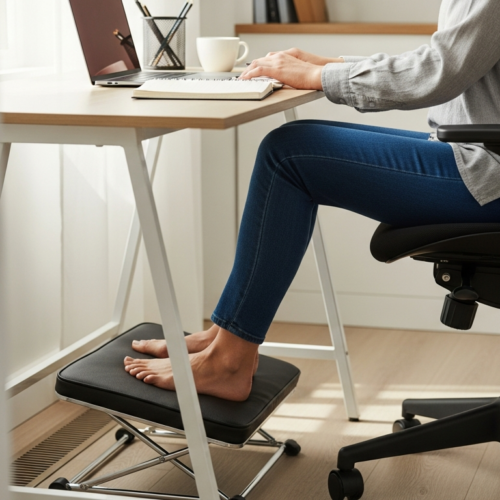
Pick a chair that tucks under your desk and adjusts for your height. Look for adjustable arms that flip up, a compact five-point base, and seat depth you can set so it won’t protrude into the aisle. Test that you can roll back and stand without hitting storage or walls.
Standing options when you can’t spare extra floor area
Choose a height-adjustable frame or a compact electric lift top that mounts to your existing desk. These units let you switch to standing without a larger footprint. They adapt to your energy and keep the aisle clear.
Monitor mounts and arms to free up desk space
Use a monitor arm to lift screens off the surface, free up room, and set ideal eye height. Position screens so your primary work zone stays inside a comfortable arc. That reach-and-rotation rule reduces twisting and protects your posture over long hours.
- Quick checklist: chair tucks under desk, chair rolls back clear, adjustable desk frame fits existing surface, monitor arm sets screen height.
- Good ergonomics extend comfort for both small office and small home office routines.
Technology and cable management for a tidy, distraction-free look
A simple cable plan keeps trip hazards out of your path and your mind focused. In a small office, cords become visual noise and real safety issues because they run along the aisle.
Route cables along walls and under the desk edge so the central space stays clear. Use a built-in cable channel in your desk (EFFYDESK) to hide power strips and reduce exposed loops.
Routing cables along walls to keep walkways safe
Run power and data lines tight to the wall or baseboard, and clip them every few feet. This prevents slack from drifting into the aisle and creates a neat, intentional look.
Power access planning for laptops, monitors, and lighting
Plan outlets and a single surge strip near your desk to avoid stretching cords across the room. Place lighting and monitor power within short reach to protect clearance and access.
Minimal-device setups for a cleaner home office
Consolidate devices with a single dock or one monitor to cut cable volume. Use simple containment: cable raceways, under-desk trays, and Velcro ties to keep bundles tidy.
- Weekly reset: check slack, re-tie bundles, and remove unused adapters.
- Less cable clutter reduces distraction and makes your home office look more professional on calls.
Acoustics and privacy when your workspace is basically a hallway
Long, pass-through work areas often feel noisy; simple acoustic fixes calm the room fast.
Hard floors and long sightlines make sound bounce and travel, so a hallway-style office can seem louder than it is. That extra echo breaks focus and leaks activity into adjacent living areas.
Soft materials that absorb noise: rugs, panels, and fabric
Use rugs, fabric wall panels, and curtains to soak up reflections. Place a rug under the chair and a panel behind your desk to cut direct echoes. Thick curtains at the room ends help when the area opens to a shared living room.
Low screens and planters that add privacy without closing in the space
Low screens or a row of tall planters create a visual and acoustic buffer without blocking the aisle. Position them between the desk and high-traffic paths to keep sound and sightlines controlled.
- Place acoustic panels behind your chair and on the wall facing the desk.
- Target high-echo zones like the far end of the room and ceiling corners.
- Create a micro-nook with a soft rug, one lamp, and a single plant to mark a focused area in a pass-through space.
For video calls, pick a consistent background wall, hang one simple art piece, and add a plant for depth. These moves boost privacy and comfort and help you stay productive in a shared home or small office.
Biophilic touches that boost focus in narrow office space
Bring living green and daylight into your long room to boost mood and reduce mental fatigue. Biophilic setup means you use plants, daylight cues, and warm materials to support calmer, more focused work.
Window-focused placement for better mood and energy
Place your main desk near the window but perpendicular to it to get steady light without strong glare. Use blinds or a sheer to soften peak sun so your screen stays readable while your mood benefits from living light cues.
Plants that thrive in low light vs. bright light
Choose hardy, low-light plants—ZZ plant, snake plant, or pothos—for dim corridors. For sunny windows pick succulents, ficus, or a rubber plant.
Natural materials to warm up a small office design
Add a few wood tones, woven baskets, or a small jute rug to create a “green corridor” effect that softens the passage feel without cluttering the aisle.
- Maintenance tip: pick plant sizes and watering routines you will keep up with—small pots once a week, larger plants less often.
- Daily benefit: calmer atmosphere, better focus, and a more pleasant home office to work in.
Minimalist styling that still feels personal
A minimalist approach keeps the long room calm and the central path clear. In a compact home office you want fewer items that matter. That reduces visual clutter and makes the whole area feel purposeful.
Gallery walls and art that don’t crowd the work area
Place a single gallery on one wall plane so art reads cohesive, not scattered. Align frames on a common baseline and keep spacing even.
Avoid wrapping art around corners or over the desk edge. That keeps the aisle and work area clear while giving you an inspiring backdrop for calls.
Decor rules for small spaces: fewer, larger accents
Choose a couple of statement pieces instead of many tiny objects. One larger print, a clock, or a single shelf with a plant reads cleaner and scales better in small spaces.
- Personalize with intent: two framed photos, one meaningful object, and a unified color palette.
- Pick items that inspire or solve a problem—a pinboard, wall organizer, or simple clock.
- Style so items are easy to clean, quick to reset, and video-call friendly.
Final rule: every photo, art piece, and shelf item should earn its place. If it doesn’t inspire or help, let it go. That way your home office looks calm, remains functional, and still feels like yours.
Common narrow workspace layout mistakes to avoid
Simple layout errors multiply in a slim room, slowing you down and stealing floor space. Catching those mistakes early keeps the room functional and calm.
Overfilling walls with shelves that reduce breathing room
Treating every wall as usable storage makes the room feel top-heavy. Even shallow shelves stacked high create visual clutter and draw the eye upward, shrinking perceived space.
Blocking pathways with storage, furniture, or oversized desk chairs
Placing bulky storage or a large chair where people pass creates daily pinch points. Watch for chair backs that hit walls and storage that intrudes into the aisle.
Ignoring workflow zones and creating daily friction
If you mix printer, paperwork, and primary work tools without zones, items migrate across the desk. That causes piles, wasted time, and repeated resets.
- Quick red flags: drawers that won’t open fully, chairs that scrape the wall, and cords crossing walkways.
- Correction method: remove one obstacle at a time—one shelf, one cabinet, or an extra chair—and reassess movement.
- Rule to follow: protect motion first, then add storage and style around that constraint.
Conclusion
Close with a quick plan: protect the central aisle, define simple zones, and use vertical storage so your small office stays open and usable. These moves make a long room feel like a calm, productive home office.
Choose the layout that fits your routine—wall-hugging, galley, or an L-shaped corner—and measure chair clearance, drawer swings, and door access before buying new pieces. Good lighting and glare control are the fastest fixes to make the space read larger and feel comfortable.
Keep cables tidy, clear the desk surface, and add one storage upgrade. Personalize lightly with a few meaningful items so your office invites focus without clutter.
Action plan: pick one layout strategy, make one storage change, and improve one light source this week to boost your productivity and make your home office better tomorrow.