You rely on screens every day, and you need clear, practical information to protect your vision and nightly rest. This introduction lays out what you will learn and why timing matters for your daily routines.
Managing blue light combines simple software steps and targeted hardware upgrades so you can keep using devices while easing eye strain. You’ll see easy settings like night mode and brightness controls alongside options such as warmed bulbs, screen filters, and specialty glasses.
You will get clear definitions of blue light and how light exposure affects your sleep and overall health. The same high-energy part of the spectrum can boost alertness by day and suppress melatonin after dusk.
The guide uses step-by-step advice so you can reduce symptoms, build habits, and decide when to try self-adjustments or seek a professional for persistent eye discomfort or sleep disruption.
What blue light is and why your eyes and sleep respond to it
Every day, different parts of the visible light spectrum help set your body’s internal clock. In plain terms, the band around ~380–500 nm carries shorter wavelengths and higher energy. Your cornea and lens pass much of that energy to the retina, where timing signals start.
Where this part of the spectrum comes from
Sunlight is the largest source of these wavelengths. Artificial sources include LEDs, fluorescent fixtures, and screens on phones and computers.
Daytime effects on alertness, mood, and the brain
When this radiation hits your eye during the day, it stimulates brain pathways tied to alertness and performance. You may notice better focus, improved mood, and a body response like a slight rise in temperature or heart rate. That daytime signal helps keep a stable 24-hour circadian rhythm.
Why evening exposure can shift your cycle
At night, the same wavelengths suppress melatonin more than other bands. If they arrive at the wrong time, they delay drowsiness and push your sleep cycle later. Any visible input can affect your rhythm, but this region of the light spectrum has an outsized effect on sleep quality.
- Key takeaway: You are not trying to remove this signal entirely. Aim to align exposure with day and reduce it near bedtime for better sleep and eye comfort.
Common sources of blue light exposure in modern life
Modern routines layer outdoor sunlight with screens and room fixtures, creating varied points of exposure you should map. Knowing where most of your exposure comes from helps you pick fixes that work fast.
Sunlight versus artificial sources — why screens feel different
Sunlight is the largest single source of blue light, but you often notice screens more. You hold a phone or tablet close, stare longer, and use them at night. That makes evening exposure especially disruptive to sleep.
Everyday devices that emit blue light
Primary devices include smartphones, tablets, computer displays, TVs, and gaming systems. Many people use multiple electronic devices each day, and surveys show many adults spend more than two hours on digital screens daily.
Home and office lighting
LED and fluorescent bulbs give “white” light that includes the same short wavelengths found in screens. Overhead fixtures raise overall light exposure and can add to evening exposure even if you dim screens.
- Map exposures: separate outdoor sunlight, indoor bulbs, and screen-based devices to see where you spend the most time.
- Watch stacking: scrolling on a smartphone while a TV runs can stack exposure, especially in the last two hours before bed.
- Prioritize fixes: start with device settings for screens, then consider swapping bulbs or adding filters if needed.
Managing blue light with software settings and apps on your devices
Small changes on your devices can cut evening screen exposure and help protect sleep. Start with built-in features that warm your display as the day ends. These modes make your screen tones easier on the eyes during night hours and reduce exposure blue.
Turn on night modes and schedule them
Activate Apple Night Shift, Windows Night Light, or Android/iOS night mode now. Set a schedule tied to sunset or your usual bedtime so the shift happens automatically.
Lower brightness and reduce glare
Dim the screen and turn off auto-brightness in dark rooms. Position devices away from lamps and use matte screen settings to cut reflections without harming readability.
Use apps for finer control and set reminders
Try desktop tools like Iris when default settings aren’t warm enough. Then set an alarm to stop screen time two to three hours before bedtime. Even short minutes of bright screen use can delay sleep.
- Night routines: prefer audio-first content, increase font size, and use dark themes when you must use a screen at night.
- Know limits: software reduces blue-weighted output but can’t replace lowering total light at night.
Beyond software: hardware upgrades that reduce blue light at the source
If software isn’t enough, hardware fixes cut spectral output before it reaches your eyes. Choose items that fit how and when you use screens to improve sleep and reduce evening eye strain.
When glasses make sense and lens choices
Glasses with amber or orange lenses work best for late-night screen use, shift work, or rooms lit by bright LEDs. They block more short-wavelength energy and may help reduce melatonin suppression for some people.
Clear daytime-style glasses suit office use when you need color accuracy and comfort. Use amber lenses only near bedtime for stronger sleep protection.
Filters, bulbs, and a simple night plan
Physical screen filters give a set-and-forget cut to spectral output on phones, tablets, and laptops. They pair well with scheduled warm modes.
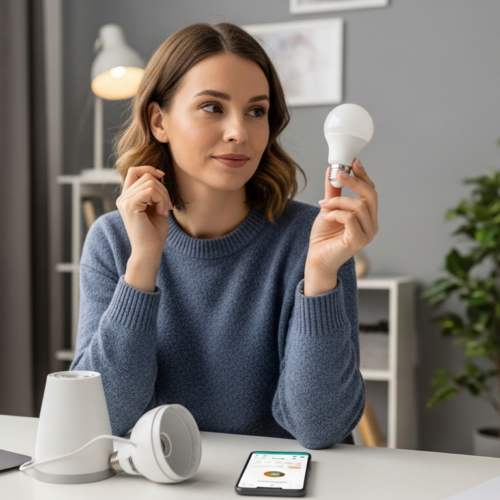
- Swap evening bulbs to warmer color temperatures to reduce blue-weighted output and support sleep quality.
- Use low-wattage red nightlights for bathroom trips so you can see without waking your brain fully at night.
- Match hardware to the health outcome you want: comfort, sleep consistency, or fewer late-night awakenings.
Daily habits that protect your eyes from digital eye strain
Small daily habits can cut digital eye strain and keep your vision more comfortable. Use easy routines that fit your day and protect focus, posture, and sleep.
Follow the 20-20-20 rule
The 20-20-20 rule is simple: every 20 minutes, look at an object about 20 feet away for 20 seconds. This relaxes the focusing muscles and reduces fatigue during long computer sessions.
Increase blink rate and reduce dry eye
You blink less when you use screens, which causes dry eye and more eye strain. Practice full, deliberate blinks and take short “blink breaks” each hour.
Consider lubricating drops if your clinician recommends them. Small changes often cut burning and irritation quickly.
Optimize distance, posture, and text size
Place the top of your monitor slightly below eye level and sit at an arm’s length. Boost text size and contrast so you don’t lean forward or squint.
Good posture eases neck and shoulder strain as well as visual strain.
Recognize signs and when to seek help
Watch for headaches, blurred vision, burning or dryness, and neck or shoulder pain. These are common signs of digital eye strain.
If symptoms persist, worsen, or affect daily tasks, talk with your eye doctor. They can check vision correction needs, suggest computer-specific prescriptions, and advise on comfort strategies and whether blue light filtering is appropriate for you.
- Quick checklist: 20-20-20 breaks, deliberate blinks, ergonomic setup.
- When to act: ongoing headaches, daily blur, or frequent dry eyes prompt a visit.
- Health payoff: less strain means better focus, improved comfort, and healthier sleep.
Conclusion
Take simple actions after dusk to support better sleep and less eye fatigue.
Start by reducing evening light first: dim fixtures, switch screens to warm modes, and cut screen time before bed. These steps help melatonin release and keep your circadian rhythm on track.
Next, use software controls like scheduled night modes and lower brightness. If you still struggle, consider hardware upgrades such as warmer bulbs, orange-tinted glasses, or physical filters.
Treat daily light exposure like a schedule: brighter and bluer earlier, dimmer and warmer at night. Consistency matters more than perfection; small changes, like an earlier screen cutoff, improve sleep quality over time.
If eye discomfort or poor sleep persist after habit changes, consult an eye doctor or sleep clinician to protect your long-term health.