
You should treat hiding cords as part of your installation process, not an afterthought. When you plan first, you avoid outages, accidental disconnects, and heat buildup that can harm your network and devices. A simple, repeatable process keeps surfaces clear and helps teams work faster.
Good setup means supported routes, minimal slack, and a system you can troubleshoot without tracing random wires. This approach reduces visual clutter and protects safety and uptime.
Start by mapping runs from the workstation back to the server or telecom area. Choose proper lengths and accessories so fixes don’t become permanent. Organization at the start cuts future rework and keeps your workspace professional.
This guide shows practical steps to choose, route, label, and maintain connections so your office stays tidy and reliable.
Why Hidden Cords Matter in a Modern Office
Tucking away loose lines removes risks and speeds routine fixes in any office. You get fewer trips, fewer heat problems, and fewer accidental disconnects. That saves you time and lowers the chance of costly damage.
Safety first:
Reduce trip hazards, overheating risk, and accidental disconnects
Keeping cords out of walk paths reduces the chance someone trips near desks, aisles, or shared spaces. It also keeps power runs from piling up and blocking airflow, which can harm equipment or cause short circuits.
Faster fixes and smoother upgrades:
Improve productivity with faster troubleshooting and smoother upgrades
When lines are organized, you identify the right run quickly. Troubleshooting takes less time and upgrades cause less downtime. A single loose cable can drop a call or interrupt a network during critical work.
Better appearance:
Create a cleaner, more professional workspace appearance
A tidy setup signals attention to detail. Clients and staff notice a modern look, and you reduce wear on cords so they last longer.

- Improves safety and reduces trip incidents
- Protects equipment from heat and physical damage
- Saves time during moves, adds, and fixes
Identify Your Cable Clutter Hotspots Before You Start
Begin with a quick audit of your workspace to spot problem runs and messy bundles. Walk under desks, behind monitors, and around docking stations to see where cords pile up. Mark each trouble spot so you can prioritize fixes.
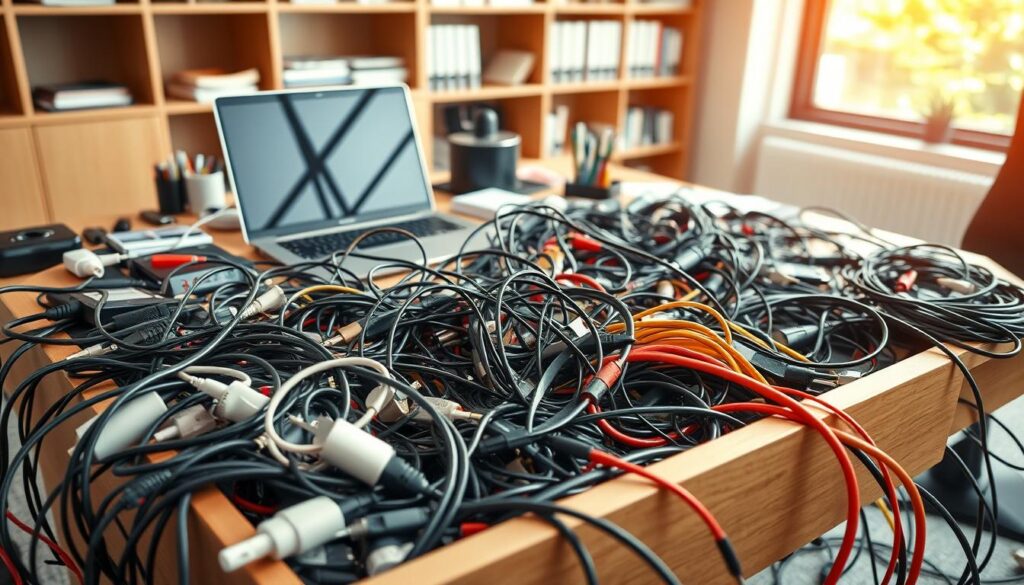
Under-desk sprawl and spaghetti behind screens
Spaghetti cabling hides where you need access. If you can’t trace a cable to its end, troubleshooting takes longer and outages become more likely. Untangle bundles so each run is visible and labeled.
Overloaded strips and unsafe power runs
Check power strips for too many plugs and heat buildup. Unsafe power distribution can damage equipment and cause failures. Replace or relocate overloaded strips to protect devices.
Temporary fixes that become permanent
Tape, random ties, and pushed‑back cords often stay in place and create long-term issues. Note routing mistakes like cords wrapped around chair legs or pinched between furniture.
- Target clean state: clear floor space and protected runs
- Accessible connection points for fast service
- Protected, strain‑free paths to equipment
- Document hotspots so future work starts clean
Cable management theory: Plan the System Before You Plug Anything In
Start by drawing a simple map of every device and port so you know exactly where each run must go. You trace every connection from the workstation back to the wall outlet, dock, or telecom rack before you touch a connector.
Pick cable lengths intentionally. Excess slack—often more than 12 inches—causes tangles and messy installs. Cut or order lengths that leave small service loops, not huge bundles.
Design for growth. Reserve space for an extra monitor, a new phone, or a dock upgrade so the system stays flexible and you avoid rework.
- Map devices and ports to reduce guesswork
- Choose lengths to limit slack and tangles
- Plan access points so you can replace parts without dismantling runs
- Provide support along the full route to protect connectors
Make planning part of the installation and you save time later. Proper support and clear routes prevent strain and extend cable life while keeping your workspace tidy.
Choose the Right Cable Management Solutions and Accessories
Match your tools to the route: small clips for tight edges, trays for long runs, and straps where you need flexibility.
Bundling: Use nylon cable ties for permanent runs where you won’t adjust often. For frequent changes, pick hook-and-loop VELCRO® ONE-WRAP® straps to avoid pinching and wear.
Surface fastening: Cable clips and mounts keep cords tight to desks, walls, and shelving. They stop sagging loops that catch on chairs or feet.
Sleeves, raceways, and routing hardware
Zip sleeves and fabric covers turn many cords into a single tidy bundle in open spaces. Raceways fully enclose runs and protect wiring from dust and moisture while keeping lines consistent.
For heavier support, use trays, baskets, or ladder racks under benches or across ceilings. These products carry groups of cords and prevent strain at connectors.
Protect connectors
Cord grips and strain relief act as connector insurance. They stop pulling and bending at ports so plugs last longer.
- Choose durable materials and right-sized products
- Use the proper tools to avoid damaging wires during install
- Prioritize accessories that match how often you service equipment
Hide Cords at the Desk Without Sacrificing Access
Start by routing every line to the back edge of your desk so the top stays clear and usable. This gives you a single path to organize and keeps screens, paperwork, and tools free of tangles.
Route cables along the back edge and underside for a clear work surface
Use an under-desk tray or channel as the main spine and guide each cord into place with clips. This prevents dangling runs and opens up legroom.
Create service loops and access points for quick maintenance
Leave small, controlled loops at connectors so you can unplug a monitor or dock without cutting ties or re-threading runs. Place loops where you naturally access ports.
Bundle by function to keep peripherals, displays, and chargers organized
Group power, displays, and peripherals into separate bundles so you can isolate issues fast. Use reusable straps where you adjust often and tucked-in ties inside trays for permanent runs.
- Route to the back edge, then down the underside
- Use sleeves for visible drops to the wall
- Keep ports reachable and floor space clear for cleaning
Route Cables Along Walls and Floors for a Clean, Safe Office
Run your lines along walls and up out of walking paths to keep floors clear and eyes pleased. This choice protects runs from foot traffic and rolling chairs while creating a neat visual line through the room.
Use raceways to fully enclose wiring
Raceways hide wiring and keep dust and moisture away from connectors. Mounted to walls or floors, they form a solid enclosure that reduces heat exposure and prevents accidental snags during cleaning or moves.
Keep pathways clear to reduce wear
Route around doorways and chair zones so cables avoid constant friction. Never run a power line loosely across a walkway; instead, place it along baseboards or in a floor-rated protector if a crossing is unavoidable.
- Prefer wall routing for a cleaner, safer layout
- Anchor vertical drops from desk to wall so runs stay neat
- Pick raceway and floor solutions that match the space and expected traffic
Practical rule: plan transitions from desk to wall, then along walls to outlets to stop scuffs, tangles, and damage. This protects your wiring and keeps the office usable and safe.
Separate Power and Data Cables to Protect Performance
Keep power runs physically apart from your data lines to prevent interference and preserve throughput. This is a performance habit, not just a tidy practice. When you plan routes, you cut transmission errors and make troubleshooting faster.
Avoid electromagnetic interference
Run power on one side of a tray or raceway and route data on the other. Physical separation reduces crosstalk and helps your network stay stable under load, especially near servers and switches.
Improve airflow and cooling
Avoid tight bundles that block vents. Proper spacing lets equipment breathe, lowers operating temperature, and extends the life of your cables and hardware.
Prevent damage and downtime
Keep bend radius generous and avoid kinks. Gentle curves and good support stop stress at connectors and reduce sudden failures during moves or maintenance.
- Separate power and data in different channels
- Prioritize airflow around racks and desks
- Use supports to prevent tight turns and strain
Label and Document Everything for Faster Troubleshooting
Clear labels and up-to-date records turn chaotic desks into systems you can service in minutes. Label both ends of each run so you identify a connection at the desk and at the back of equipment without guessing.
Use consistent, easy-to-read identifiers like device name + port + destination. This standard reduces time wasted during fixes and makes handoffs simpler for anyone on your team.
Use color and standardized naming
Apply color coding where it helps—separate data, power, and peripherals visually to cut human error. Pick a naming rule and keep it the same across the room.
Keep records current
Document runs in a simple spreadsheet or a lightweight asset tool. Record port locations, endpoints, and any special notes so audits and upgrades don’t require tracing wires.
- Label both ends for instant identification
- Adopt clear naming: device + port + destination
- Color code to reduce wrong unplugging
- Update records immediately after any change
Practical management solutions like these cut downtime more than most people expect. Make labeling and documentation part of your maintenance process and save time on every future change.
Conclusion
Adopt a system-first approach to wiring so upgrades and repairs take minutes, not hours.
Treat tidy runs as part of installation and daily upkeep. Planned routing, supported paths, and the right accessories reduce downtime, protect equipment, and improve safety.
Audit clutter, separate power from data, and pick proper products—raceways, sleeves, clips, and reusable ties—for each route. Label wires and document endpoints so troubleshooting is fast and repeatable.
Keep bundles flexible so temporary fixes don’t become permanent. Small steps, like adding an under-desk tray or labeling both ends, save time and protect network performance.
Start with one improvement today and build momentum toward a cleaner, safer workspace that serves your team and systems better.