

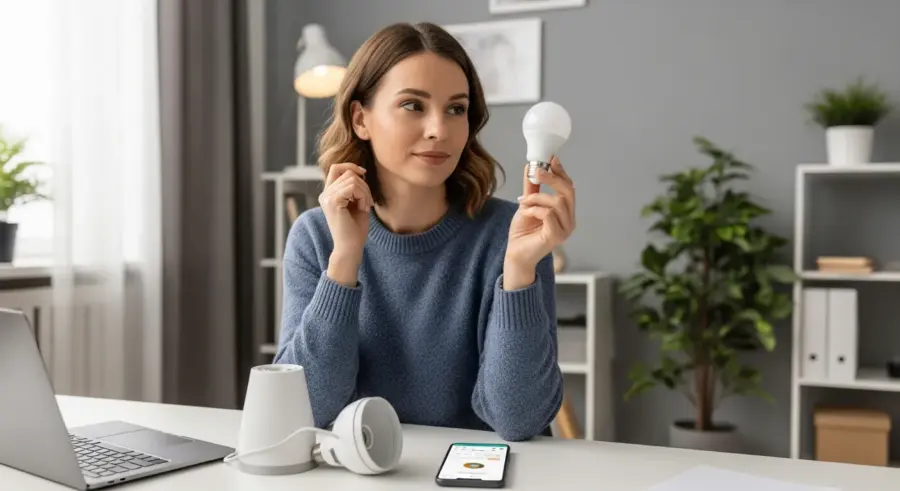
Smart bulbs are a fantastic entry point into the world of smart home technology. They offer convenience, energy savings, and a touch of modern flair to any living space.
But getting started with a smart bulb setup can feel a little overwhelming. This guide will walk you through each step, from choosing the right ecosystem to troubleshooting common issues, ensuring a smooth and enjoyable experience.
So, if you’re ready to transform your home lighting and embrace the power of voice control and automation, keep reading. Let’s get your smart bulb setup up and running.
Choosing the Right Smart Bulb Ecosystem
Before you even think about twisting in a bulb, you need to decide on a smart home ecosystem. This choice will impact compatibility, features, and overall ease of use.
The big players in the smart home world include Philips Hue, Amazon Alexa, Google Home, and Apple HomeKit. Each has its strengths and weaknesses, so do your research.
Philips Hue is known for its extensive range of bulbs and accessories, offering excellent color accuracy and a robust ecosystem. However, it typically requires a Hue Bridge, which adds to the initial cost.
Amazon Alexa and Google Home are centered around their respective voice assistants and smart speakers. They offer seamless voice control and integration with other smart devices, but their bulb selection might be more limited.
Apple HomeKit is known for its security and privacy features, offering a streamlined and user-friendly experience. However, it requires an Apple device like an iPad or Apple TV to act as a home hub.
Consider which ecosystem you’re already invested in or which aligns best with your needs. Think about which voice assistant you prefer or which platform offers the features you value most.
Diving deeper, consider the long-term implications of your chosen ecosystem. Will it easily integrate with future smart home devices you might purchase?
Think about the user interface of each ecosystem’s app. Is it intuitive and easy to navigate, or does it feel clunky and confusing?
Also, consider the level of customization offered by each platform. Can you create complex automations and personalized lighting scenes?
Price is another crucial factor to consider. Some ecosystems require more expensive hardware or subscriptions to unlock certain features.
Don’t forget to research the security reputation of each platform. Look for ecosystems that prioritize user privacy and data protection.
Finally, read reviews and compare experiences from other users. This can give you valuable insights into the pros and cons of each ecosystem.
Ultimately, the best smart bulb ecosystem for you will depend on your individual needs and preferences. Take the time to carefully evaluate your options before making a decision.
Beyond the big names, there are also smaller, more niche smart home ecosystems. These may offer unique features or be better suited for specific use cases.
For example, some ecosystems are specifically designed for gamers, offering immersive lighting effects that synchronize with gameplay. Others are focused on energy efficiency, providing detailed insights into your energy consumption.
When evaluating these smaller ecosystems, be sure to carefully research their compatibility with other smart home devices. You’ll also want to ensure they have a strong security track record.
Another important consideration is the type of smart bulb you need. Do you need color-changing bulbs, or are you happy with white-only bulbs?
What about the bulb’s brightness and wattage? Make sure the bulb is bright enough for the intended use case and compatible with your light fixtures.
Finally, consider the bulb’s lifespan. Some smart bulbs are designed to last for many years, while others may need to be replaced more frequently.
Installing and Connecting Your Smart Bulbs
Once you’ve chosen your smart bulb ecosystem, it’s time to install and connect your bulbs. This process is generally straightforward, but it can vary slightly depending on the brand and model.
First, screw the smart bulb into the desired light fixture, just like you would with a regular bulb. Ensure the fixture is compatible with the bulb’s wattage and voltage requirements.
Next, download the corresponding app for your chosen smart home ecosystem (e.g., Philips Hue app, Amazon Alexa app, Google Home app). Create an account or log in if you already have one.
Follow the in-app instructions to connect the smart bulb to your Wi-Fi network. This usually involves selecting the bulb from a list of available devices and entering your Wi-Fi password.
Some bulbs may require you to scan a QR code or enter a unique identification number. Others might connect automatically through Bluetooth.
Once connected, you can usually customize the bulb’s name and assign it to a specific room or zone in your home. This makes it easier to control multiple bulbs simultaneously.
Before you begin, ensure the light fixture is turned off at the switch. This is a crucial safety precaution to avoid electric shock.
If you’re replacing an existing bulb, allow it to cool down completely before handling it. Hot bulbs can cause burns.
When screwing in the smart bulb, don’t overtighten it. This can damage the bulb or the fixture.
If you’re having trouble connecting the bulb to your Wi-Fi network, try restarting your router. This can often resolve connectivity issues.
Make sure your smartphone or tablet is connected to the same Wi-Fi network as the bulb. Otherwise, the app won’t be able to find the bulb.
If the app is still unable to find the bulb, try resetting the bulb to its factory settings. The process for doing this varies depending on the brand and model.
Once the bulb is connected, take the time to explore the app’s features and settings. This will allow you to customize the bulb’s behavior and create personalized lighting scenes.
Consider grouping your bulbs together by room or zone. This makes it easier to control multiple bulbs simultaneously with voice commands or schedules.
Experiment with different color temperatures and brightness levels to find the perfect lighting for each room in your home. Warmer colors are generally better for relaxing, while cooler colors are better for working.
Don’t be afraid to experiment and have fun with your smart bulbs. The possibilities are endless!
Also, pay attention to the type of light fixture you’re using. Some smart bulbs may not be compatible with certain types of dimmers or enclosed fixtures.
If you’re using a dimmer switch, make sure it’s compatible with smart bulbs. Otherwise, the bulbs may flicker or not dim properly.
Enclosed fixtures can trap heat, which can shorten the lifespan of smart bulbs. If you’re using an enclosed fixture, choose a bulb that’s specifically designed for enclosed spaces.
Setting Up a Smart Home Hub (If Required)
Some smart bulb systems, like Philips Hue, require a smart home hub to function properly. The hub acts as a central control point, connecting your bulbs to your Wi-Fi network and enabling advanced features.
If your chosen ecosystem requires a hub, the setup process is usually quite simple. Connect the hub to your router using an Ethernet cable and plug it into a power outlet.
| Hub | Protocols | Compatibility |
|---|---|---|
| Philips Hue Bridge | Zigbee | Philips Hue, limited third-party |
| Amazon Echo (selected models) | Zigbee, Bluetooth | Amazon Alexa, some third-party |
| Apple HomePod Mini | Thread, Bluetooth | Apple HomeKit |
| Samsung SmartThings Hub | Zigbee, Z-Wave, Bluetooth | SmartThings, wide third-party |
Then, follow the instructions in the app to connect the hub to your Wi-Fi network and link it to your account. Once the hub is set up, you can then connect your smart bulbs to the hub.
The app will guide you through the process of discovering and adding your bulbs to the hub’s network. This is usually a quick and painless process.
The hub provides a more reliable connection than direct Wi-Fi. This is especially important if you have a large number of smart bulbs.
The hub also allows you to control your bulbs even when your Wi-Fi is down. This is because the hub uses a different communication protocol, such as Zigbee or Z-Wave.
When setting up the hub, make sure it’s placed in a central location in your home. This will ensure that all of your smart bulbs can connect to it.
Avoid placing the hub near metal objects or other sources of interference. This can weaken the signal and cause connectivity issues.
If you’re having trouble connecting the hub to your Wi-Fi network, try restarting your router and the hub. This can often resolve connectivity issues.
Make sure the hub’s firmware is up to date. Manufacturers often release firmware updates to improve performance and security.
Some hubs allow you to connect other smart home devices, such as smart thermostats and smart locks. This allows you to create a more integrated smart home ecosystem.
Consider the range of the hub when deciding where to place it. Some hubs have a limited range, so you may need to purchase additional hubs to cover your entire home.
Read the hub’s documentation carefully before setting it up. This will help you avoid common mistakes and ensure that the hub is properly configured.
A smart home hub can be a valuable addition to your smart bulb setup. It provides a more reliable connection, allows you to control your bulbs even when your Wi-Fi is down, and can connect other smart home devices.
Controlling Your Lights with Voice Commands
One of the biggest advantages of smart bulbs is the ability to control them with your voice. This hands-free control adds a new level of convenience to your daily life.
To enable voice control, you’ll need a compatible smart speaker or voice assistant device, such as an Amazon Echo or Google Home. Make sure your smart bulbs are properly linked to your chosen voice assistant platform.
The process for linking your bulbs varies slightly depending on the platform. In the Alexa app, you’ll usually need to enable the skill for your smart bulb brand (e.g., Philips Hue skill).
In the Google Home app, you can link your smart bulbs by selecting “Works with Google” and choosing your brand from the list. Follow the on-screen instructions to authorize the connection.
Once linked, you can use voice commands to control your lights. Simple commands like “Alexa, turn on the living room lights” or “Hey Google, dim the bedroom lights” will do the trick.
You can also create custom scenes or groups to control multiple bulbs simultaneously. For example, you could create a “Movie Night” scene that dims the lights and sets them to a warm color temperature.
Make sure your smart speaker is within earshot of where you’ll be giving voice commands. If the speaker is too far away, it may not be able to hear you properly.
Speak clearly and concisely when giving voice commands. Avoid using slang or jargon that the voice assistant may not understand.
If the voice assistant is having trouble understanding you, try repeating the command more slowly and deliberately. You can also try rephrasing the command using different words.
Experiment with different voice commands to see what works best for you. You can control the brightness, color, and on/off state of your lights with your voice.
Use voice commands to create a more immersive and convenient lighting experience. You can turn on the lights when you enter a room, dim the lights when you’re watching a movie, or turn off all the lights when you go to bed.
Voice control can be especially useful for people with disabilities. It allows them to control their lights without having to get up and walk to the switch.
Consider the privacy implications of using voice control. Your voice commands are recorded and stored by the voice assistant platform.
You can review and delete your voice recordings in the voice assistant app. You can also disable voice recording altogether, but this will limit the functionality of voice control.
Voice control is a powerful and convenient way to control your smart bulbs. It can add a new level of automation and personalization to your home.
Think about the different scenarios where voice control could be most useful. For example, hands-free control in the kitchen while cooking, or controlling lights from bed before sleeping.
You can even use voice commands to set timers for your lights. This can be useful for creating a simulated sunrise or sunset.
Creating Lighting Schedules and Automations
Smart bulbs truly shine when you start creating lighting schedules and automations. This allows you to customize your lighting to match your daily routines and preferences.
Most smart bulb apps allow you to set schedules for your lights to turn on and off at specific times. For example, you could schedule your bedroom lights to gradually brighten in the morning to wake you up gently.
- Wake-up routines
- Sunset simulations
- Vacation mode
- Motion-activated lighting
- Geofencing triggers
You can also create more advanced automations using IFTTT (If This Then That) or similar platforms. These platforms allow you to connect your smart bulbs to other smart devices and online services.
For example, you could set your lights to turn on automatically when you arrive home based on your phone’s location. Or you could have your lights flash red when you receive an email from a specific sender.
Start with simple schedules and automations and gradually add more complexity as you become more comfortable. This will help you avoid feeling overwhelmed.
Think about your daily routines and identify areas where lighting automations could make your life easier. For example, you could schedule your kitchen lights to turn on automatically when you wake up in the morning.
Use lighting schedules to create a more secure and energy-efficient home. You can schedule your lights to turn on and off automatically when you’re away on vacation.
Experiment with different lighting colors and brightness levels to create the perfect ambiance for different activities. For example, you could create a warm and inviting lighting scene for dinner parties.
Use motion sensors to trigger lighting automations. For example, you could have your hallway lights turn on automatically when someone walks by.
Use geofencing to trigger lighting automations based on your location. For example, you could have your porch lights turn on automatically when you arrive home.
Consider the impact of lighting schedules on your sleep patterns. Avoid using bright blue lights in the evening, as they can interfere with your sleep.
Use warmer colors and dimmer brightness levels in the evening to help you relax and prepare for sleep. You can even create a bedtime routine that gradually dims the lights over time.
Take advantage of IFTTT and other automation platforms to connect your smart bulbs to other smart home devices and online services. This will allow you to create even more powerful and personalized automations.
For example, you could connect your smart bulbs to your smart thermostat to automatically adjust the lighting based on the temperature in your home. Or you could connect your smart bulbs to your weather app to have them change color based on the weather forecast.
Regularly review and update your lighting schedules and automations to ensure they are still meeting your needs. As your routines change, you may need to adjust your lighting schedules accordingly.
Creating lighting schedules and automations is a great way to take full advantage of your smart bulbs. It can make your life easier, more secure, and more energy-efficient.
Exploring Advanced Smart Bulb Features
Beyond basic on/off control and scheduling, many smart bulbs offer a range of advanced features. These features can further enhance your lighting experience and provide even greater customization.
One popular feature is color control, which allows you to change the color of your lights to match your mood or create a specific ambiance. Some bulbs offer millions of different colors to choose from.
Another useful feature is dimming control, which allows you to adjust the brightness of your lights to create the perfect lighting level. This is especially useful in bedrooms and living rooms.
Some smart bulbs also offer energy monitoring, which allows you to track your energy consumption and identify areas where you can save money. This can be a great way to reduce your carbon footprint and lower your electricity bill.
Certain bulbs even include built-in motion sensors, which can automatically turn on the lights when motion is detected. This is ideal for hallways, staircases, and other areas where you need hands-free lighting.
Finally, some smart bulbs integrate with gaming systems and entertainment setups, synchronizing the lights with the on-screen action for a more immersive experience. This can add a whole new dimension to your gaming or movie nights.
Explore the color spectrum and discover the impact different colors have on your mood and energy levels. Blue light can increase alertness, while red light can promote relaxation.
Use dimming control to create a layered lighting scheme. Combine bright overhead lighting with softer accent lighting to create a more visually appealing space.
Track your energy consumption over time and identify ways to reduce your energy usage. You can use this information to make informed decisions about your lighting habits.
Use motion sensors to create a more secure and convenient home. You can have your lights turn on automatically when someone approaches your front door.
Experiment with different gaming integrations to find the perfect lighting setup for your favorite games. You can have your lights change color based on the in-game action.
Consider the impact of advanced smart bulb features on your overall well-being. Use color control to create a more relaxing and stress-free environment.
Use dimming control to reduce eye strain and improve your sleep quality. Avoid using bright lights before bed.
Take advantage of energy monitoring to reduce your carbon footprint and save money on your electricity bill. This can help you live a more sustainable lifestyle.
Use motion sensors to improve safety and security in your home. This can help prevent accidents and deter intruders.
Explore the different integrations and features offered by your smart bulb ecosystem. This will allow you to get the most out of your smart bulbs.
Don’t be afraid to experiment and have fun with your smart bulbs. The possibilities are endless!
Consider the long-term cost savings associated with energy-efficient smart bulbs. While the initial investment may be higher, the reduced energy consumption can save you money over time.
Also, remember to check for compatibility with other smart home devices you may already own. A seamless integration can enhance the overall smart home experience.
Troubleshooting Common Smart Bulb Issues
Even with the best smart bulb setup, you might encounter some issues from time to time. Here are some common problems and how to fix them.
If your smart bulb won’t connect to your Wi-Fi network, first make sure your Wi-Fi network is working properly. Check your router and modem to ensure they are connected to the internet.
Also, make sure your smart bulb is within range of your Wi-Fi router. If the signal is weak, try moving the bulb closer to the router or adding a Wi-Fi extender.
If your smart bulb is unresponsive to voice commands, double-check that it is properly linked to your voice assistant platform. Try unlinking and relinking the bulb to your account.
If your smart bulb is flickering or dimming unexpectedly, it could be due to a loose connection or a faulty bulb. Try tightening the bulb in the fixture or replacing it with a new one.
If you’re still having trouble, consult the manufacturer’s website or support documentation for more specific troubleshooting steps. Many brands offer online forums and help centers where you can find answers to common questions.
Before troubleshooting, always ensure the power is off to the fixture. This prevents accidental electric shock.
Check for firmware updates for both the bulb and the smart home hub (if applicable). Outdated firmware can cause compatibility issues.
If you’re using a smart home hub, try restarting it. This can often resolve connectivity issues.
Make sure your Wi-Fi network is not overloaded. Too many devices connected to the same network can cause performance issues.
If you’re using a dual-band router, try connecting the bulb to the 2.4 GHz network. Some smart bulbs are not compatible with the 5 GHz network.
Check for interference from other electronic devices. Microwaves and cordless phones can interfere with Wi-Fi signals.
If you’ve recently changed your Wi-Fi password, you’ll need to update the password in the smart bulb app. Otherwise, the bulb won’t be able to connect to the network.
If you’re still having trouble, try contacting the manufacturer’s customer support. They may be able to provide more specific troubleshooting steps.
Document the steps you’ve taken to troubleshoot the issue. This will help you remember what you’ve tried and make it easier to get help from customer support.
Remember to be patient and persistent. Troubleshooting smart home devices can sometimes be frustrating, but with a little effort, you should be able to resolve most issues.
Also, consider the age of your smart bulbs. Like any electronic device, they have a limited lifespan and may eventually need to be replaced.
If you suspect a faulty bulb, try testing it in a different light fixture to rule out any issues with the fixture itself.
Securing Your Smart Bulb Network
As with any connected device, security is a concern with smart bulbs. Taking a few precautions can help protect your network and privacy.
First, make sure you are using a strong and unique password for your Wi-Fi network. Avoid using easily guessable passwords like “password” or “123456”.
Enable WPA3 encryption on your Wi-Fi router, if supported. This is the latest and most secure Wi-Fi encryption protocol.
Keep your smart bulb firmware up to date. Manufacturers often release firmware updates to address security vulnerabilities.
Be wary of connecting your smart bulbs to third-party apps or services that you don’t trust. Only grant access to apps that you know and have a legitimate reason to access your smart bulb network.
Consider creating a separate guest network for your smart bulbs and other IoT devices. This can help isolate them from your main network and prevent them from accessing sensitive data.
Change the default password on your smart home hub (if applicable). Default passwords are often easily guessable.
Enable two-factor authentication (2FA) on your smart home account. This adds an extra layer of security by requiring a second verification code when you log in.
Regularly review the devices connected to your Wi-Fi network. This will help you identify any unauthorized devices.
Disable remote access to your smart home hub if you don’t need it. This will reduce the risk of unauthorized access.
Be careful about what information you share online about your smart home setup. Avoid posting photos or videos that reveal sensitive information about your home’s security.
Consider using a VPN (Virtual Private Network) when connecting to your smart home network from outside your home. This will encrypt your traffic and protect your data.
Stay informed about the latest security threats and vulnerabilities. This will help you protect your smart home network from attack.
Use a strong password manager to generate and store your passwords. This will help you create strong and unique passwords for all of your online accounts.
Regularly scan your network for vulnerabilities. There are many free and commercial tools available that can help you identify security weaknesses.
Securing your smart bulb network is an important step in protecting your privacy and security. By taking a few simple precautions, you can reduce the risk of unauthorized access and protect your data.
Conclusion
Setting up smart bulbs can seem daunting at first, but it’s a rewarding experience that brings convenience and automation to your home. By following these steps, you can easily transform your lighting and enjoy the benefits of a smart home.
From choosing the right ecosystem to creating custom schedules, smart bulbs offer endless possibilities for personalization and control. Embrace the future of lighting and start exploring the world of smart home technology today.
Remember to continuously explore new features and integrations. The smart home landscape is constantly evolving, offering even more ways to enhance your lighting experience.
Don’t be afraid to experiment and customize your setup to perfectly match your lifestyle. The key is to find what works best for you and your home.
Smart bulbs are more than just a convenient way to control your lights. They are a gateway to a smarter, more connected, and more efficient home.


