

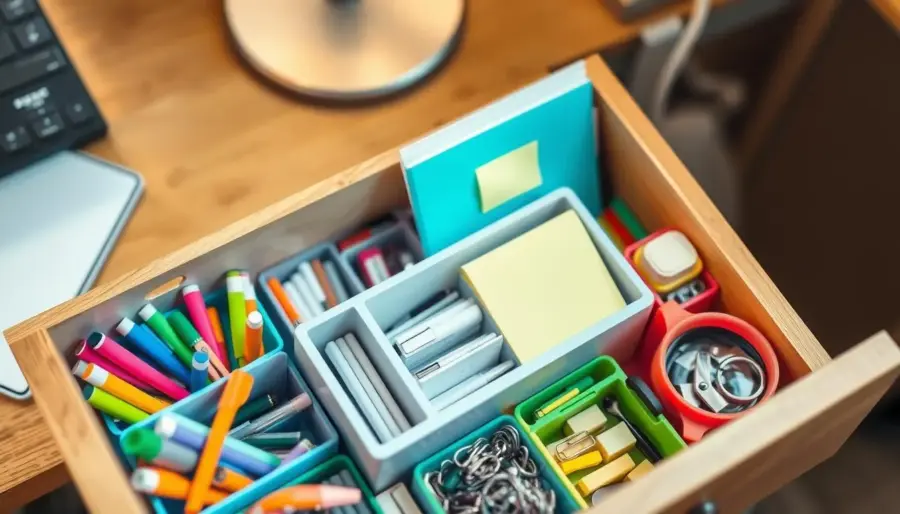
Small desk drawers show clutter fast and slow your work. You need a repeatable, low-maintenance system that fits daily life and saves time.
This guide walks you through a simple reset: empty the drawer, group like items, remove duplicates or expired goods, and choose containers or dividers that fit. Visible storage and upright placement help you find things at a glance and avoid buying doubles.
Expect a how-to that builds a fast-to-reset setup, not a one-time tidy. You will learn to label zones so each item has a clear home and returns in seconds, not minutes.
Examples span office, kitchen, and junk drawers so you can copy the same logic at home. The result is clear: fewer distractions, faster task switching, and a drawer that stays useful with daily use.
Assess Your Desk Drawer Space and What You Actually Store
Knowing exact measurements and use patterns prevents a drawer from becoming a catch‑all. Take a few minutes to map the interior, note how you use the top surface, and decide the drawer’s single primary job.

Measure size and spot dead zones
Measure width, depth, and height so any inserts will fit. Check the back corners and areas around slides — those are common dead zones where small items fall or hide.
Identify the drawer’s main job
Decide if the drawer will hold work supplies, tech gear, paper, or daily essentials. Give it one role and avoid a catch‑all that makes finding things harder.
Spot overflow and relocate
Inventory what you keep and note daily vs. weekly use. Move bulk or rarely used items to a closet, cabinet, or pantry to free prime space.
- Measure first: pick organizers that match the actual interior.
- Fill dead zones: use right-sized containers, not loose piles.
- Match function to workflow: align the drawer with the way you work.
Finish with a quick reality check: if the room in the drawer can’t hold your items without crowding, plan to relocate extras now. That keeps the system fast and low‑maintenance.
Reset Your System: Empty, Sort, Declutter, and Clean
Pull everything out into a single pile to judge what really belongs in the drawer. Seeing all your items at once makes duplicates and broken pieces obvious. Work in one session or tackle one drawer per day if you feel overwhelmed.
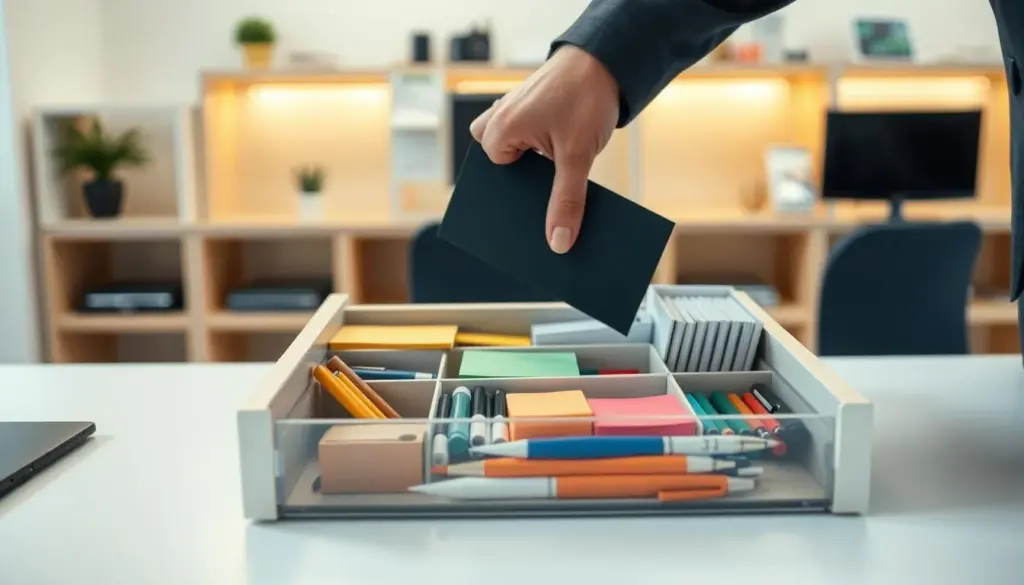
Pull, inspect, and purge
Remove expired, dried-out, or damaged supplies and toss them. Set aside belongings that belong elsewhere and relocate them now. Wiping the interior and adding a liner makes the space feel fresh and easier to maintain.
Group by real use
Create practical categories that mirror your habits: pens, small tools, chargers, papers, and tiny pieces. Match compartments to those groups so you avoid overstuffing and make items visible at a glance.
Keep only what helps your day
Adopt a simple rule: if an item doesn’t support the drawer’s job, it goes. Finish with a quick keep / toss / relocate checklist so you can choose dividers and containers with confidence.
- Keep: daily essentials you use each day.
- Toss: broken, empty, or expired items.
- Relocate: things that belong in another room.
Drawer organization tips for Small Desk Drawers That Stay Organized
Place high-use things up front so you reach what you need in seconds. That one small choice cuts search time and keeps your workflow steady through the day.
Store by frequency of use
Put daily essentials at the front or in the most reachable zone. Move rarely used items toward the back so they don’t steal prime space.
Use vertical space
Stand pens, notepads, and slim tools upright like files. Vertical storage lets you see everything at a glance and saves width for other items.
Make a fast “put it back” rule
Give each category a clear home and label it if needed. Resetting the drawer should take seconds after each use.
Rotate occasional things and maintain
Move seasonal cords or specialty supplies to a storage box and swap them in or out once per season.
- Weekly glance: a 60-second check keeps clutter from creeping back.
- Quarterly reset: a deeper sort protects the system for years.
Choose Drawer Dividers and Drawer Organizers That Fit Your Items
Pick dividers and bins that create snug zones for each category. A planned layout stops small pieces from shifting and makes everything easy to find.
Fixed vs. adjustable separators
Fixed dividers give rigid compartments that suit stable supplies. Adjustable dividers work best if your tech or tools change often.
Clear containers and acrylic bins
Clear containers and acrylic bins let you scan contents without digging. Label the underside so visible tops stay neat and you always return items to the right spot.
Repurpose small boxes and build a grid
Shoeboxes or small gift boxes make quick, budget-friendly organizers for sticky notes or adapters. Measure width, depth, and height first, then test-fit a tight grid so compartments match each category’s ideal size.
- Test set approach: buy a small set, assemble like a puzzle, return extras.
- Durability: choose acrylic, bamboo, or sturdy cardboard that holds up to daily use.
- Fit matters: snug inserts prevent sliding and mixing of items.
Set Up Zones Inside One Drawer to Maximize Storage Space
A simple zoning plan turns a cluttered drawer into a tiny, efficient workstation. Start by sketching three or four zones across the interior based on how you reach and use items.
Front zone for daily essentials
Place your main pen, pocket notepad, and USB drive where your hand lands first. This front zone saves seconds each time you grab a tool and reduces interruption.
Small-item zone
Create a tight cluster of small containers for clips, batteries, adapters, and tiny tools. Use snug containers or small organizers so these items stop drifting into other areas.
Paper zone
Reserve a shallow section for sticky notes, index pads, and the few paper documents you reference often. Size the paper zone to actual items, not imagined stacks.
- Map by use: front = daily, back = rarely used.
- Contain small bits: prevents migration and saves space.
- Zone audit: a quick 30–60 second check each week keeps the system working.
Optimize Tricky Small Drawers: Deep, Narrow, or Overfilled
Tricky small drawers often hide new problems: items tip, slide, or vanish when you open them.
Prevent fall-over clutter by using snug containers sized to lock categories in place. Tall pens and slim tools stay upright when a container fits their height. That stops tipping and keeps small pieces from spreading.
Right-size and separate for wide or deep interiors
Oversized drawers attract mixed items. Use separators and drawer dividers to keep categories from drifting as the drawer moves. Place heavier tools and bulky pieces toward the back or lower layer.
Narrow drawers and front-to-back layouts
For narrow pulls, choose slim organizers and orient items front-to-back. This avoids wasted strips of space and makes each item reachable.
- Declutter first: remove excess inventory before adding containers.
- Temporary overflow: use a labeled project bin that you remove when the project ends.
- Match use: fit containers to how you actually use the space, not idealized volume.
Tricky drawers aren’t hopeless. With the right dividers and container sizes you’ll restore fast, reliable order.
Desk-Specific Drawer Ideas: Office Supplies, Tech Cables, and a Charging Drawer
Designing desk-specific compartments makes daily work faster and keeps clutter out of sight. Start with one clear layout for pens, highlighters, scissors, tape, and staples so you can grab what you need instantly.
Ready-to-copy office supply layout: place pens and highlighters upright in a slim tray, keep scissors and tape in a mid pocket, and store staples and spare pieces in a small sealed bag.
For a charging solution, route cords through a rear cable slot. Dedicate compartments for adapters and phones so devices charge hidden from view. If possible, add a nearby outlet or a built-in power access so charging lives inside the drawer.
- Label the underside of clear organizers so the top stays tidy but everyone knows each spot.
- Use a non-slip liner under acrylic organizers to protect the top surface and stop sliding.
- Borrow kitchen drawer logic: tight grids and snug compartments work well for tech and small office supplies.
Prevent a junk drawer by giving each category a defined compartment and a visible label. That keeps junk and tech gear from mixing and makes the set easy to maintain.
Conclusion
A focused 20-minute reset today delivers months of calmer, faster work at your desk.
Recap the process: decide the drawer’s primary job, declutter, pick fitted boxes or dividers, create clear zones, and label for quick returns. Keep what you use and relocate overflow to a closet, cabinet, or pantry-style storage so one pull-out does not hold everything.
Make maintenance light: a 60-second weekly check and a seasonal review keeps the system useful for years. The same approach works across the home, from kitchen drawers to a small junk drawer.
Next step: choose one drawer, set a 20-minute timer, and finish one small win. Momentum matters more than perfection.


